




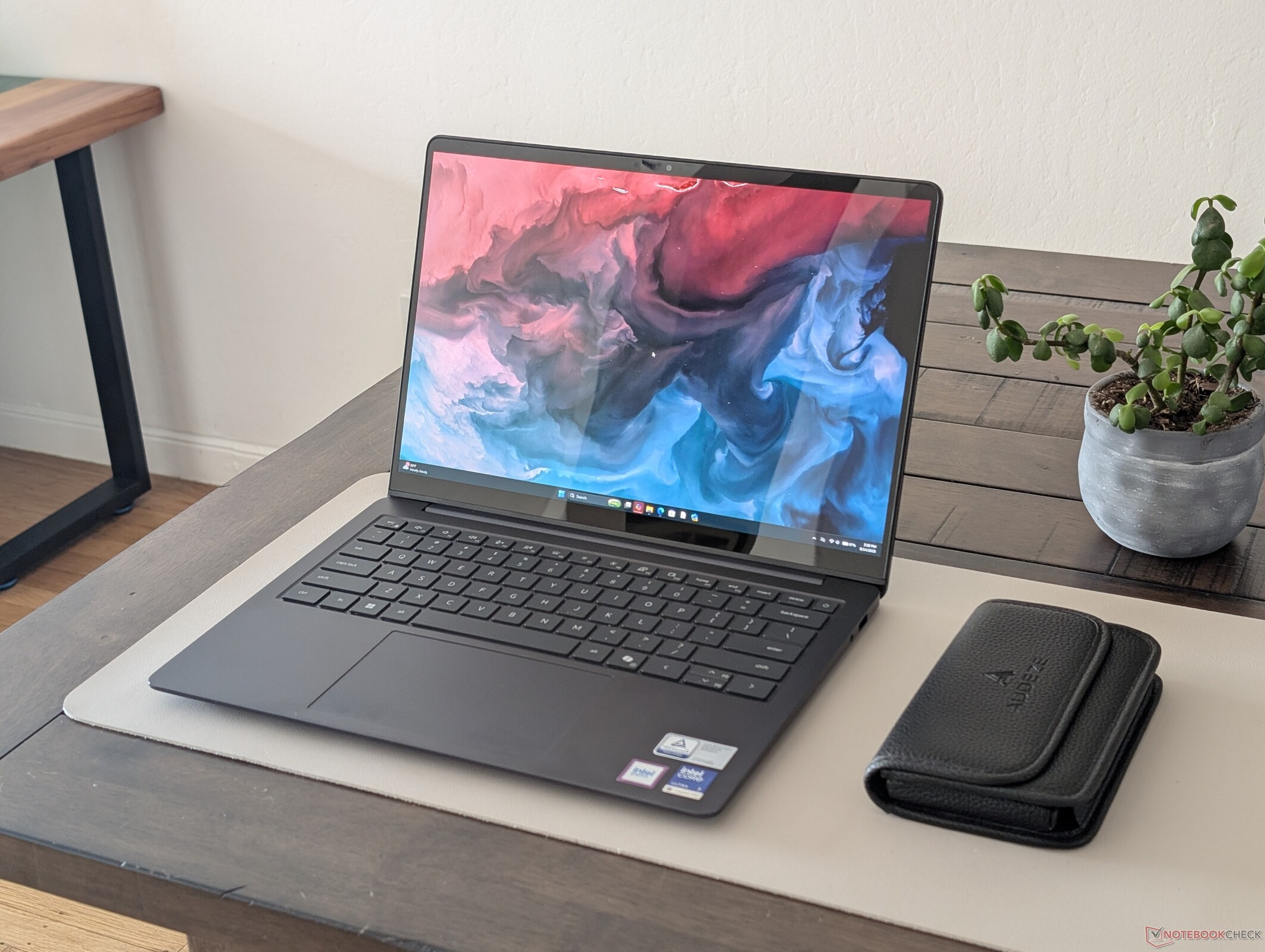
Verdetto — L’aspetto e la percezione sono decisamente migliori rispetto a prima
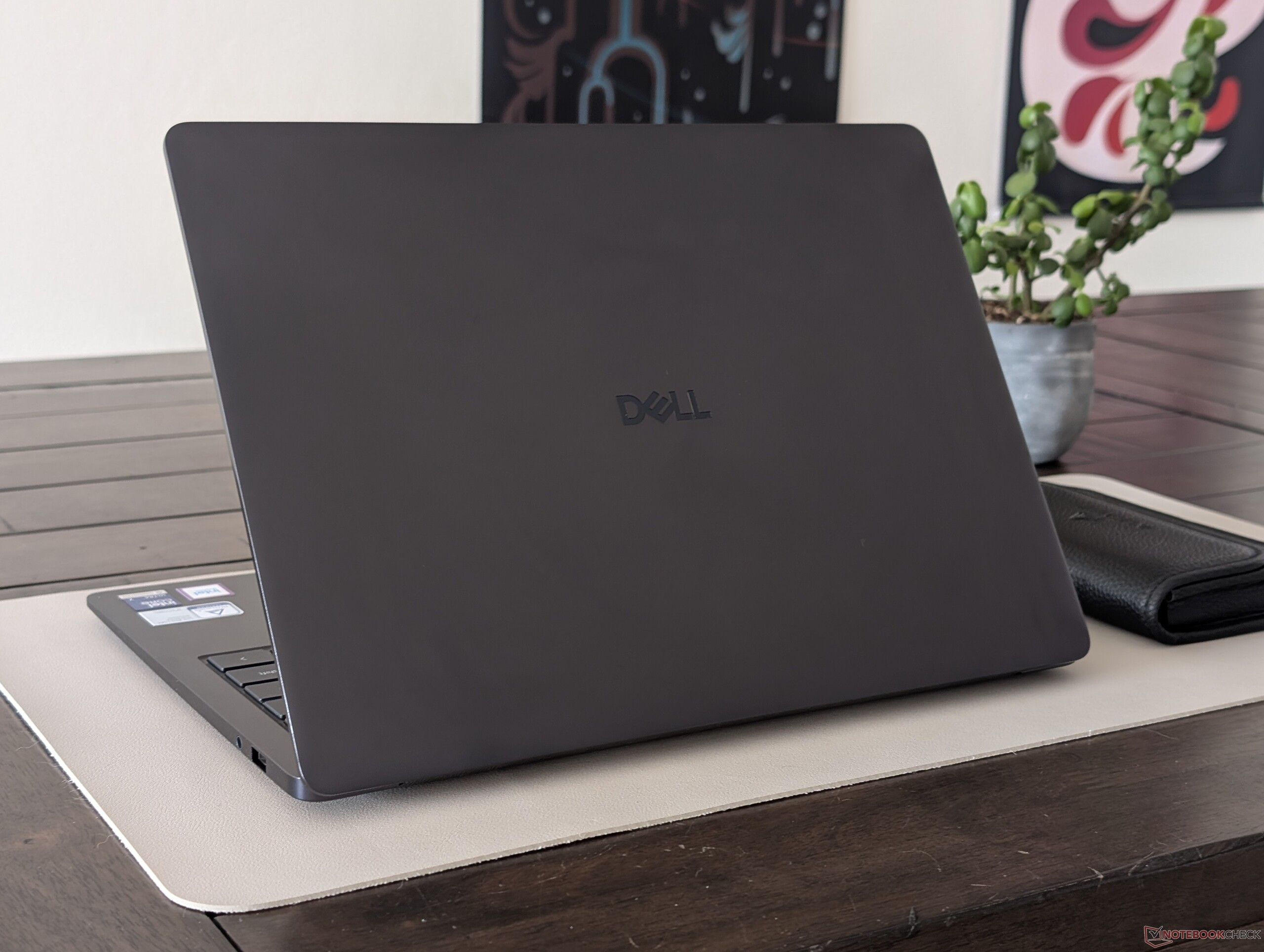
Nella nostra recensione del Dell 14 Plus, ne abbiamo elogiato l’efficienza e la relativa convenienza grazie alla piattaforma Lunar Lake, pur criticandone il design datato, rimasto immutato dai tempi dell’Inspiron. Per il Dell 14S, il produttore ha aggiornato lo chassis utilizzando una maggiore quantità di materiali metallici, al fine di garantire una prima impressione più solida e una sensazione di maggiore pregio rispetto ai modelli della generazione precedente. Il design rinnovato è senza dubbio uno dei principali punti di forza del Dell 14S, poiché le prestazioni pure del Core Ultra 7 355 sono per il resto piuttosto simili a quelle del Core Ultra 7 256V Lunar Lake presente nel Dell 14 Plus dello scorso anno. Gli utenti che desiderano prestazioni superiori vorranno prendere in considerazione le configurazioni con Core Ultra X7.
Per distinguere meglio il modello di fascia media Dell 14S dai modelli di punta più costosi come l’XPS 14, il Dell 14S è dotato, nella migliore delle ipotesi, di schermi di fascia media. Ad esempio, l’opzione OLED è disponibile solo a 60 Hz e ha una luminosità pari alla metà rispetto al pannello OLED dell’XPS 14, o addirittura inferiore se confrontata con l’Asus ExpertBook Ultra 14. Sebbene sia disponibile la frequenza di 120 Hz, tale opzione è legata a un pannello IPS, il che significa che gli utenti devono sacrificare la qualità dell’immagine a favore di una frequenza di aggiornamento più fluida. Inoltre, il modello è uno dei portatili da 14 pollici più pesanti, poiché i concorrenti come il Lenovo Yoga Slim 7 Ultra 14IPH11 possono essere più leggeri di oltre 500 g. Gli utenti che danno priorità al supporto HDR e alla portabilità potrebbero voler prendere in considerazione tali alternative.
Pro
Contro
Prezzo e disponibilità
Dell ha ora avviato la commercializzazione del modello 14S a partire da 1.420 dollari per la configurazione con processore Core 7 355 e display FHD IPS.

Il Dell 14S è l’ultimo portatile di fascia media del produttore e il successore diretto del Dell 14 Plus dello scorso anno. Il telaio è stato potenziato con materiali metallici più resistenti e presenta sia una ventola che una batteria più grandi rispetto al modello precedente.
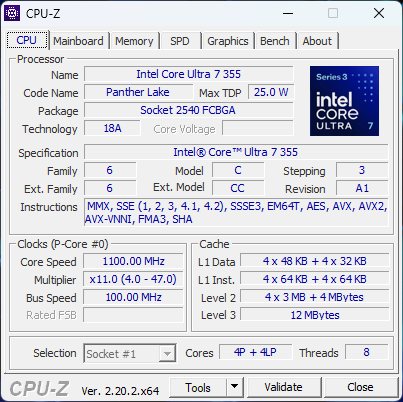
Il nostro modello di prova è una configurazione intermedia con CPU Core Ultra 7 355 Panther Lake e schermo touchscreen OLED da 1200p a 60 Hz, al prezzo di circa 1500 dollari. Le versioni più costose potrebbero essere dotate di pannelli IPS a risoluzione più elevata o del ben più veloce Core Ultra X7 358H, mentre le opzioni di fascia più bassa includono il Core Ultra 5 322 e un display IPS non touch da 1200p.
Tra le alternative al Dell 14S figurano altri subnotebook multimediali di fascia media, quali l’Asus VivoBook S 14, la serie HP OmniBook 7 o la serie Lenovo IdeaPad Slim. È disponibile anche una versione da 16 pollici di questo modello, denominata Dell 16S.
Altre recensioni sui prodotti Dell:
Specifiche
Caso
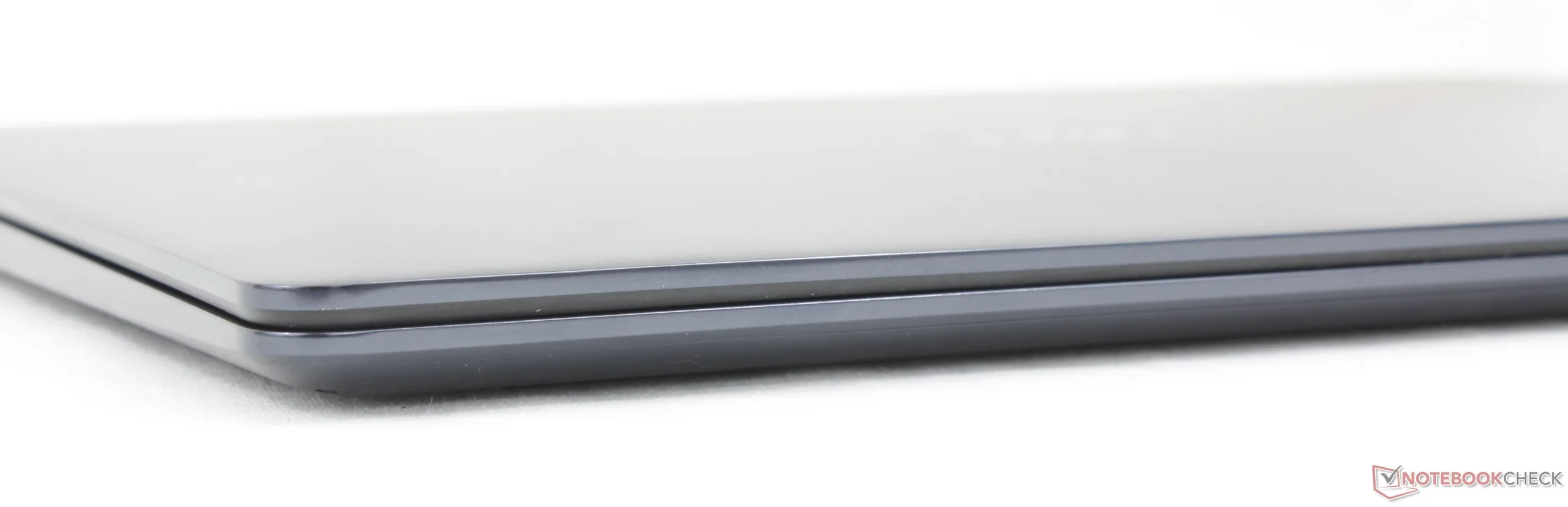
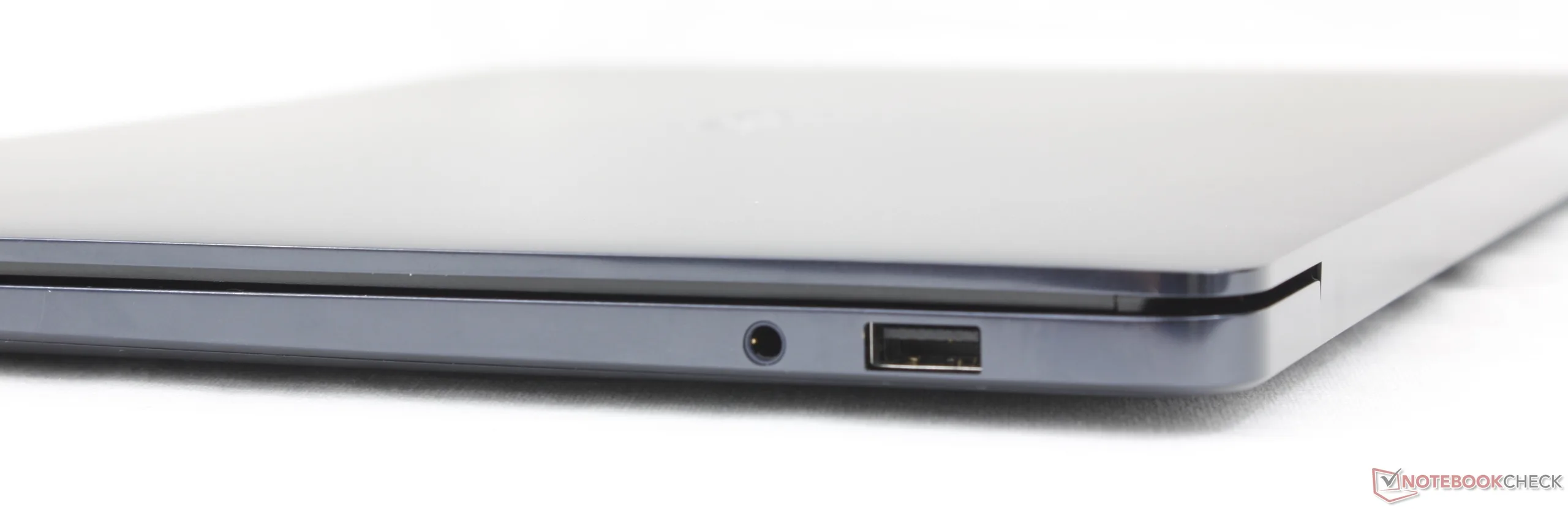
Connettività
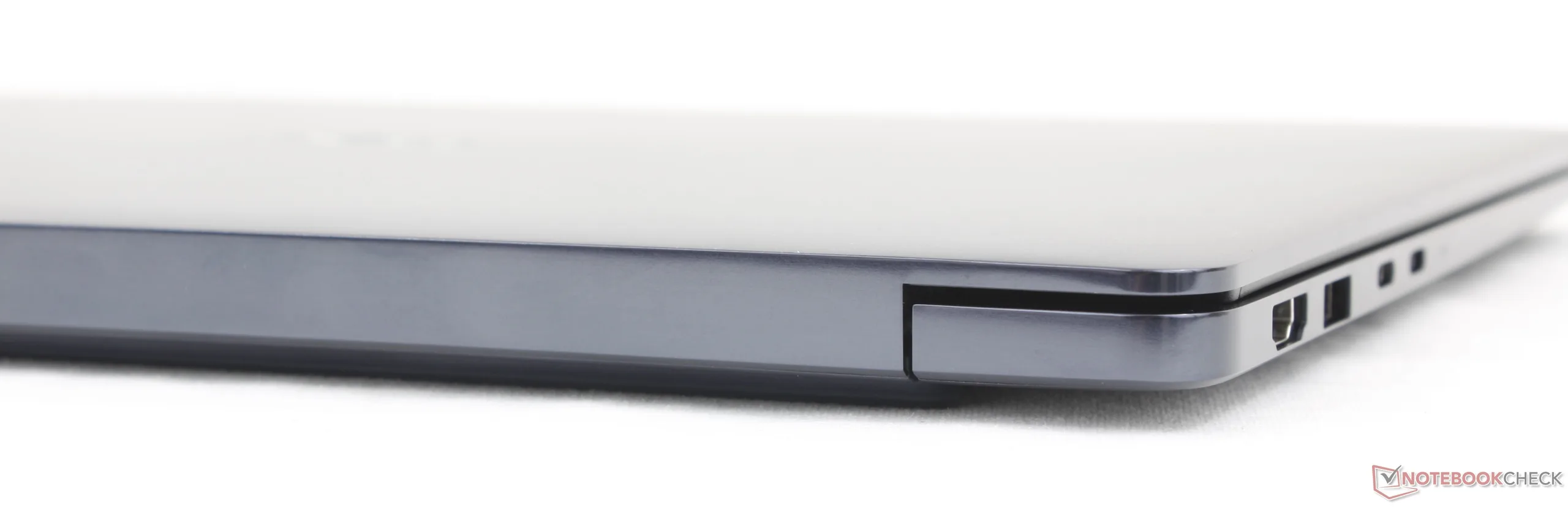
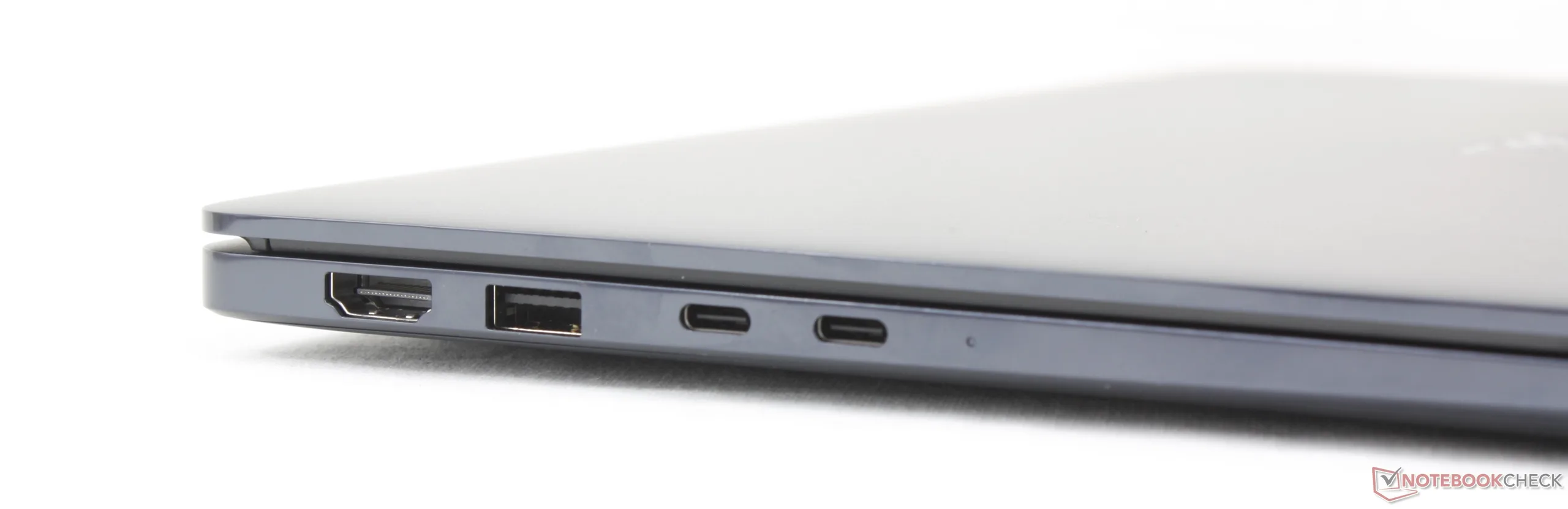
Comunicazione
| Networking | |
| iperf3 transmit Wi-Fi6/7 RT-BE96U | |
| Lenovo ThinkBook 14 G9 IPL 21UX005PGE | |
| iperf3 receive Wi-Fi6/7 RT-BE96U | |
| Lenovo ThinkBook 14 G9 IPL 21UX005PGE | |
| iperf3 receive AXE11000 6GHz | |
| Dell XPS 14 Core Ultra X7 358H | |
| HP OmniBook Ultra 14 Core Ultra X9 | |
| Dell 14S DS14260 | |
| Dell Inspiron 14 7445 2-in-1 | |
| iperf3 transmit AXE11000 6GHz | |
| Dell 14S DS14260 | |
| HP OmniBook Ultra 14 Core Ultra X9 | |
| Dell XPS 14 Core Ultra X7 358H | |
| Dell Inspiron 14 7445 2-in-1 | |
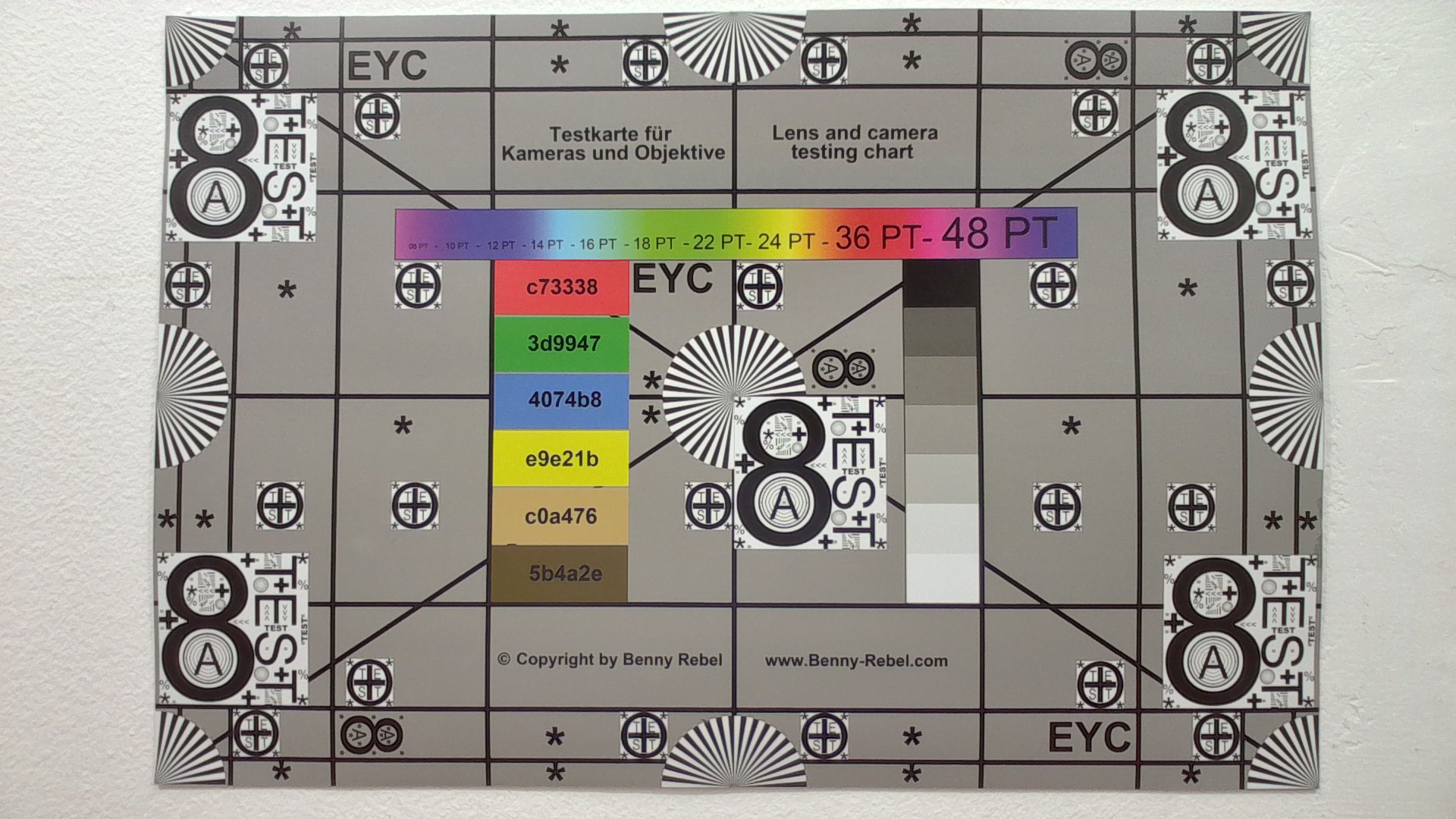
Webcam

Manutenzione
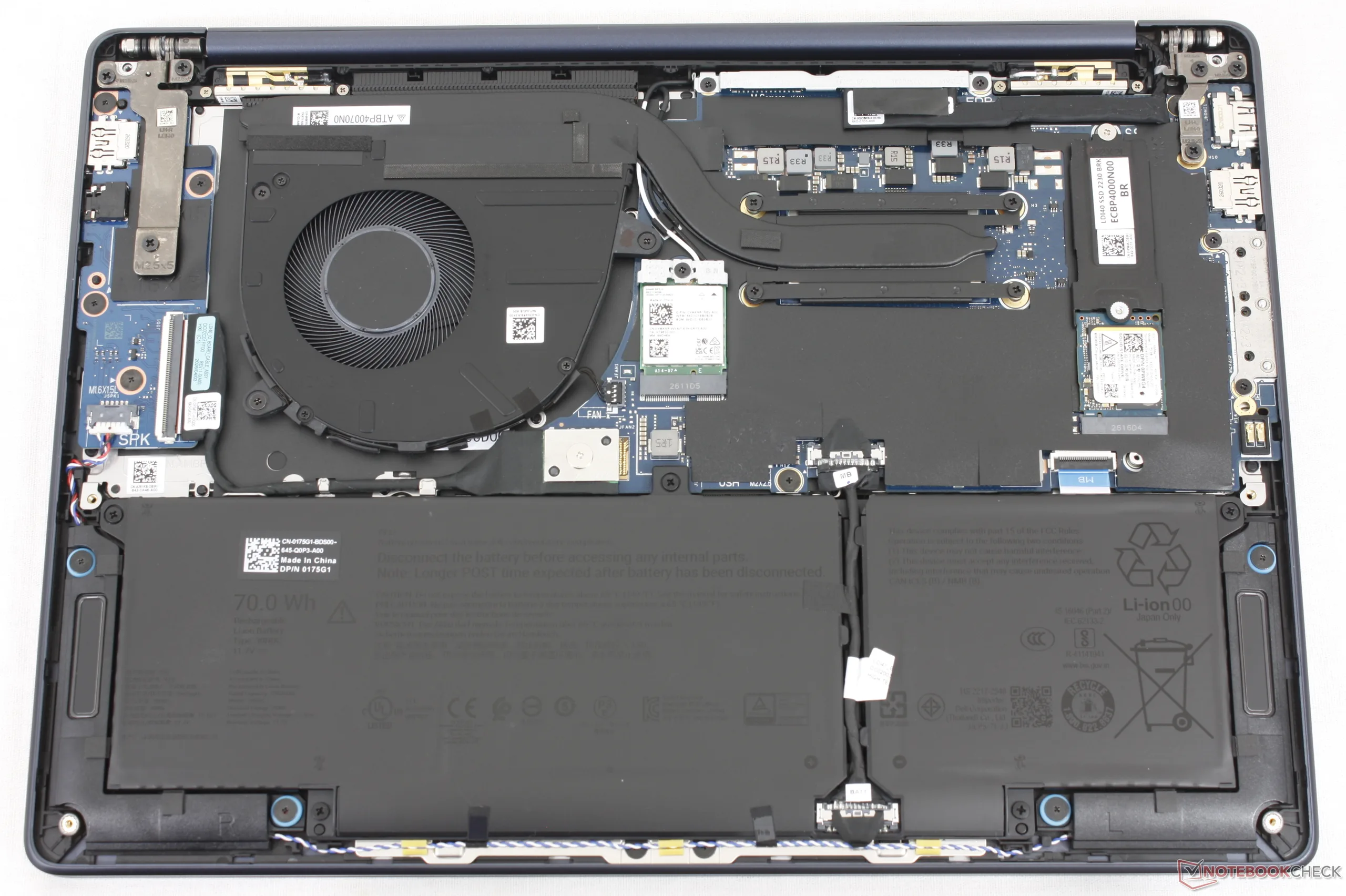
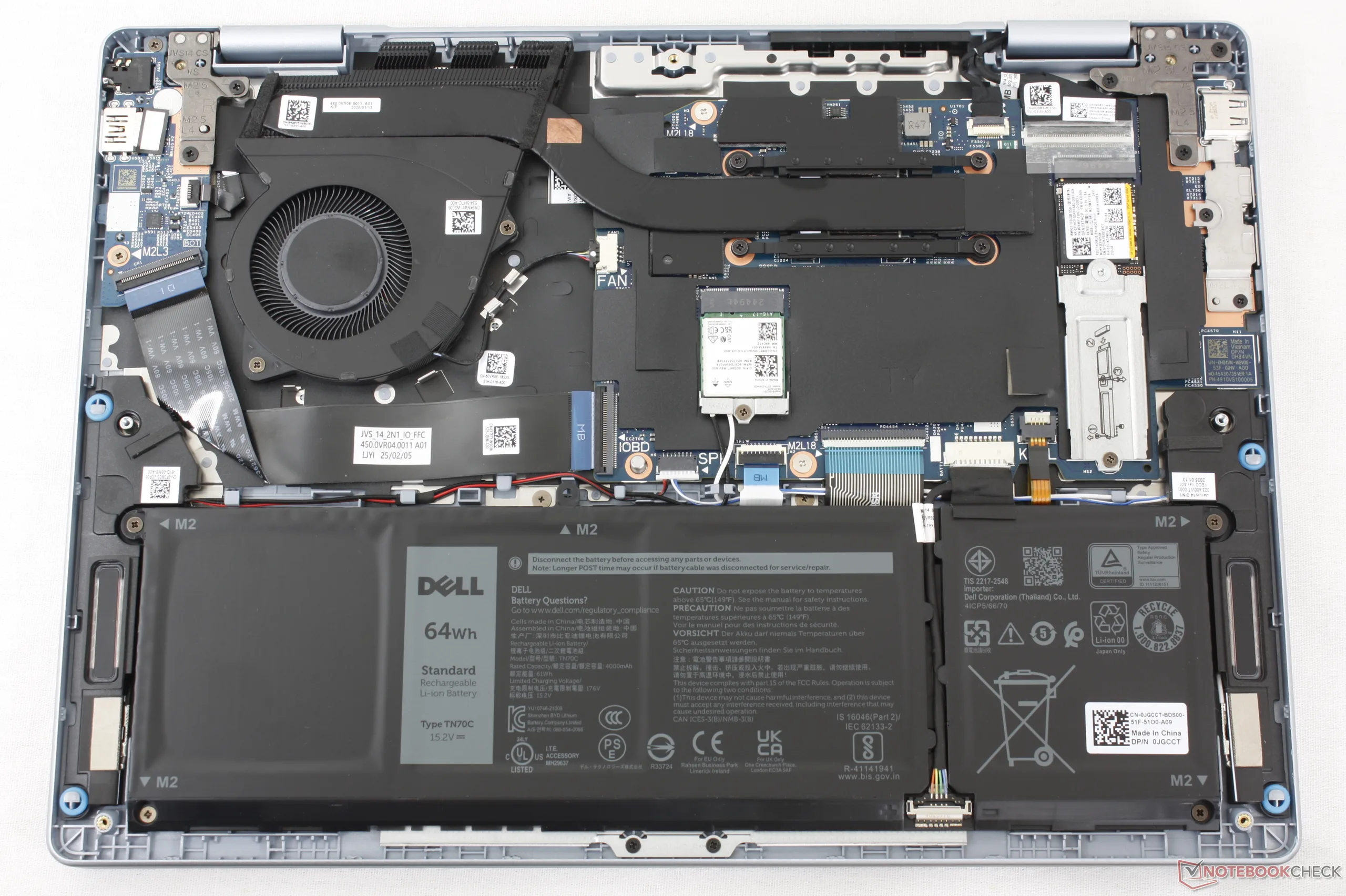
Sostenibilità
Per il telaio, la cornice e l’altoparlante viene utilizzata una percentuale fino al 50% di plastica PCC, mentre per il rivestimento esterno, i poggiapolsi, le staffe della tastiera e la batteria vengono impiegati, rispettivamente, fino al 50% di alluminio riciclato, acciaio e cobalto. L’imballaggio è privo di plastica.
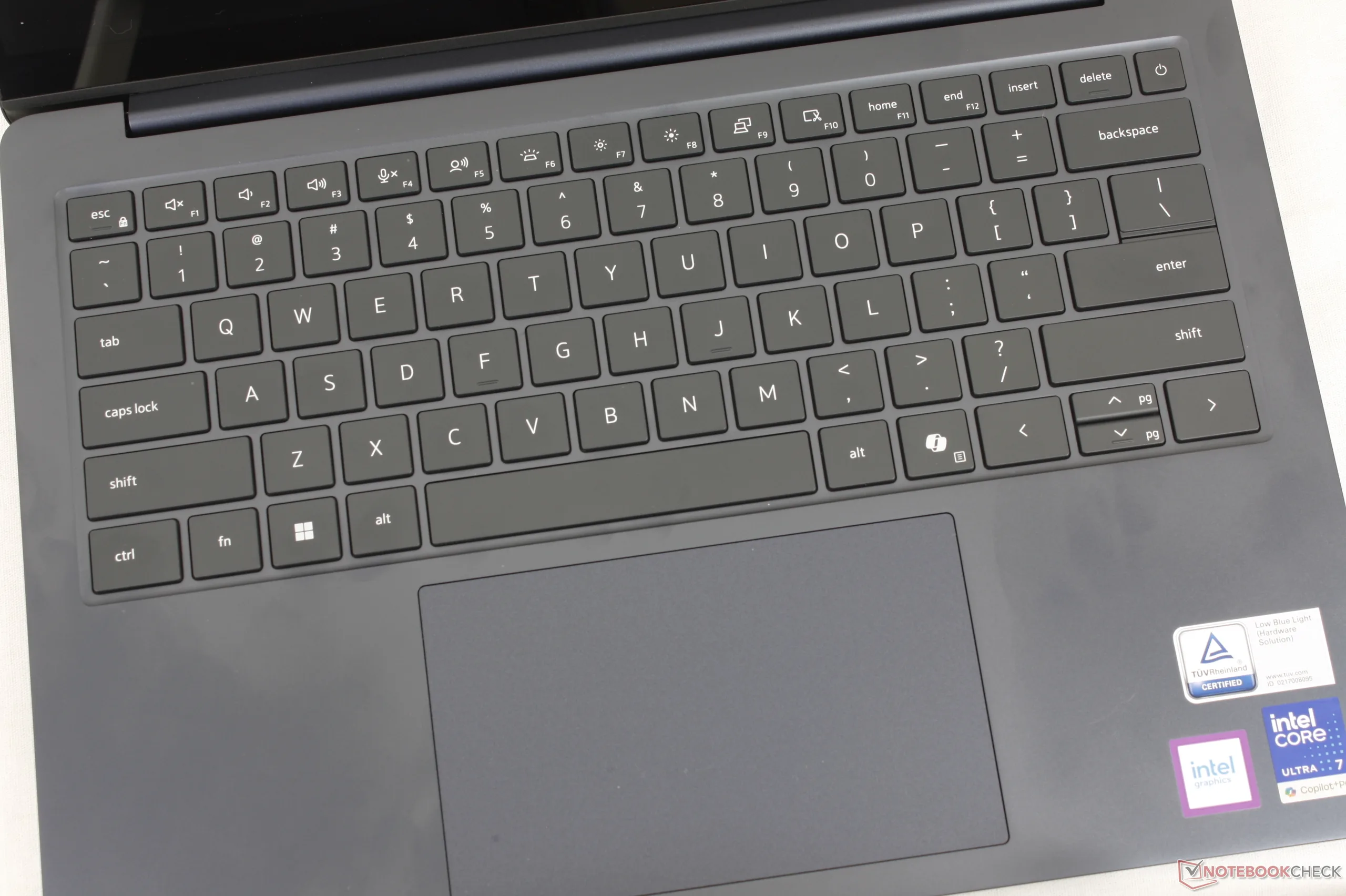
Dispositivi di input
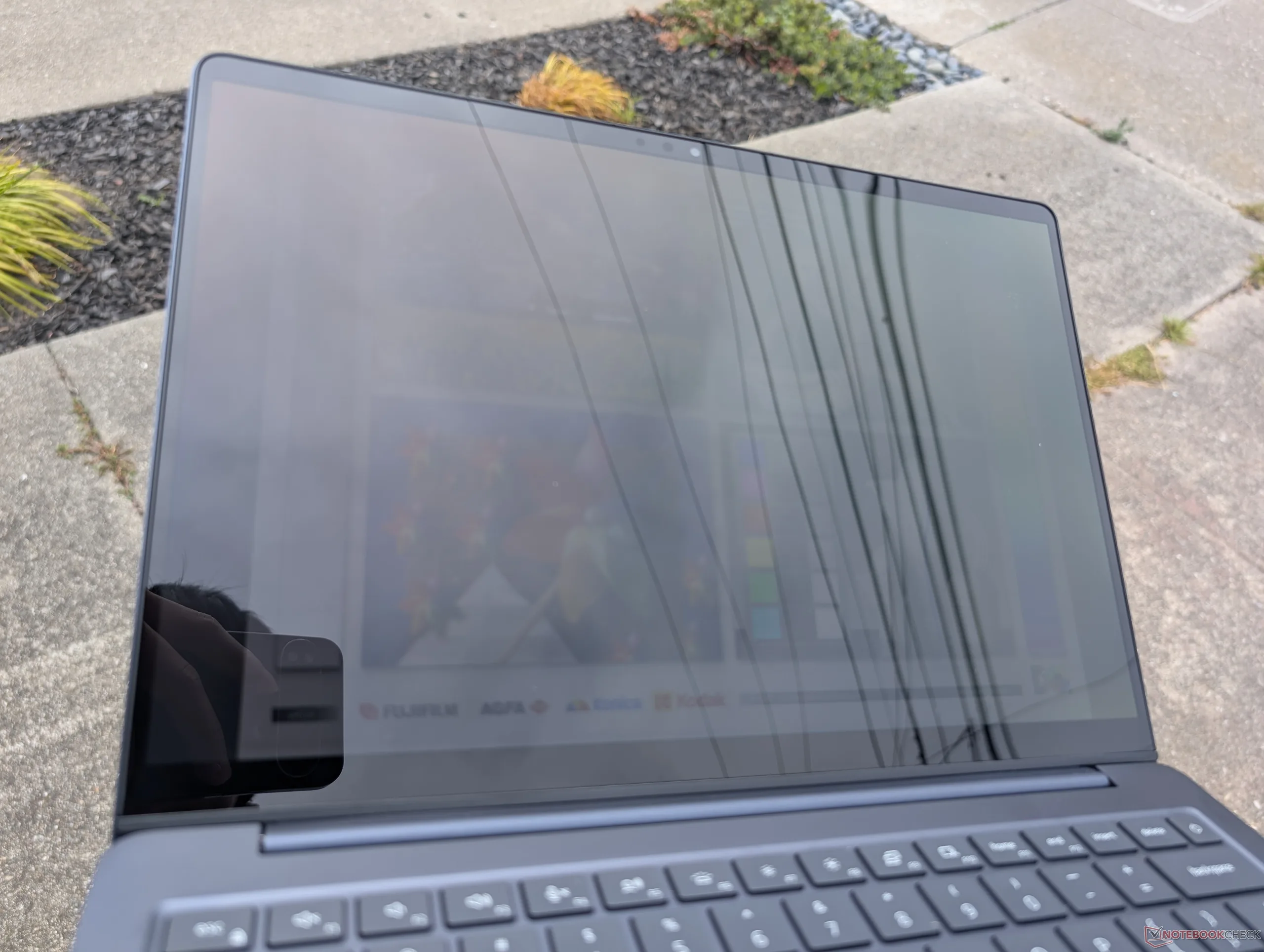
Visualizza

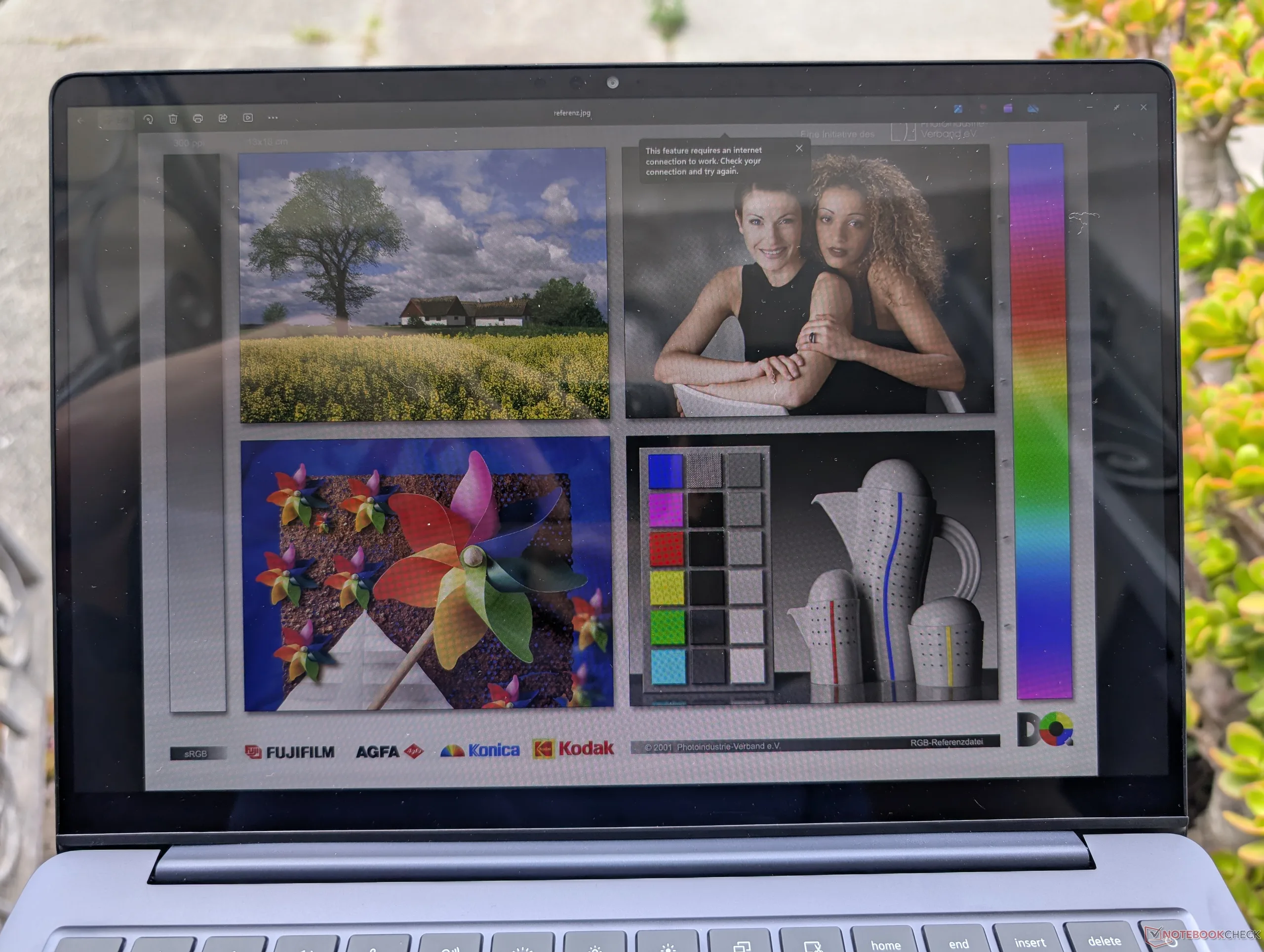
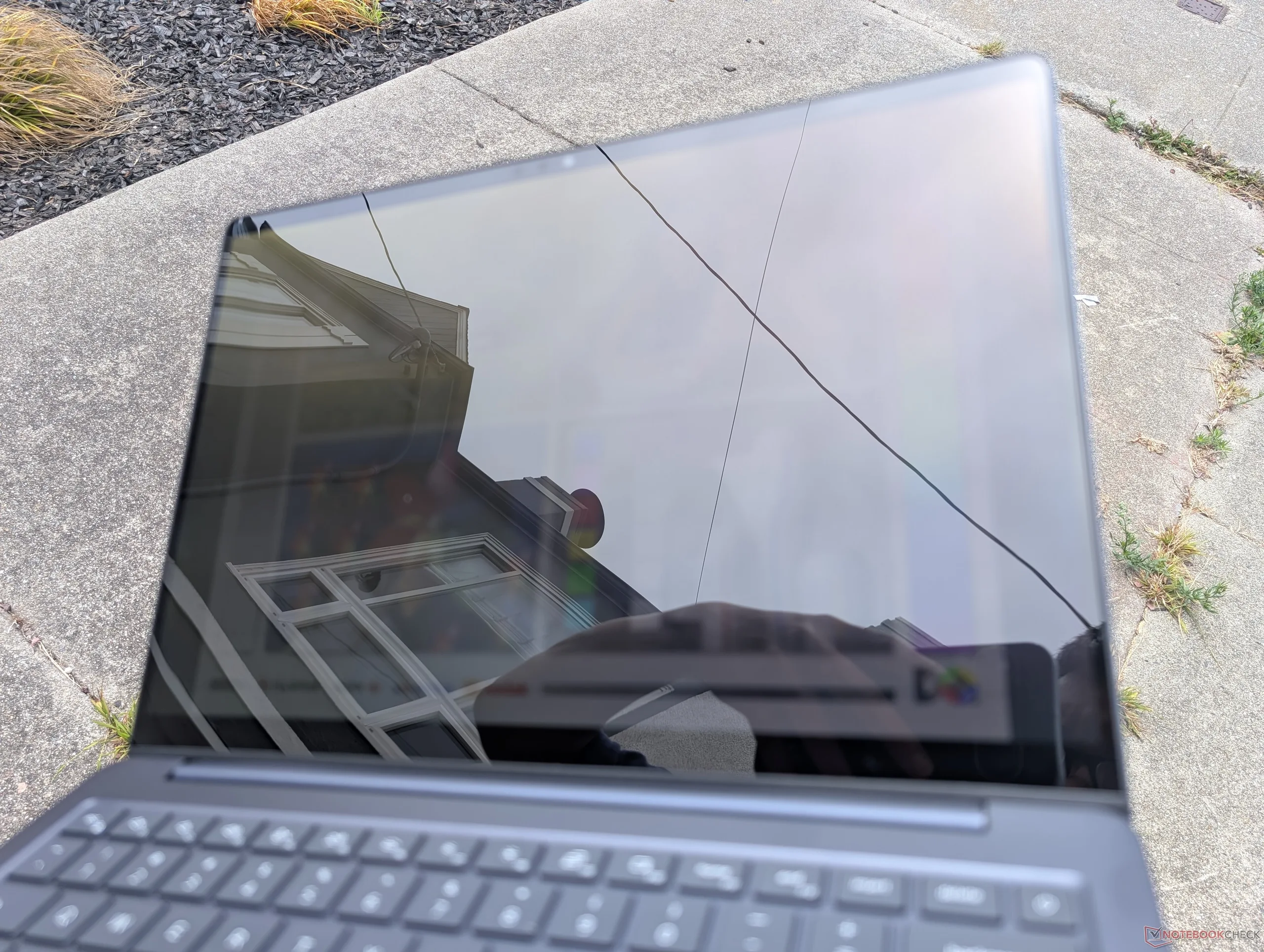
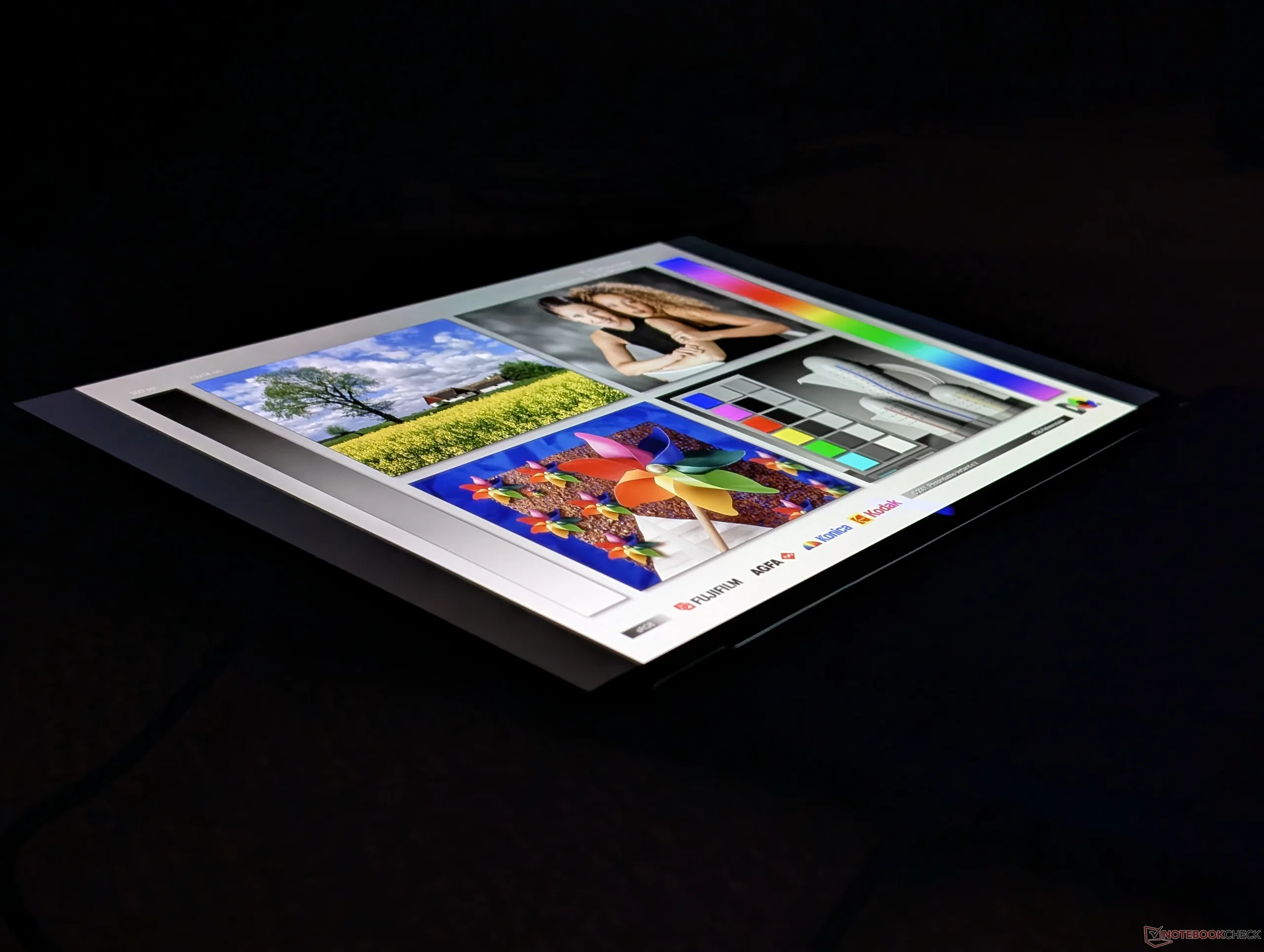
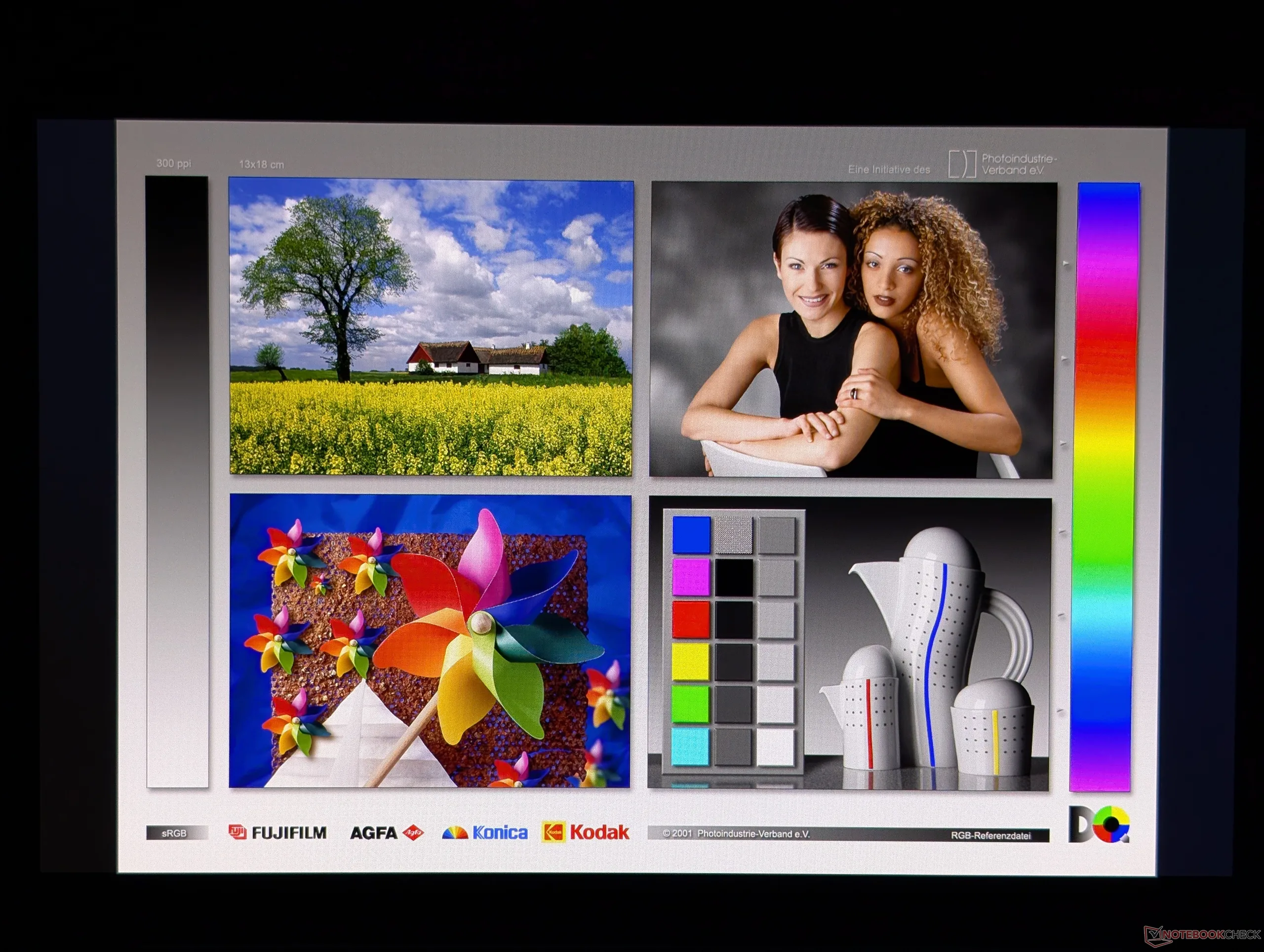
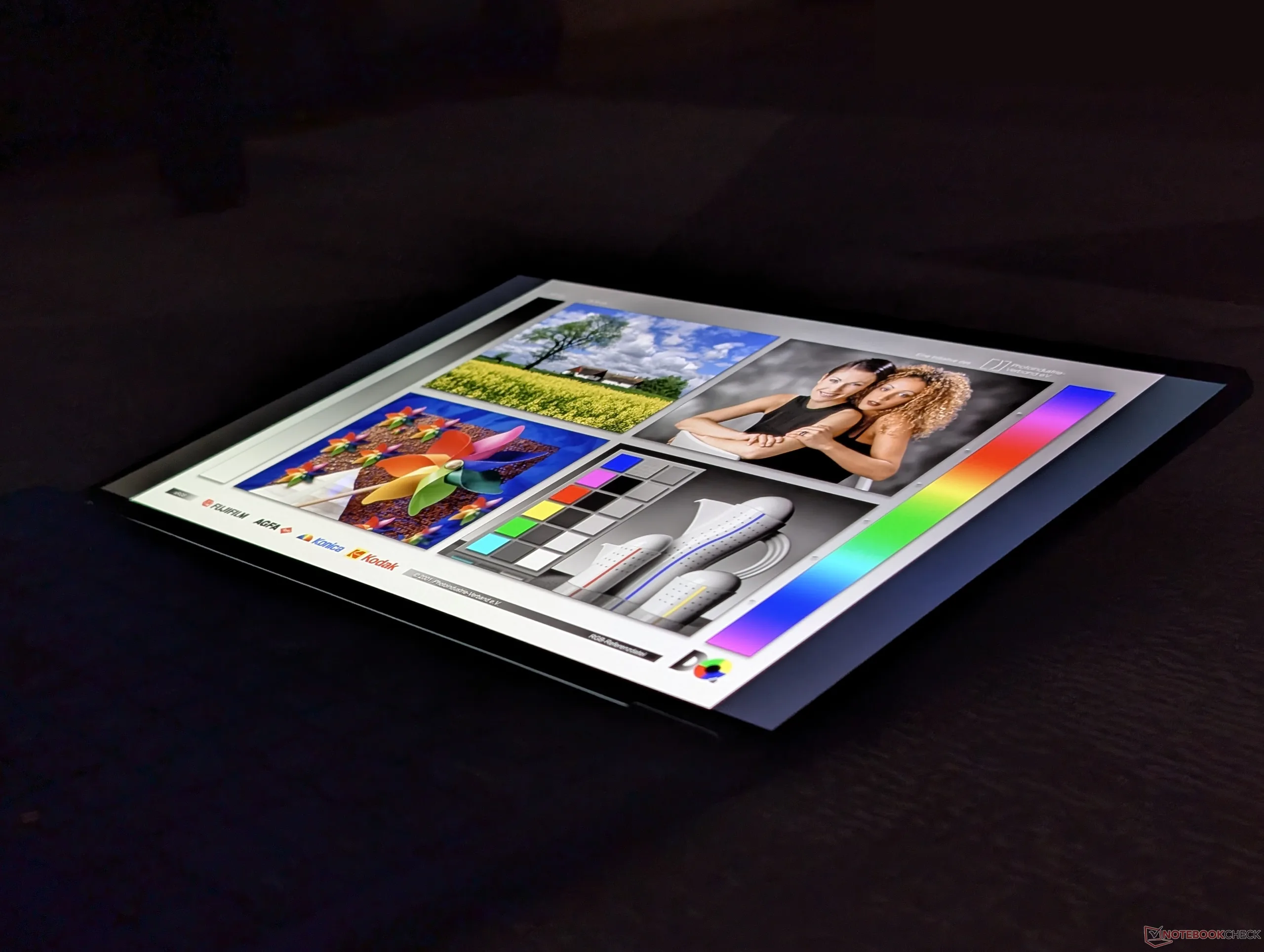
Sono disponibili cinque opzioni di visualizzazione, come segue:
- 1920 x 1200, 60 Hz, non touchscreen, ~60% sRGB, opaco, IPS, 400 nit
- 1920 x 1200, 60 Hz, touchscreen, ~60% sRGB, lucido, IPS, 400 nit
- 2560 x 1600, 120 Hz, non touchscreen, 100% sRGB, opaco, IPS, 500 nit
- 1920 x 1200, 60 Hz, non touch, 100% DCI-P3, lucido, OLED, 300 nit
- 1920 x 1200, 60 Hz, touch, 100% DCI-P3, lucido, OLED, 300 nit
Il nostro modello di prova è stato configurato con l’opzione indicata in grassetto.
| |||||||||||||||||||||||||
Distribuzione della luminosità: 98 %
Al centro con la batteria: 282.4 cd/m²
Contrasto: ∞:1 (Nero: 0 cd/m²)
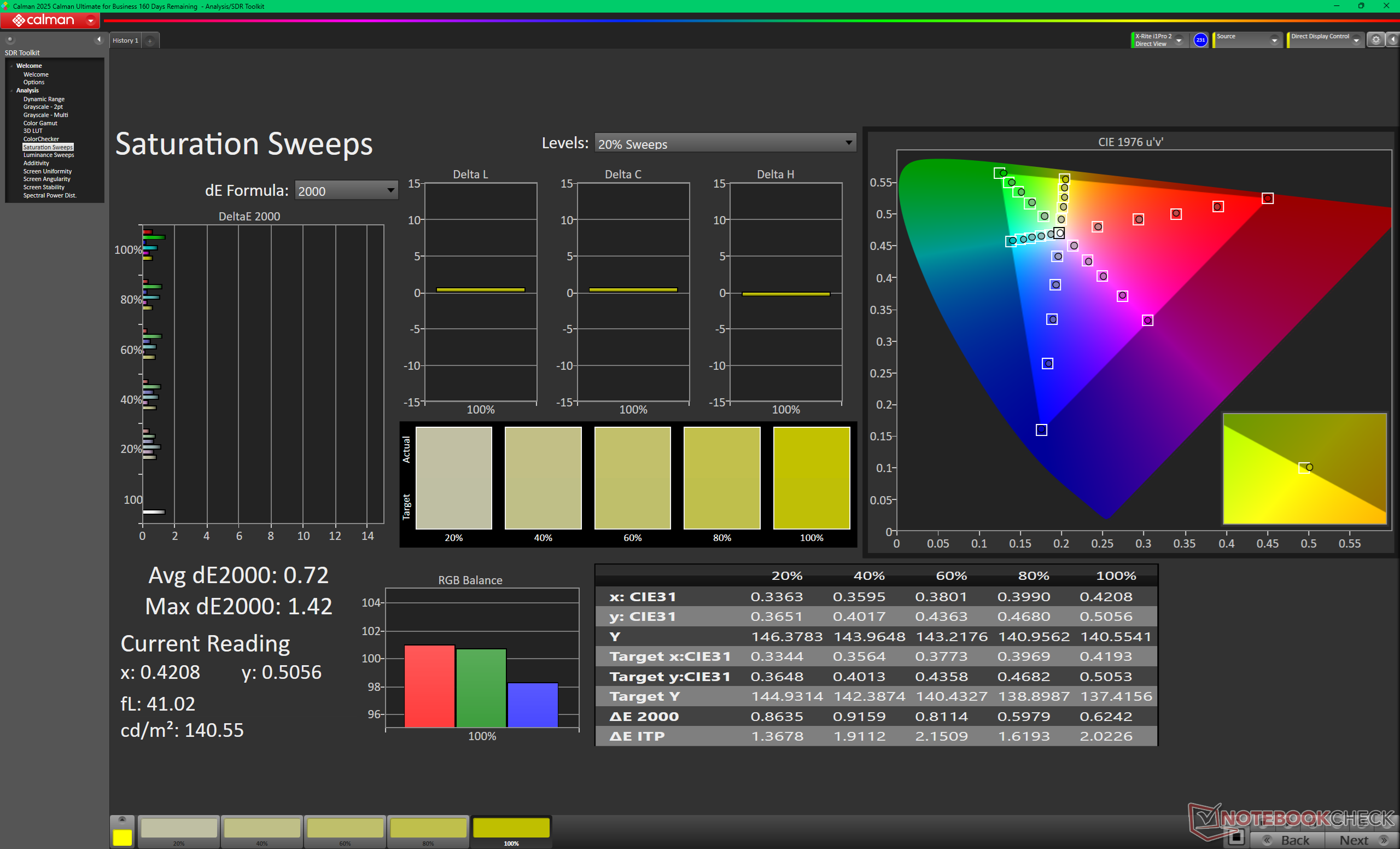
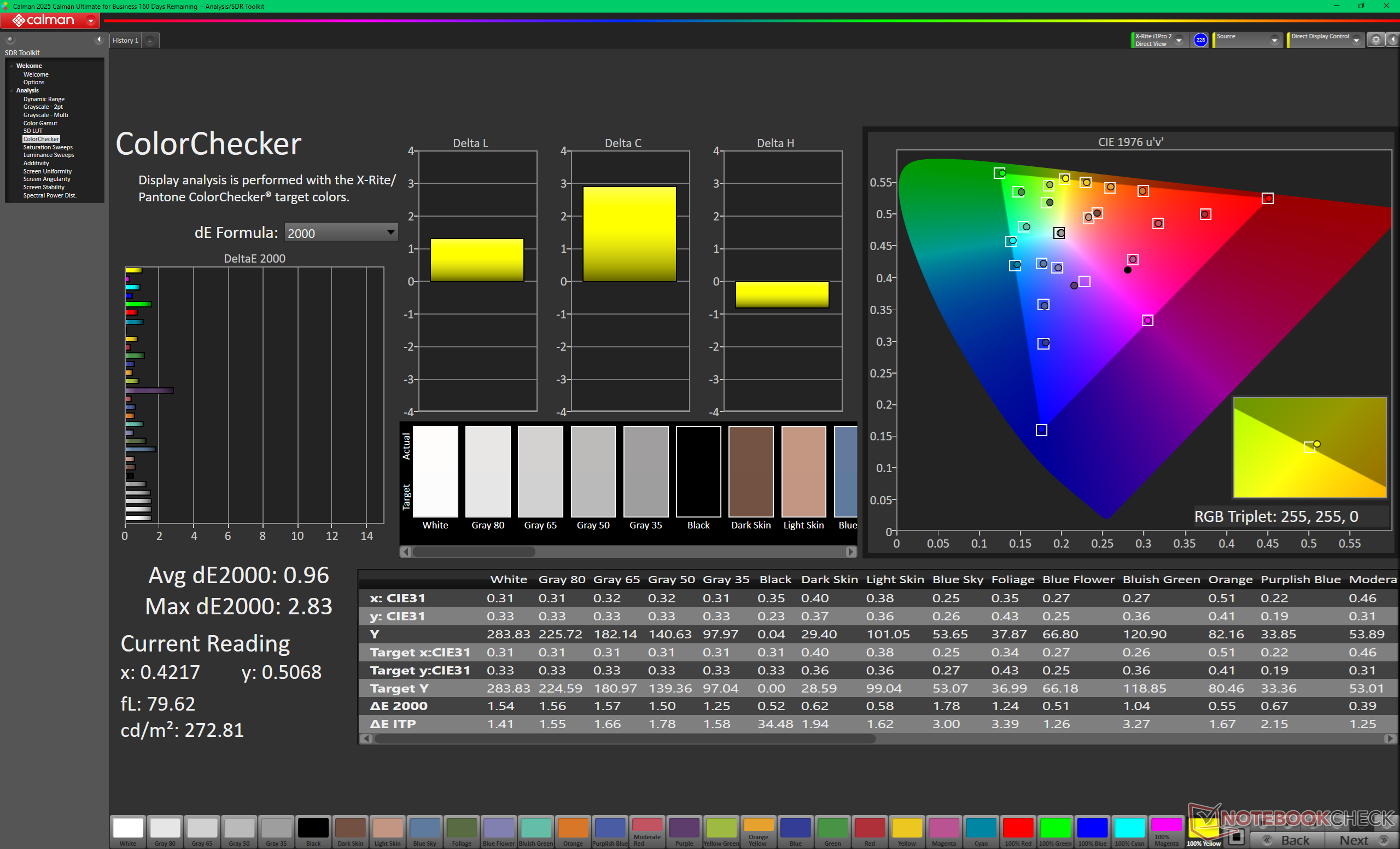
ΔE ColorChecker Calman: 0.96 | ∀{0.5-29.43 Ø4.69}
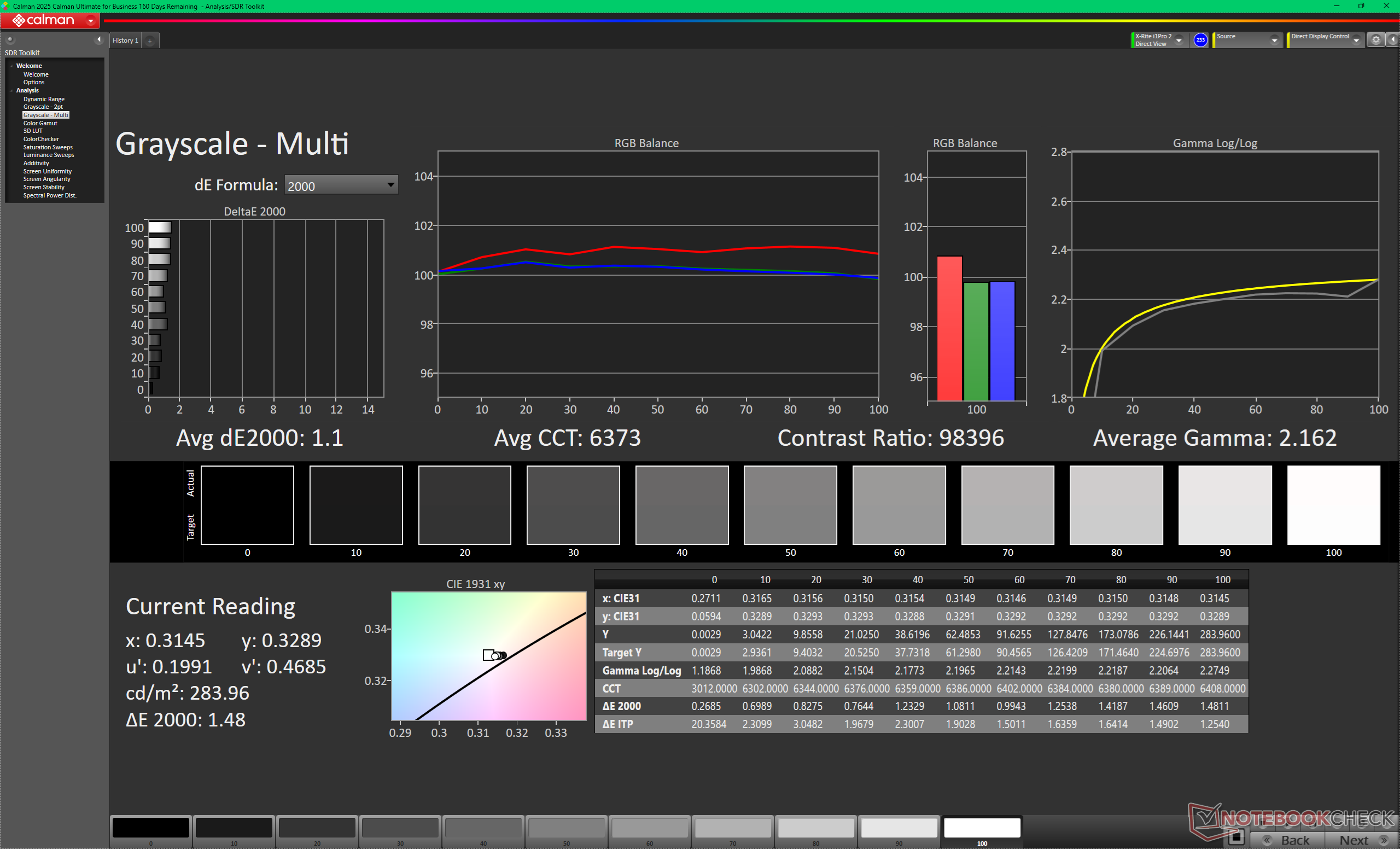
ΔE Greyscale Calman: 1.1 | ∀{0.09-98 Ø4.94}
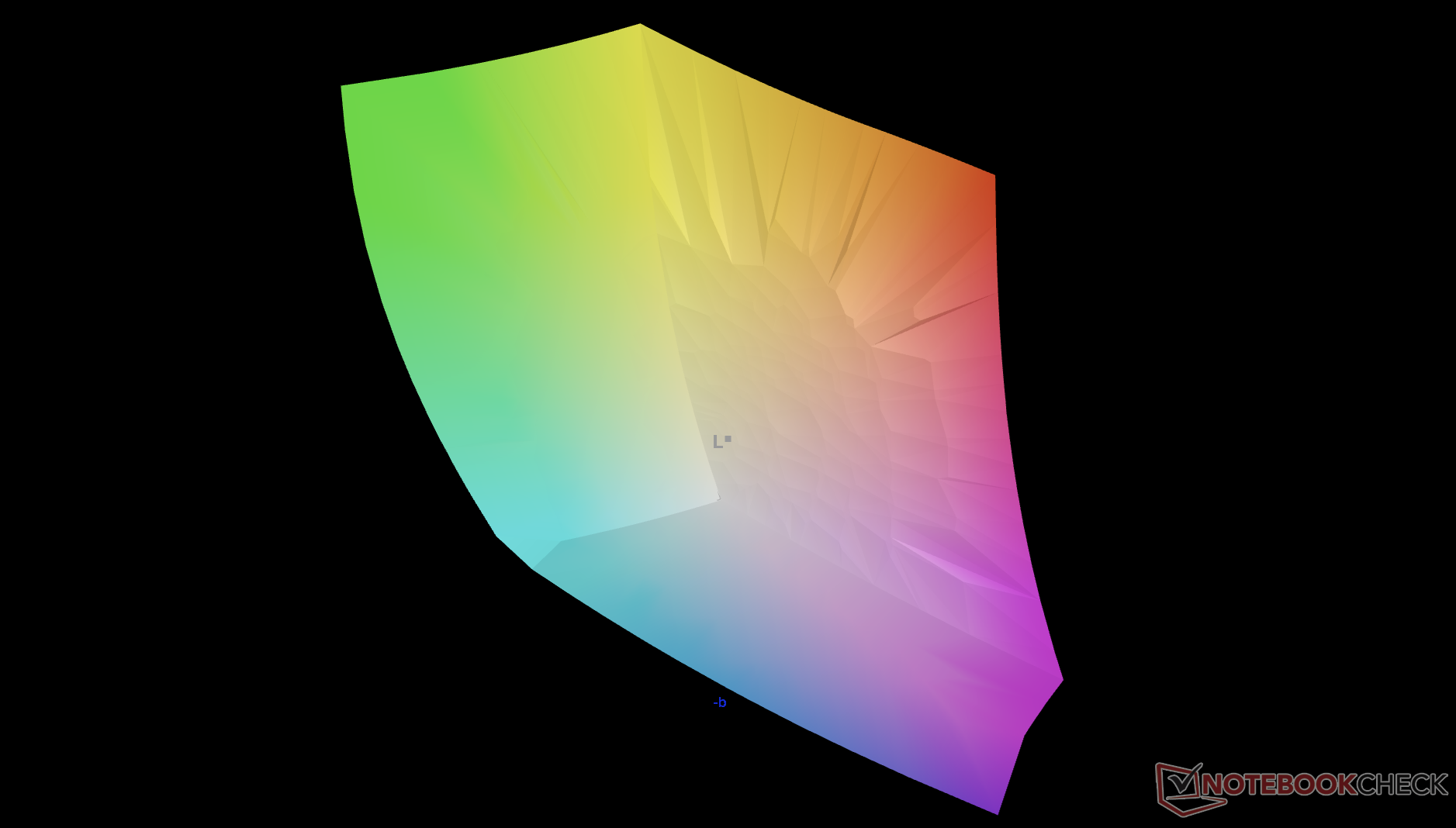
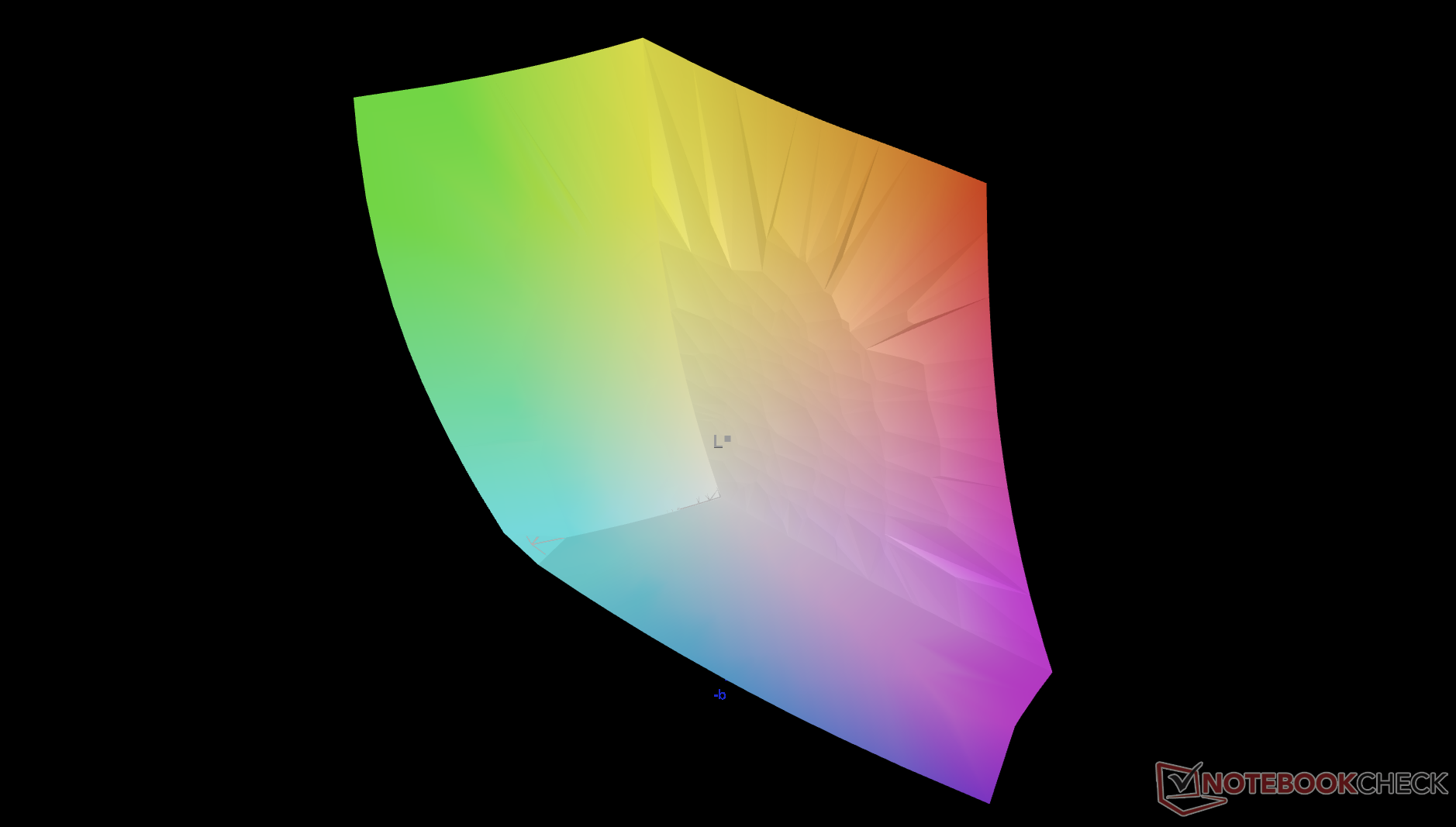
92.3% AdobeRGB 1998 (Argyll 3D)
100% sRGB (Argyll 3D)
100% Display P3 (Argyll 3D)
Gamma: 2.16
CCT: 6373 K
| Dell 14S DS14260 Samsung 140KW04, OLED, 1920x1200, 14", 60 Hz | Lenovo ThinkBook 14 G9 IPL 21UX005PGE LEN140WUXGA, IPS LED, 1920x1200, 14", 60 Hz | Dell XPS 14 Core Ultra X7 358H LG Philips 140WT2, OLED, 2880x1800, 14", 120 Hz | HP OmniBook Ultra 14 Core Ultra X9 Samsung SDC4215, OLED, 2880x1800, 14", 120 Hz | Dell Inspiron 14 7445 2-in-1 AU Optronics B14UAT, IPS, 1920x1200, 14", 60 Hz | Asus VivoBook S 14 OLED M5406WA ATNA40CT02-0 (SDC41A0), OLED, 1920x1200, 14", 60 Hz | |
|---|---|---|---|---|---|---|
| Display | -53% | 2% | 0% | -57% | 2% | |
| Display P3 Coverage (%) | 100 | 39.3 -61% | 99.7 0% | 99.9 0% | 35.7 -64% | 99.9 0% |
| sRGB Coverage (%) | 100 | 59 -41% | 100 0% | 100 0% | 53.6 -46% | 100 0% |
| AdobeRGB 1998 Coverage (%) | 92.3 | 40.7 -56% | 98.2 6% | 92.3 0% | 36.9 -60% | 97.2 5% |
| Response Times | -901% | 15% | 29% | -1009% | 29% | |
| Response Time Grey 50% / Grey 80% * (ms) | 1.71 ? | 19.2 ? -1023% | 0.75 ? 56% | 0.58 ? 66% | 23 ? -1245% | 1.3 ? 24% |
| Response Time Black / White * (ms) | 1.81 ? | 15.9 ? -778% | 1.03 ? 43% | 0.87 ? 52% | 15.8 ? -773% | 1.2 ? 34% |
| PWM Frequency (Hz) | 463.67 ? | 240.62 ? | 927.13 ? | 240 ? | ||
| PWM Amplitude * (%) | 19 | 29 -53% | 25 -32% | |||
| Screen | -163% | -10% | -15% | -170% | -7% | |
| Brightness middle (cd/m²) | 282.4 | 403 43% | 393.8 39% | 446 58% | 267.6 -5% | 385 36% |
| Brightness (cd/m²) | 281 | 386 37% | 389 38% | 447 59% | 240 -15% | 382 36% |
| Brightness Distribution (%) | 98 | 89 -9% | 96 -2% | 99 1% | 84 -14% | 95 -3% |
| Black Level * (cd/m²) | 0.4 | 0.31 | 0.03 | |||
| Colorchecker dE 2000 * | 0.96 | 4.5 -369% | 1.27 -32% | 1.76 -83% | 4.67 -386% | 1.99 -107% |
| Colorchecker dE 2000 max. * | 2.83 | 18 -536% | 3.35 -18% | 3.29 -16% | 17.52 -519% | 3.69 -30% |
| Greyscale dE 2000 * | 1.1 | 2.7 -145% | 2 -82% | 2.3 -109% | 2 -82% | 0.8 27% |
| Gamma | 2.16 102% | 2.22 99% | 2.19 100% | 2.25 98% | 2.15 102% | 2.204 100% |
| CCT | 6373 102% | 6832 95% | 6379 102% | 6470 100% | 6585 99% | 6474 100% |
| Contrast (:1) | 1008 | 863 | 12833 | |||
| Colorchecker dE 2000 calibrated * | 4.1 | 0.71 | 1.18 | 2.49 | 1.79 | |
| Media totale (Programma / Settaggio) | -372% /
-267% | 2% /
-0% | 5% /
-0% | -412% /
-292% | 8% /
2% |
* ... Meglio usare valori piccoli
Tempi di risposta del Display
| ↔ Tempi di risposta dal Nero al Bianco | ||
|---|---|---|
| 1.81 ms ... aumenta ↗ e diminuisce ↘ combinato | ↗ 0.87 ms Incremento | 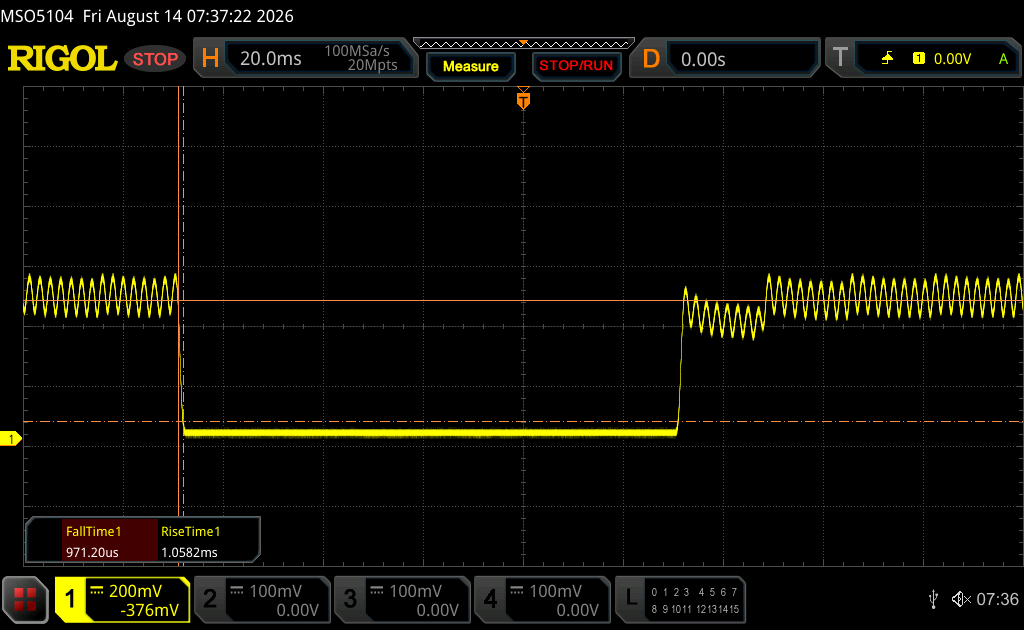 |
| ↘ 0.94 ms Calo | ||
| Lo schermo ha mostrato valori di risposta molto veloci nei nostri tests ed è molto adatto per i gaming veloce. In confronto, tutti i dispositivi di test variano da 0.1 (minimo) a 240 (massimo) ms. » 11 % di tutti i dispositivi è migliore. Questo significa che i tempi di risposta rilevati sono migliori rispettto alla media di tutti i dispositivi testati (19.7 ms). | ||
| ↔ Tempo di risposta dal 50% Grigio all'80% Grigio | ||
| 1.71 ms ... aumenta ↗ e diminuisce ↘ combinato | ↗ 0.88 ms Incremento | 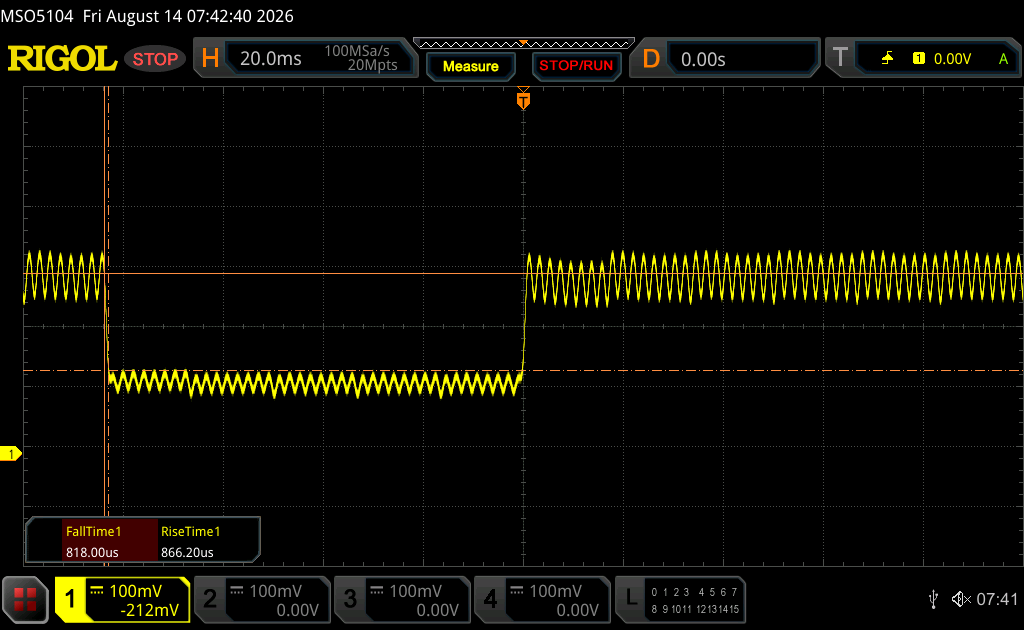 |
| ↘ 0.83 ms Calo | ||
| Lo schermo ha mostrato valori di risposta molto veloci nei nostri tests ed è molto adatto per i gaming veloce. In confronto, tutti i dispositivi di test variano da 0.13 (minimo) a 636 (massimo) ms. » 9 % di tutti i dispositivi è migliore. Questo significa che i tempi di risposta rilevati sono migliori rispettto alla media di tutti i dispositivi testati (30.7 ms). | ||
Sfarfallio dello schermo / PWM (Pulse-Width Modulation)
| flickering dello schermo / PWM rilevato | 463.67 Hz Amplitude: 19 % | ≤ 100 % settaggio luminosita' | 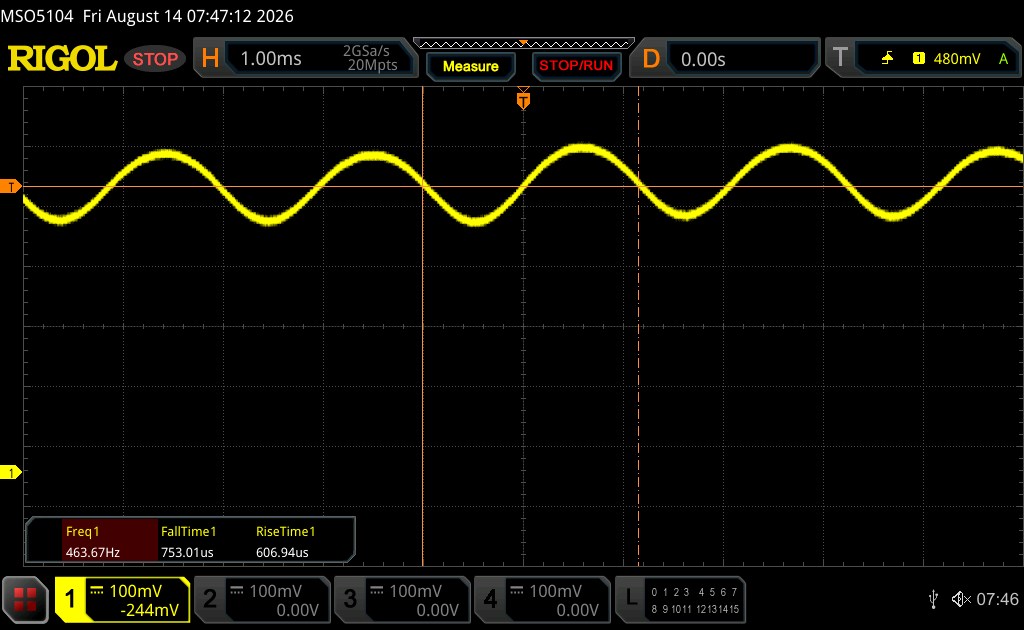 |
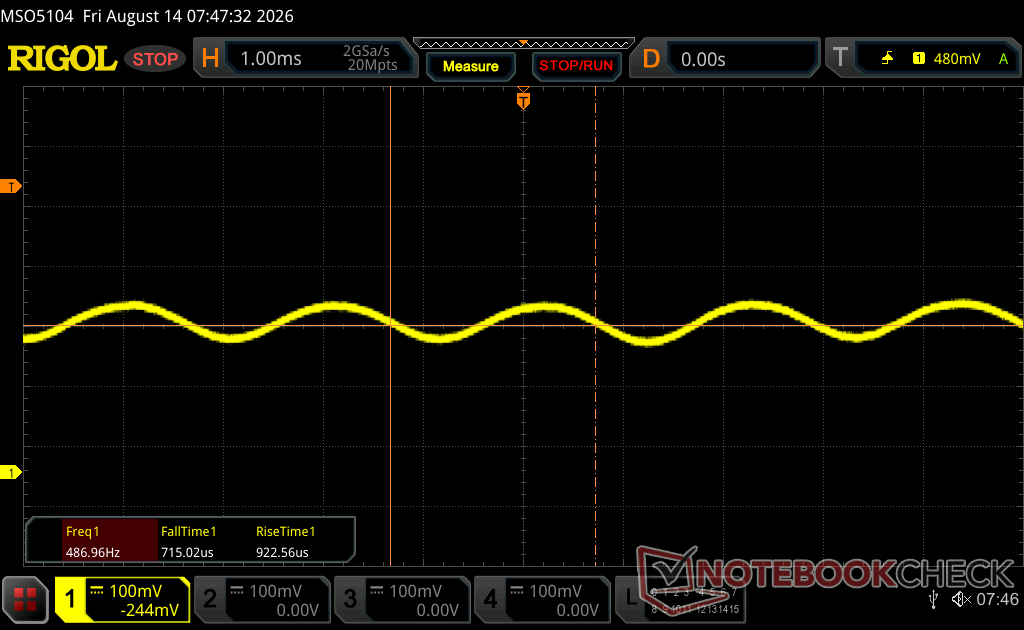
Il display sfarfalla a 463.67 Hz (Probabilmente a causa dell'uso di PWM) Flickering rilevato ad una luminosita' di 100 % o inferiore. Non dovrebbe verificarsi flickering o PWM sopra questo valore di luminosita'. La frequenza di 463.67 Hz è relativamente elevata, quindi la maggioranza degli utenti sensibili al PWM non dovrebbe notare alcun flickering. Tuttavia, è stato segnalato che alcuni utenti sono sensibili al PWM a 500 Hz ed oltre, quindi prestate attenzione. In confronto: 52 % di tutti i dispositivi testati non utilizza PWM per ridurre la luminosita' del display. Se è rilevato PWM, una media di 7622 (minimo: 5 - massimo: 343500) Hz è stata rilevata. | |||
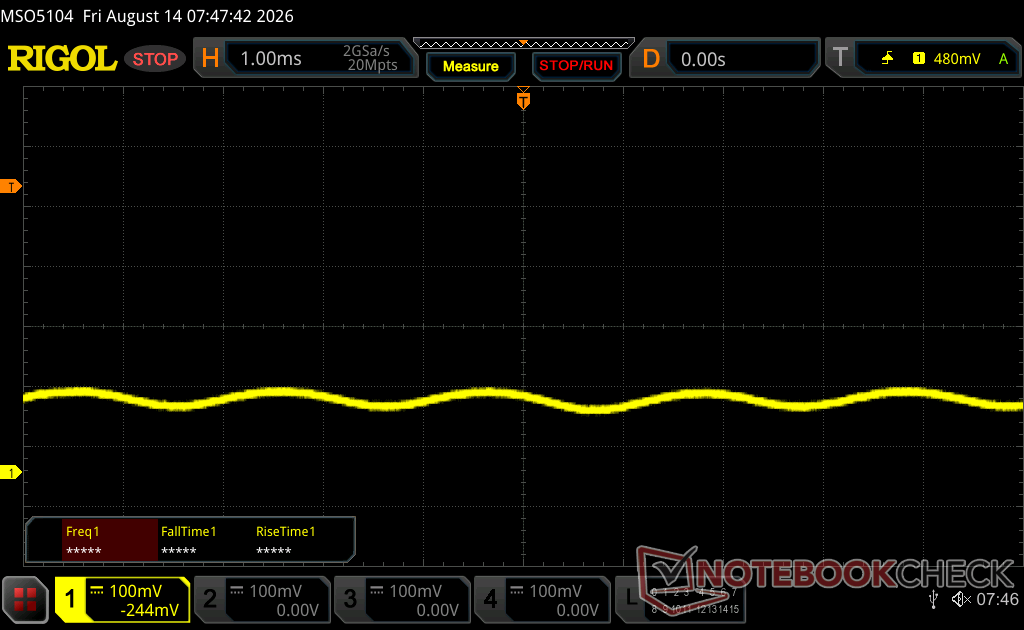
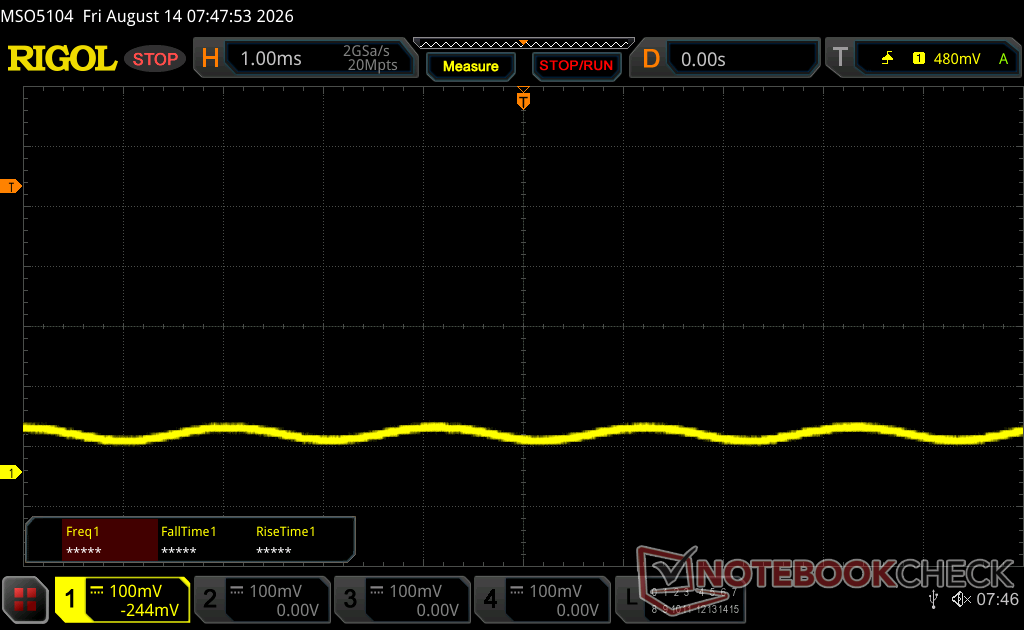
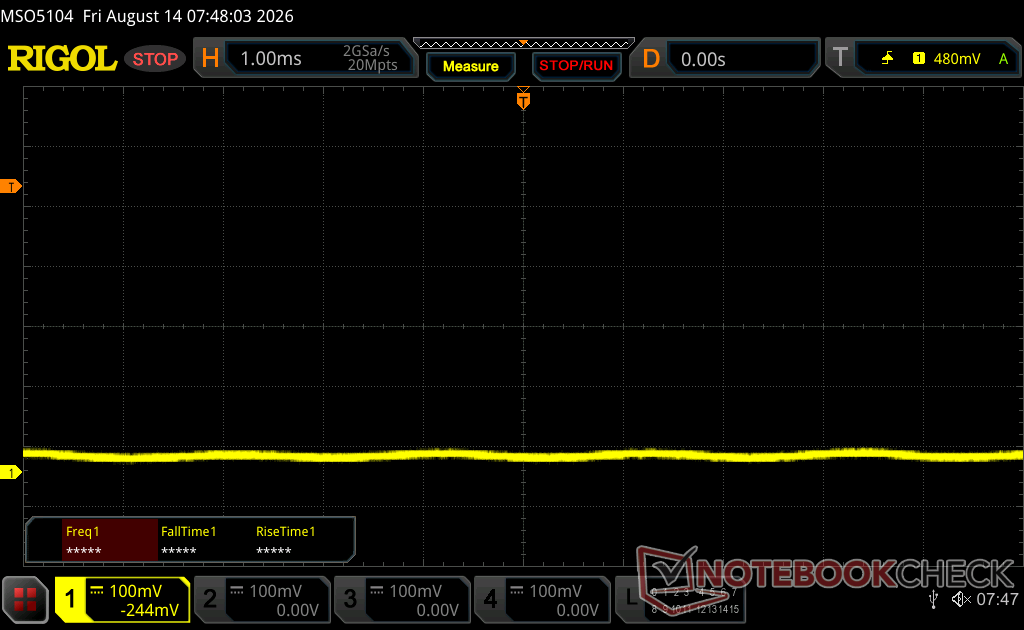
Prestazioni
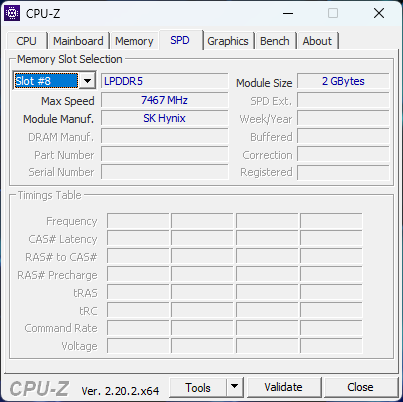
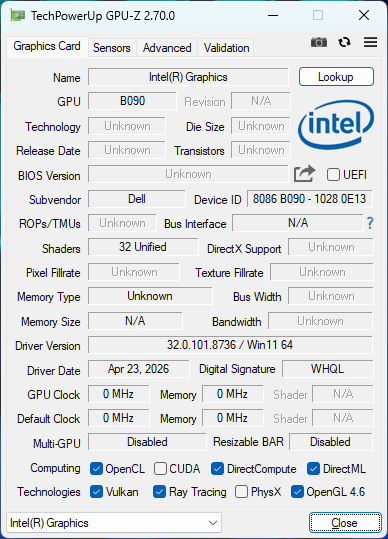
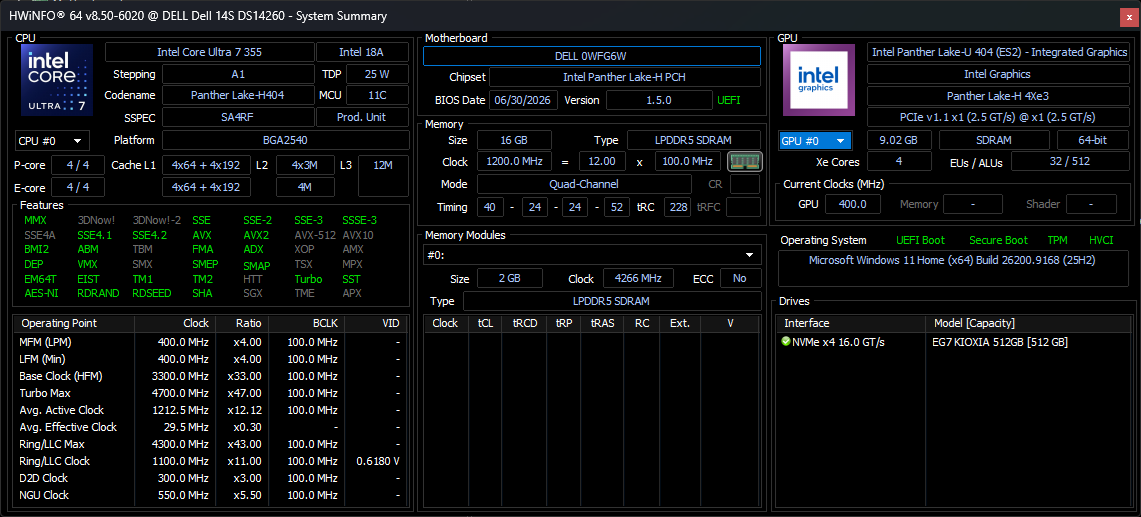
Condizioni di prova
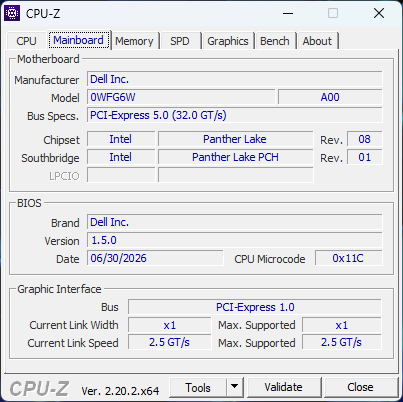
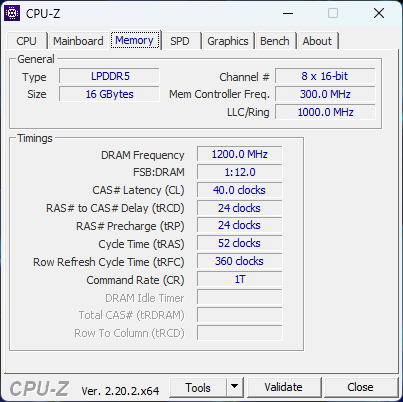
Prima di eseguire i benchmark riportati di seguito, abbiamo impostato Windows in modalità Prestazioni.
Prestazioni del processore
Cinebench R15 Multi Loop
Cinebench R23: Multi Core | Single Core
Cinebench R20: CPU (Multi Core) | CPU (Single Core)
Cinebench R15: CPU Multi 64Bit | CPU Single 64Bit
Blender: v2.79 BMW27 CPU
7-Zip 18.03: 7z b 4 | 7z b 4 -mmt1
Geekbench 6.7: Multi-Core | Single-Core
Geekbench 5.5: Multi-Core | Single-Core
HWBOT x265 Benchmark v2.2: 4k Preset
LibreOffice : 20 Documents To PDF
R Benchmark 2.5: Overall mean
* ... Meglio usare valori piccoli
AIDA64: FP32 Ray-Trace | FPU Julia | CPU SHA3 | CPU Queen | FPU SinJulia | FPU Mandel | CPU AES | CPU ZLib | FP64 Ray-Trace | CPU PhotoWorxx | CPU CheckMate
| Performance rating | |
| Asus VivoBook S 14 OLED M5406WA -1! | |
| Dell Inspiron 14 7445 2-in-1 -1! | |
| HP OmniBook Ultra 14 Core Ultra X9 -1! | |
| Dell XPS 14 Core Ultra X7 358H | |
| Dell 14S DS14260 -1! | |
| Media Intel Core Ultra 7 355 | |
| Lenovo ThinkBook 14 G9 IPL 21UX005PGE -1! | |
| AIDA64 / FP32 Ray-Trace | |
| Asus VivoBook S 14 OLED M5406WA (v6.92.6600) | |
| Dell Inspiron 14 7445 2-in-1 (v6.92.6600) | |
| HP OmniBook Ultra 14 Core Ultra X9 (v8.20.8100) | |
| Dell XPS 14 Core Ultra X7 358H (v8.20.8100) | |
| Media Intel Core Ultra 7 355 (12088 - 12838, n=5) | |
| Dell 14S DS14260 (v8.20.8100) | |
| Lenovo ThinkBook 14 G9 IPL 21UX005PGE (v8.20.8100) | |
| AIDA64 / FPU Julia | |
| Asus VivoBook S 14 OLED M5406WA (v6.92.6600) | |
| Dell Inspiron 14 7445 2-in-1 (v6.92.6600) | |
| HP OmniBook Ultra 14 Core Ultra X9 (v8.20.8100) | |
| Dell XPS 14 Core Ultra X7 358H (v8.20.8100) | |
| Media Intel Core Ultra 7 355 (60741 - 65963, n=5) | |
| Dell 14S DS14260 (v8.20.8100) | |
| Lenovo ThinkBook 14 G9 IPL 21UX005PGE (v8.20.8100) | |
| AIDA64 / CPU SHA3 | |
| Asus VivoBook S 14 OLED M5406WA (v6.92.6600) | |
| HP OmniBook Ultra 14 Core Ultra X9 (v8.20.8100) | |
| Dell XPS 14 Core Ultra X7 358H (v8.20.8100) | |
| Dell Inspiron 14 7445 2-in-1 (v6.92.6600) | |
| Media Intel Core Ultra 7 355 (2763 - 2845, n=5) | |
| Dell 14S DS14260 (v8.20.8100) | |
| Lenovo ThinkBook 14 G9 IPL 21UX005PGE (v8.20.8100) | |
| AIDA64 / CPU Queen | |
| Dell Inspiron 14 7445 2-in-1 (v6.92.6600) | |
| Asus VivoBook S 14 OLED M5406WA (v6.92.6600) | |
| Dell XPS 14 Core Ultra X7 358H (v6.92.6600) | |
| Media Intel Core Ultra 7 355 (n=1) | |
| AIDA64 / FPU SinJulia | |
| Asus VivoBook S 14 OLED M5406WA (v6.92.6600) | |
| Dell Inspiron 14 7445 2-in-1 (v6.92.6600) | |
| HP OmniBook Ultra 14 Core Ultra X9 (v8.20.8100) | |
| Dell XPS 14 Core Ultra X7 358H (v8.20.8100) | |
| Media Intel Core Ultra 7 355 (4585 - 4601, n=5) | |
| Dell 14S DS14260 (v8.20.8100) | |
| Lenovo ThinkBook 14 G9 IPL 21UX005PGE (v8.20.8100) | |
| AIDA64 / FPU Mandel | |
| Asus VivoBook S 14 OLED M5406WA (v6.92.6600) | |
| Dell Inspiron 14 7445 2-in-1 (v6.92.6600) | |
| HP OmniBook Ultra 14 Core Ultra X9 (v8.20.8100) | |
| Dell XPS 14 Core Ultra X7 358H (v8.20.8100) | |
| Media Intel Core Ultra 7 355 (32404 - 35293, n=5) | |
| Lenovo ThinkBook 14 G9 IPL 21UX005PGE (v8.20.8100) | |
| Dell 14S DS14260 (v8.20.8100) | |
| AIDA64 / CPU AES | |
| Asus VivoBook S 14 OLED M5406WA (v6.92.6600) | |
| Dell XPS 14 Core Ultra X7 358H (v8.20.8100) | |
| HP OmniBook Ultra 14 Core Ultra X9 (v8.20.8100) | |
| Dell Inspiron 14 7445 2-in-1 (v6.92.6600) | |
| Media Intel Core Ultra 7 355 (38981 - 39424, n=5) | |
| Dell 14S DS14260 (v8.20.8100) | |
| Lenovo ThinkBook 14 G9 IPL 21UX005PGE (v8.20.8100) | |
| AIDA64 / CPU ZLib | |
| Asus VivoBook S 14 OLED M5406WA (v6.92.6600) | |
| Dell XPS 14 Core Ultra X7 358H (v8.20.8100) | |
| HP OmniBook Ultra 14 Core Ultra X9 (v8.20.8100) | |
| Dell Inspiron 14 7445 2-in-1 (v6.92.6600) | |
| Media Intel Core Ultra 7 355 (635 - 646, n=5) | |
| Dell 14S DS14260 (v8.20.8100) | |
| Lenovo ThinkBook 14 G9 IPL 21UX005PGE (v8.20.8100) | |
| AIDA64 / FP64 Ray-Trace | |
| Asus VivoBook S 14 OLED M5406WA (v6.92.6600) | |
| Dell Inspiron 14 7445 2-in-1 (v6.92.6600) | |
| HP OmniBook Ultra 14 Core Ultra X9 (v8.20.8100) | |
| Dell XPS 14 Core Ultra X7 358H (v8.20.8100) | |
| Lenovo ThinkBook 14 G9 IPL 21UX005PGE (v8.20.8100) | |
| Media Intel Core Ultra 7 355 (6138 - 6833, n=5) | |
| Dell 14S DS14260 (v8.20.8100) | |
| AIDA64 / CPU PhotoWorxx | |
| Dell XPS 14 Core Ultra X7 358H (v8.20.8100) | |
| HP OmniBook Ultra 14 Core Ultra X9 (v8.20.8100) | |
| Media Intel Core Ultra 7 355 (57998 - 60440, n=5) | |
| Dell 14S DS14260 (v8.20.8100) | |
| Lenovo ThinkBook 14 G9 IPL 21UX005PGE (v8.20.8100) | |
| Asus VivoBook S 14 OLED M5406WA (v6.92.6600) | |
| Dell Inspiron 14 7445 2-in-1 (v6.92.6600) | |
| AIDA64 / CPU CheckMate | |
| Dell XPS 14 Core Ultra X7 358H (v8.20.8100) | |
| HP OmniBook Ultra 14 Core Ultra X9 (v8.20.8100) | |
| Media Intel Core Ultra 7 355 (2747 - 2813, n=5) | |
| Dell 14S DS14260 (v8.20.8100) | |
| Lenovo ThinkBook 14 G9 IPL 21UX005PGE (v8.20.8100) | |
Prestazioni del sistema
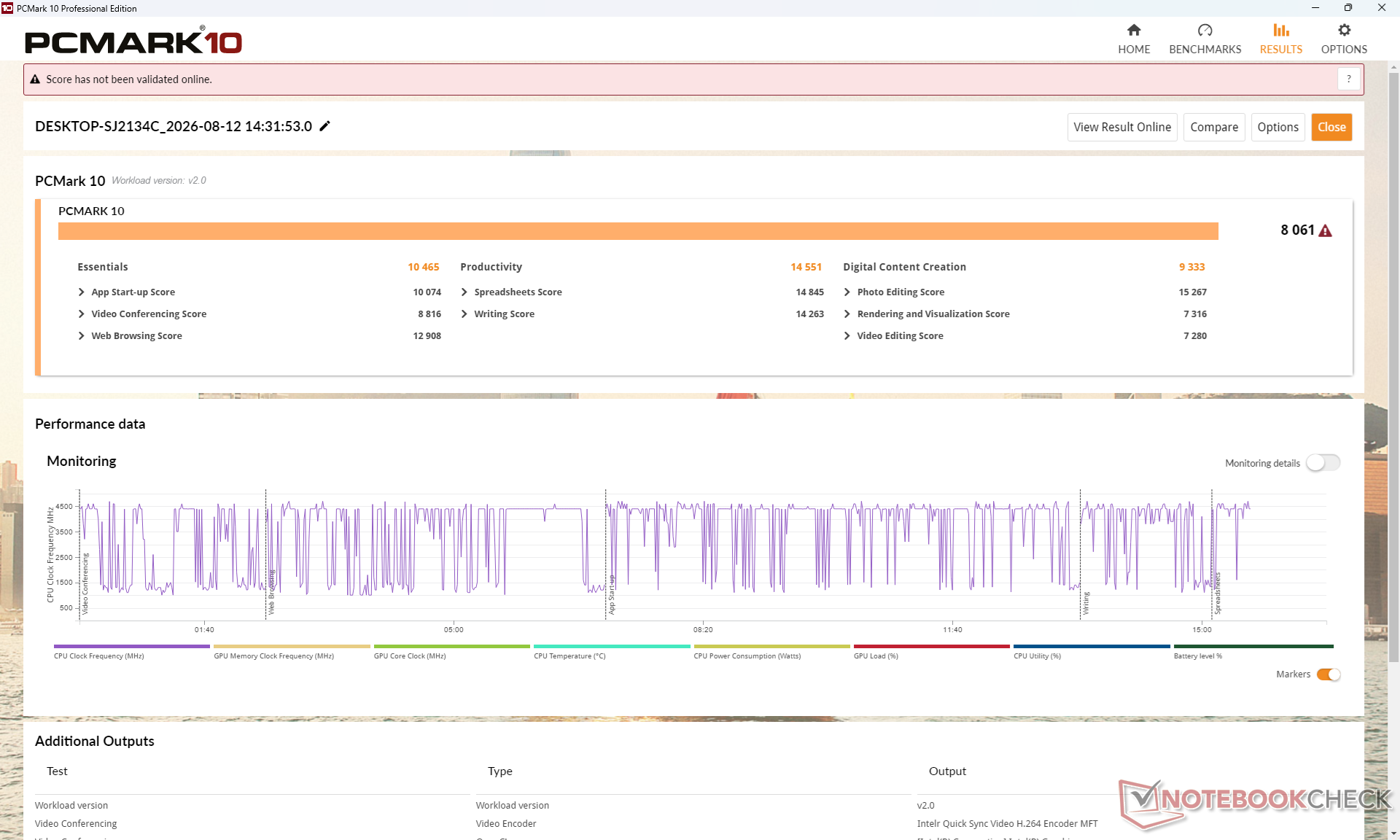
PCMark 10: Score | Essentials | Productivity | Digital Content Creation
CrossMark: Overall | Productivity | Creativity | Responsiveness
WebXPRT 3: Overall
WebXPRT 4: Overall
Mozilla Kraken 1.1: Total
| Performance rating | |
| HP OmniBook Ultra 14 Core Ultra X9 | |
| Dell XPS 14 Core Ultra X7 358H | |
| Dell 14S DS14260 | |
| Media Intel Core Ultra 7 355, Intel Graphics 4 Xe3 Panther Lake iGPU | |
| Dell Inspiron 14 7445 2-in-1 | |
| Lenovo ThinkBook 14 G9 IPL 21UX005PGE -4! | |
| Asus VivoBook S 14 OLED M5406WA -5! | |
| PCMark 10 / Score | |
| HP OmniBook Ultra 14 Core Ultra X9 | |
| Dell XPS 14 Core Ultra X7 358H | |
| Media Intel Core Ultra 7 355, Intel Graphics 4 Xe3 Panther Lake iGPU (7884 - 8201, n=5) | |
| Dell 14S DS14260 | |
| Lenovo ThinkBook 14 G9 IPL 21UX005PGE | |
| Asus VivoBook S 14 OLED M5406WA | |
| Dell Inspiron 14 7445 2-in-1 | |
| PCMark 10 / Essentials | |
| HP OmniBook Ultra 14 Core Ultra X9 | |
| Dell XPS 14 Core Ultra X7 358H | |
| Dell Inspiron 14 7445 2-in-1 | |
| Asus VivoBook S 14 OLED M5406WA | |
| Media Intel Core Ultra 7 355, Intel Graphics 4 Xe3 Panther Lake iGPU (10356 - 10820, n=5) | |
| Dell 14S DS14260 | |
| Lenovo ThinkBook 14 G9 IPL 21UX005PGE | |
| PCMark 10 / Productivity | |
| Dell XPS 14 Core Ultra X7 358H | |
| HP OmniBook Ultra 14 Core Ultra X9 | |
| Dell 14S DS14260 | |
| Media Intel Core Ultra 7 355, Intel Graphics 4 Xe3 Panther Lake iGPU (13871 - 14955, n=5) | |
| Lenovo ThinkBook 14 G9 IPL 21UX005PGE | |
| Asus VivoBook S 14 OLED M5406WA | |
| Dell Inspiron 14 7445 2-in-1 | |
| PCMark 10 / Digital Content Creation | |
| Dell XPS 14 Core Ultra X7 358H | |
| HP OmniBook Ultra 14 Core Ultra X9 | |
| Asus VivoBook S 14 OLED M5406WA | |
| Dell 14S DS14260 | |
| Media Intel Core Ultra 7 355, Intel Graphics 4 Xe3 Panther Lake iGPU (9258 - 9368, n=5) | |
| Lenovo ThinkBook 14 G9 IPL 21UX005PGE | |
| Dell Inspiron 14 7445 2-in-1 | |
| CrossMark / Overall | |
| HP OmniBook Ultra 14 Core Ultra X9 | |
| Dell XPS 14 Core Ultra X7 358H | |
| Dell 14S DS14260 | |
| Media Intel Core Ultra 7 355, Intel Graphics 4 Xe3 Panther Lake iGPU (1627 - 1892, n=5) | |
| Dell Inspiron 14 7445 2-in-1 | |
| CrossMark / Productivity | |
| HP OmniBook Ultra 14 Core Ultra X9 | |
| Dell 14S DS14260 | |
| Media Intel Core Ultra 7 355, Intel Graphics 4 Xe3 Panther Lake iGPU (1561 - 1826, n=5) | |
| Dell XPS 14 Core Ultra X7 358H | |
| Dell Inspiron 14 7445 2-in-1 | |
| CrossMark / Creativity | |
| Dell XPS 14 Core Ultra X7 358H | |
| HP OmniBook Ultra 14 Core Ultra X9 | |
| Dell 14S DS14260 | |
| Media Intel Core Ultra 7 355, Intel Graphics 4 Xe3 Panther Lake iGPU (1761 - 2052, n=5) | |
| Dell Inspiron 14 7445 2-in-1 | |
| CrossMark / Responsiveness | |
| HP OmniBook Ultra 14 Core Ultra X9 | |
| Dell 14S DS14260 | |
| Dell XPS 14 Core Ultra X7 358H | |
| Media Intel Core Ultra 7 355, Intel Graphics 4 Xe3 Panther Lake iGPU (1458 - 1671, n=5) | |
| Dell Inspiron 14 7445 2-in-1 | |
| WebXPRT 3 / Overall | |
| HP OmniBook Ultra 14 Core Ultra X9 | |
| Dell XPS 14 Core Ultra X7 358H | |
| Lenovo ThinkBook 14 G9 IPL 21UX005PGE | |
| Dell Inspiron 14 7445 2-in-1 | |
| Media Intel Core Ultra 7 355, Intel Graphics 4 Xe3 Panther Lake iGPU (300 - 303, n=5) | |
| Dell 14S DS14260 | |
| WebXPRT 4 / Overall | |
| HP OmniBook Ultra 14 Core Ultra X9 | |
| Dell XPS 14 Core Ultra X7 358H | |
| Dell 14S DS14260 | |
| Media Intel Core Ultra 7 355, Intel Graphics 4 Xe3 Panther Lake iGPU (279 - 284, n=5) | |
| Lenovo ThinkBook 14 G9 IPL 21UX005PGE | |
| Asus VivoBook S 14 OLED M5406WA | |
| Dell Inspiron 14 7445 2-in-1 | |
| Mozilla Kraken 1.1 / Total | |
| Dell Inspiron 14 7445 2-in-1 | |
| Lenovo ThinkBook 14 G9 IPL 21UX005PGE | |
| Media Intel Core Ultra 7 355, Intel Graphics 4 Xe3 Panther Lake iGPU (470 - 487, n=5) | |
| Dell 14S DS14260 | |
| Dell XPS 14 Core Ultra X7 358H | |
| Asus VivoBook S 14 OLED M5406WA | |
| Asus VivoBook S 14 OLED M5406WA | |
| HP OmniBook Ultra 14 Core Ultra X9 | |
* ... Meglio usare valori piccoli
| PCMark 10 Score | 8061 punti | |
Aiuto | ||
| AIDA64 / Memory Copy | |
| Dell XPS 14 Core Ultra X7 358H | |
| HP OmniBook Ultra 14 Core Ultra X9 | |
| Media Intel Core Ultra 7 355 (97301 - 105135, n=5) | |
| Dell 14S DS14260 | |
| Asus VivoBook S 14 OLED M5406WA | |
| Lenovo ThinkBook 14 G9 IPL 21UX005PGE | |
| Dell Inspiron 14 7445 2-in-1 | |
| AIDA64 / Memory Read | |
| HP OmniBook Ultra 14 Core Ultra X9 | |
| Dell XPS 14 Core Ultra X7 358H | |
| Asus VivoBook S 14 OLED M5406WA | |
| Dell 14S DS14260 | |
| Media Intel Core Ultra 7 355 (79551 - 85807, n=5) | |
| Lenovo ThinkBook 14 G9 IPL 21UX005PGE | |
| Dell Inspiron 14 7445 2-in-1 | |
| AIDA64 / Memory Write | |
| HP OmniBook Ultra 14 Core Ultra X9 | |
| Dell XPS 14 Core Ultra X7 358H | |
| Dell 14S DS14260 | |
| Media Intel Core Ultra 7 355 (103056 - 108621, n=5) | |
| Asus VivoBook S 14 OLED M5406WA | |
| Dell Inspiron 14 7445 2-in-1 | |
| Lenovo ThinkBook 14 G9 IPL 21UX005PGE | |
| AIDA64 / Memory Latency | |
| Asus VivoBook S 14 OLED M5406WA | |
| Lenovo ThinkBook 14 G9 IPL 21UX005PGE | |
| Media Intel Core Ultra 7 355 (99.7 - 105.8, n=5) | |
| Dell 14S DS14260 | |
| Dell Inspiron 14 7445 2-in-1 | |
| Dell XPS 14 Core Ultra X7 358H | |
| HP OmniBook Ultra 14 Core Ultra X9 | |
* ... Meglio usare valori piccoli
Latenza DPC
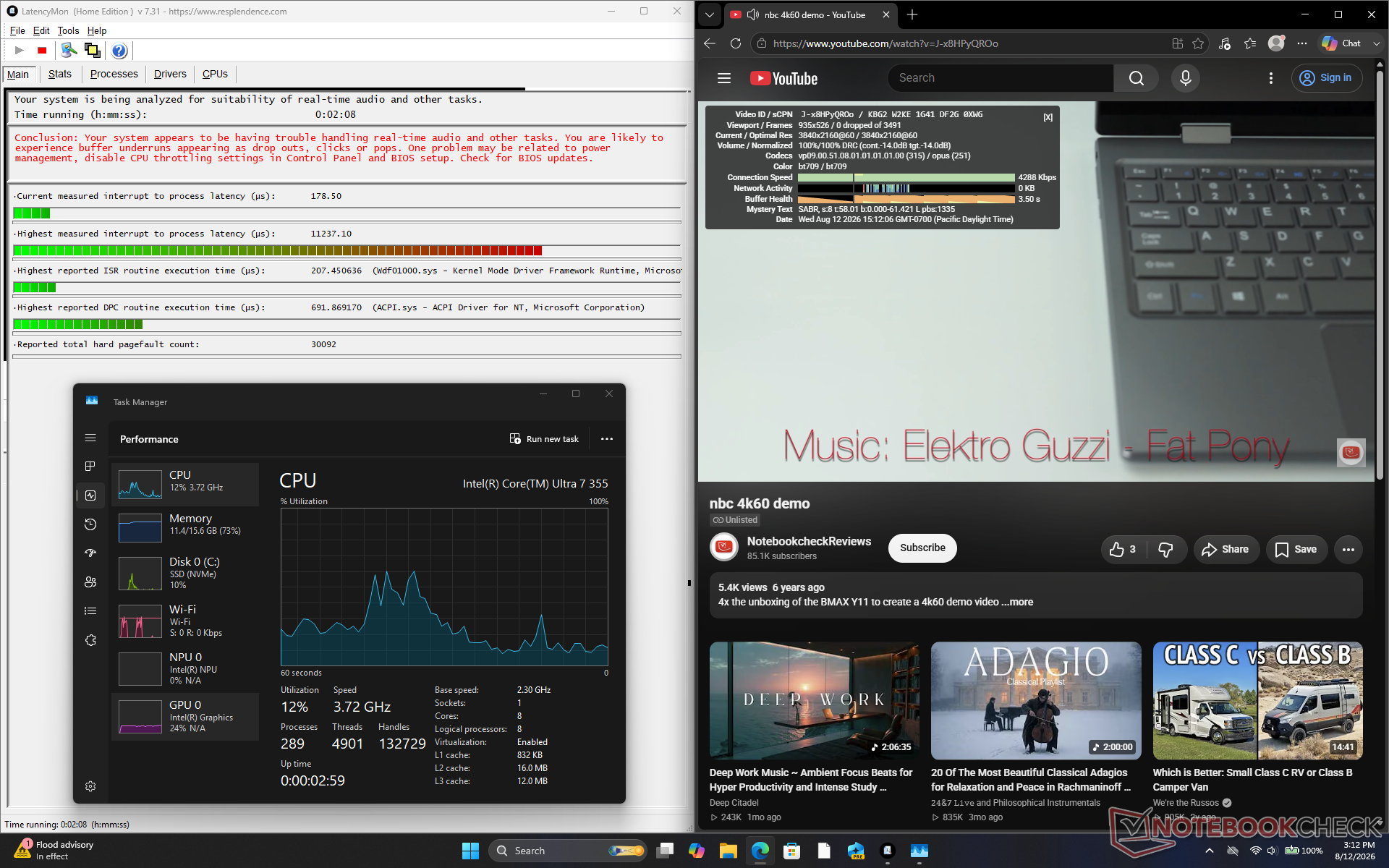
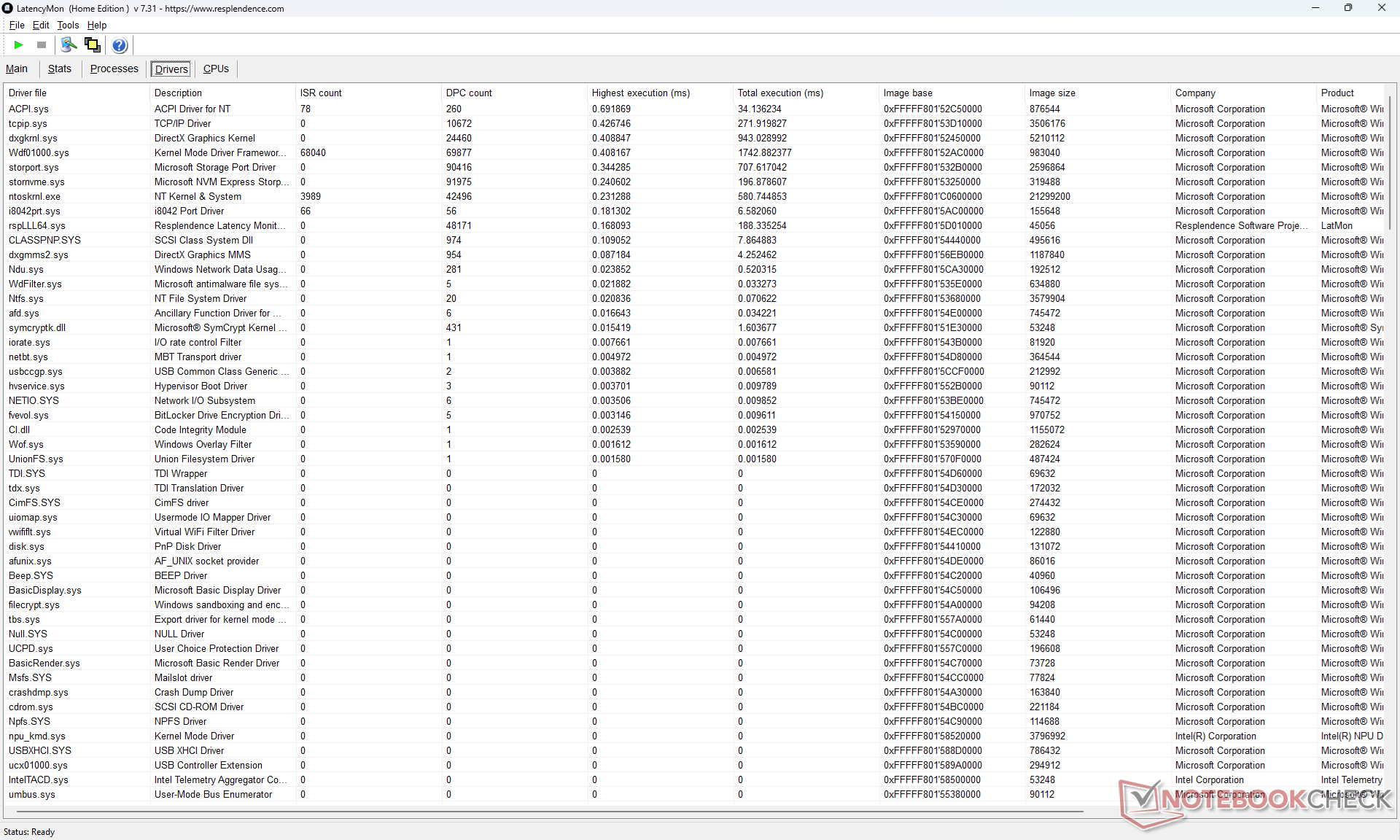
| DPC Latencies / LatencyMon - interrupt to process latency (max), Web, Youtube, Prime95 | |
| Dell 14S DS14260 | |
| HP OmniBook Ultra 14 Core Ultra X9 | |
| Dell XPS 14 Core Ultra X7 358H | |
| Dell Inspiron 14 7445 2-in-1 | |
| Asus VivoBook S 14 OLED M5406WA | |
| Lenovo ThinkBook 14 G9 IPL 21UX005PGE | |
* ... Meglio usare valori piccoli
Dispositivi di archiviazione
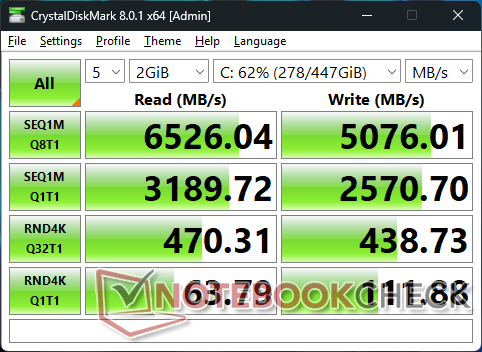
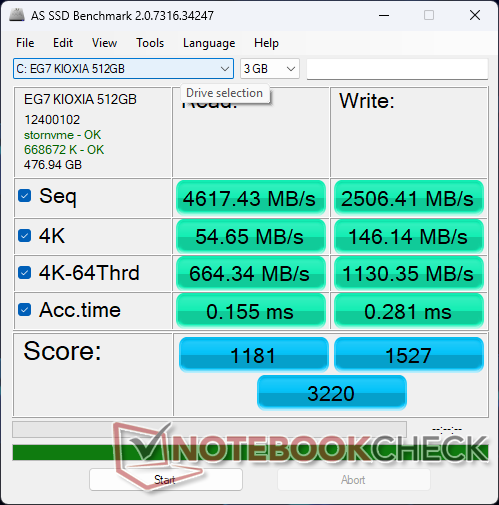

* ... Meglio usare valori piccoli
Limitazione della velocità del disco: ciclo di lettura DiskSpd, profondità della coda 8
Prestazioni della GPU
| Profilo delle prestazioni | Punteggio grafico Fire Strike | Punteggio "Physics" | Punteggio combinato |
| Modalità Prestazioni | 7123 | 21682 | 2182 |
| Capacità della batteria | 6996 (-2%) | 17.440 (-20%) | 2156 |
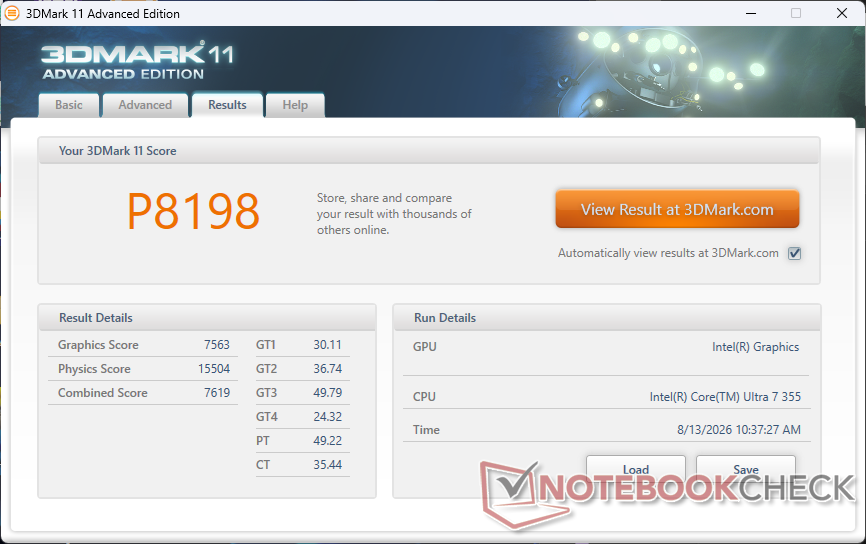
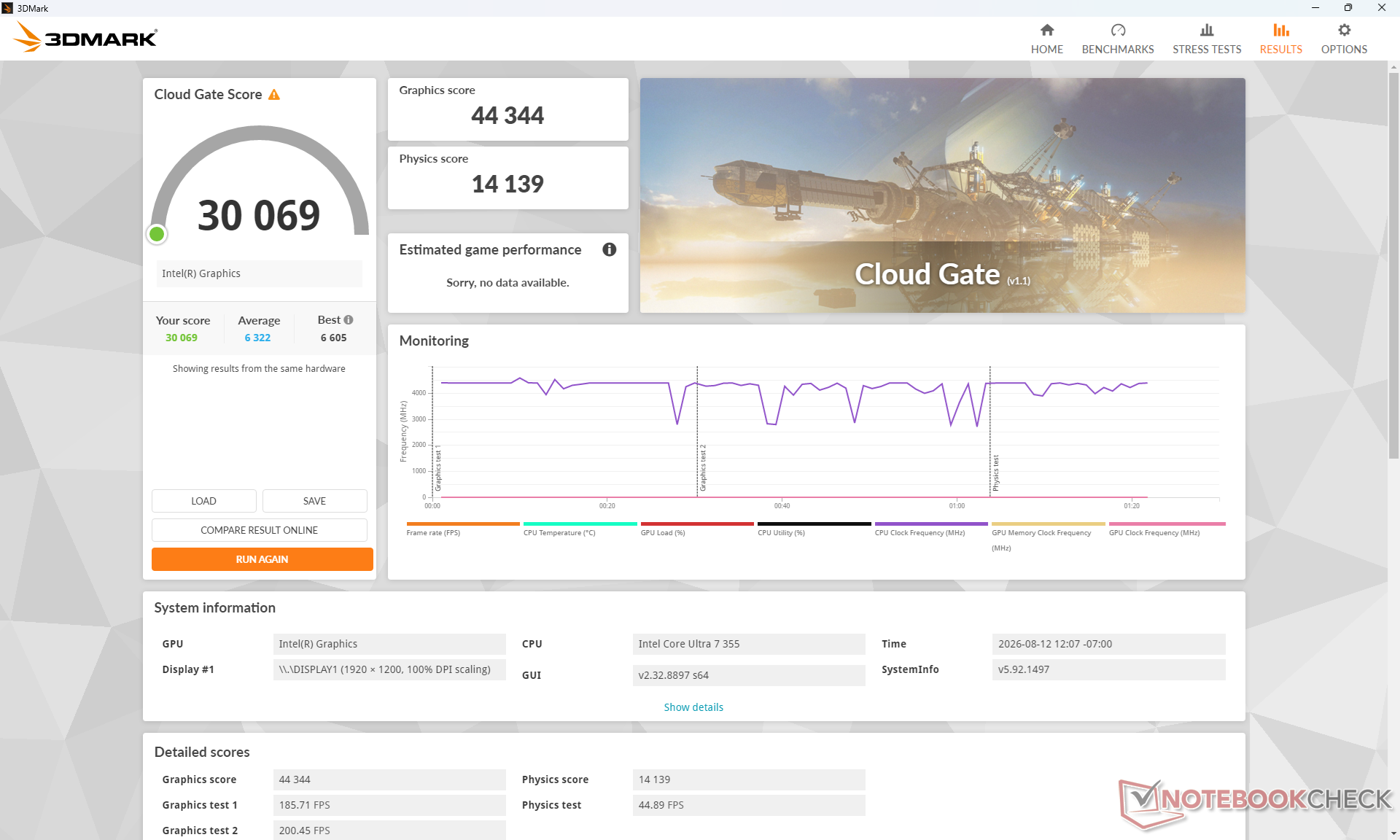
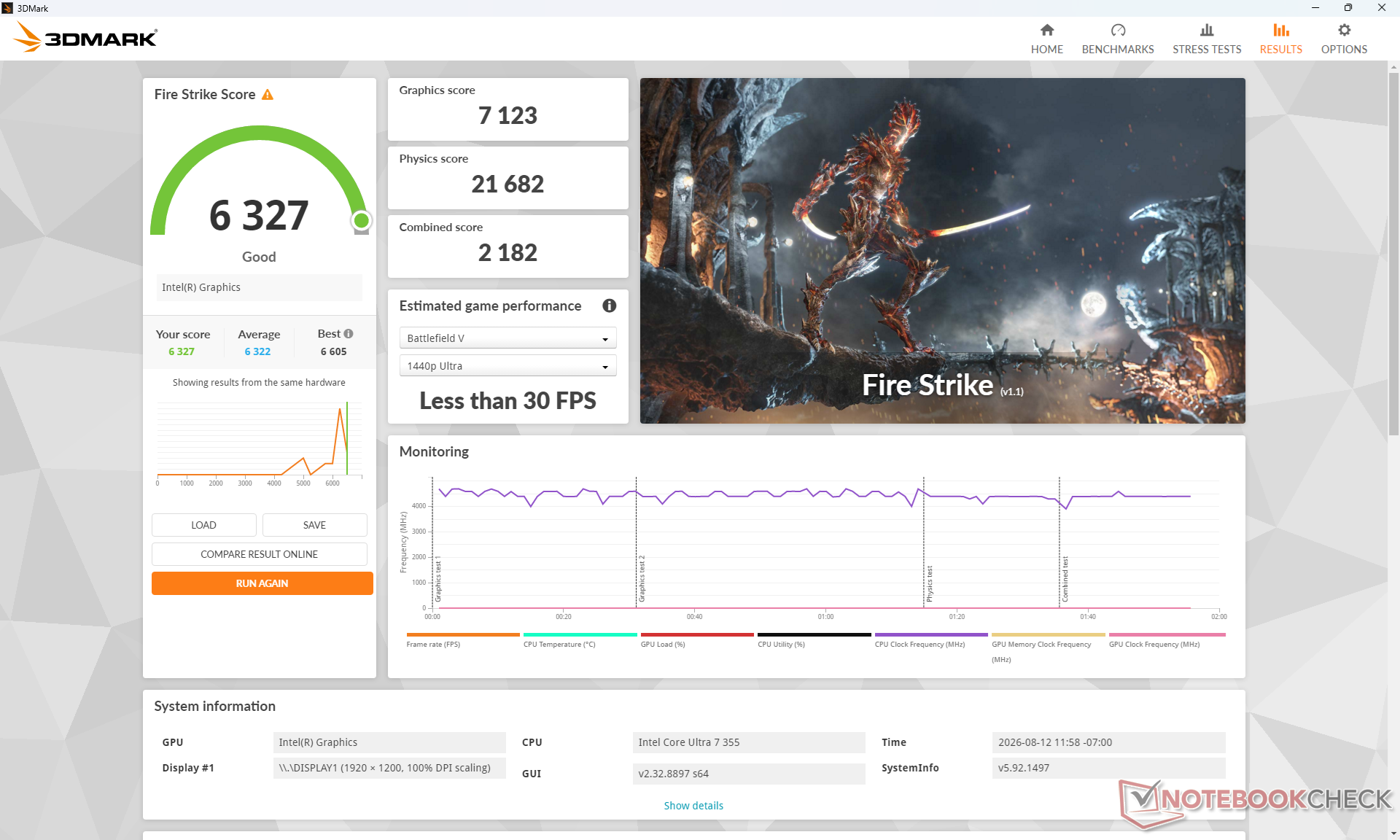
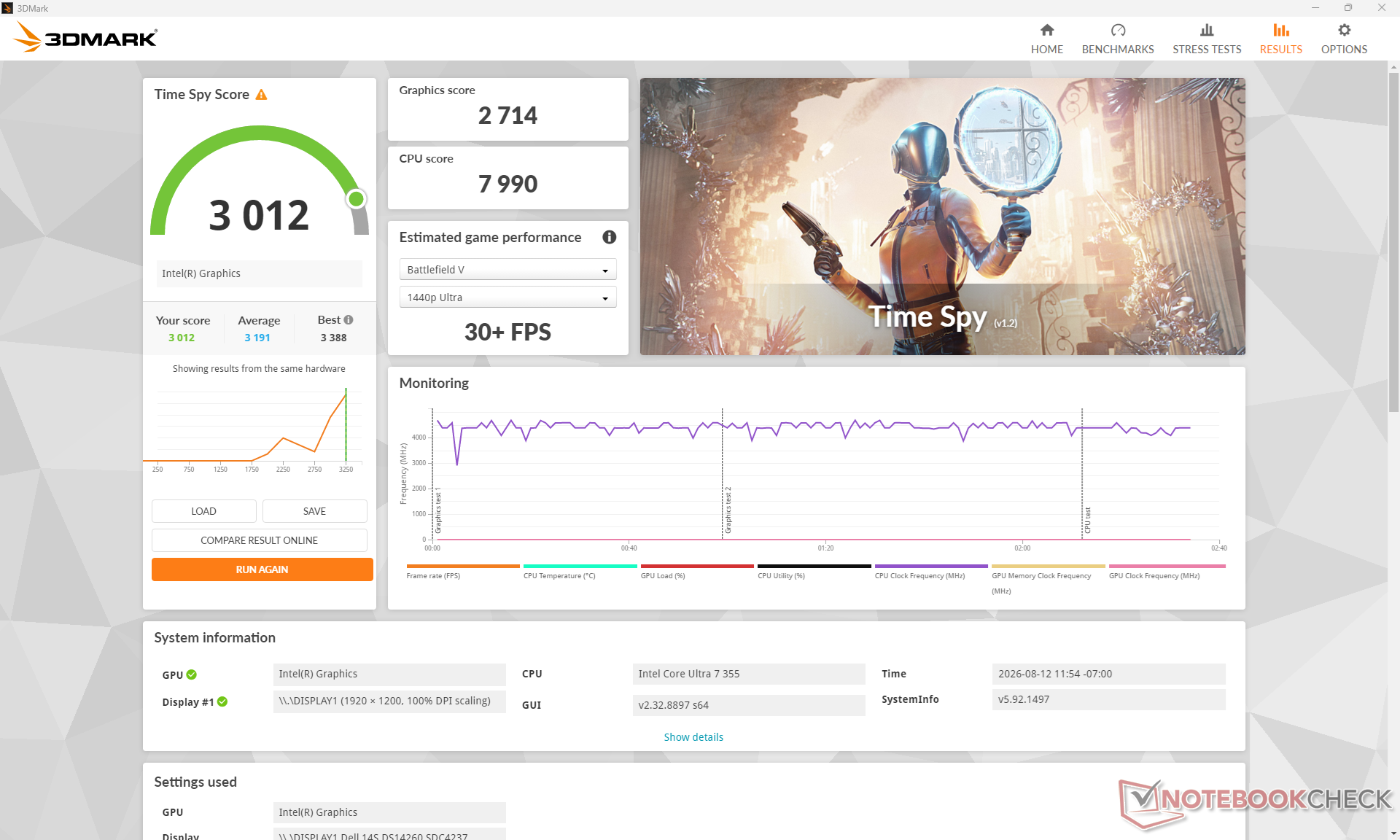
| 3DMark 11 Performance | 8198 punti | |
| 3DMark Cloud Gate Standard Score | 30069 punti | |
| 3DMark Fire Strike Score | 6327 punti | |
| 3DMark Time Spy Score | 3012 punti | |
Aiuto | ||
* ... Meglio usare valori piccoli
| Cyberpunk 2077 - 1920x1080 Ultra Preset (FSR off) | |
| HP OmniBook Ultra 14 Core Ultra X9 | |
| Dell XPS 14 Core Ultra X7 358H | |
| Asus VivoBook S 14 OLED M5406WA | |
| Lenovo ThinkBook 14 G9 IPL 21UX005PGE | |
| Dell Inspiron 14 7445 2-in-1 | |
| Dell 14S DS14260 | |
| Baldur's Gate 3 - 1920x1080 Ultra Preset AA:T | |
| HP OmniBook Ultra 14 Core Ultra X9 | |
| Dell XPS 14 Core Ultra X7 358H | |
| Asus VivoBook S 14 OLED M5406WA | |
| Lenovo ThinkBook 14 G9 IPL 21UX005PGE | |
| Dell Inspiron 14 7445 2-in-1 | |
| Dell 14S DS14260 | |
| GTA V - 1920x1080 Highest AA:4xMSAA + FX AF:16x | |
| HP OmniBook Ultra 14 Core Ultra X9 | |
| Dell XPS 14 Core Ultra X7 358H | |
| Asus VivoBook S 14 OLED M5406WA | |
| Dell 14S DS14260 | |
| Lenovo ThinkBook 14 G9 IPL 21UX005PGE | |
| Final Fantasy XV Benchmark - 1920x1080 High Quality | |
| HP OmniBook Ultra 14 Core Ultra X9 | |
| Dell XPS 14 Core Ultra X7 358H | |
| Asus VivoBook S 14 OLED M5406WA | |
| Dell 14S DS14260 | |
| Dell Inspiron 14 7445 2-in-1 | |
| Lenovo ThinkBook 14 G9 IPL 21UX005PGE | |
| Strange Brigade - 1920x1080 ultra AA:ultra AF:16 | |
| HP OmniBook Ultra 14 Core Ultra X9 | |
| Dell XPS 14 Core Ultra X7 358H | |
| Asus VivoBook S 14 OLED M5406WA | |
| Dell 14S DS14260 | |
| Dell Inspiron 14 7445 2-in-1 | |
| Dota 2 Reborn - 1920x1080 ultra (3/3) best looking | |
| Dell XPS 14 Core Ultra X7 358H | |
| HP OmniBook Ultra 14 Core Ultra X9 | |
| Dell 14S DS14260 | |
| Lenovo ThinkBook 14 G9 IPL 21UX005PGE | |
| Dell Inspiron 14 7445 2-in-1 | |
| Asus VivoBook S 14 OLED M5406WA | |
| X-Plane 11.11 - 1920x1080 high (fps_test=3) | |
| Asus VivoBook S 14 OLED M5406WA | |
| HP OmniBook Ultra 14 Core Ultra X9 | |
| Dell XPS 14 Core Ultra X7 358H | |
| Dell Inspiron 14 7445 2-in-1 | |
| Dell 14S DS14260 | |
| Lenovo ThinkBook 14 G9 IPL 21UX005PGE | |
Grafico dei FPS in modalità Ultra di Cyberpunk 2077
| basso | medio | alto | ultra | |
|---|---|---|---|---|
| GTA V (2015) | 167.7 | 156.4 | 50.6 | 21 |
| Dota 2 Reborn (2015) | 107.1 | 96.1 | 81.9 | 90.7 |
| Final Fantasy XV Benchmark (2018) | 66.9 | 36.2 | 26 | |
| X-Plane 11.11 (2018) | 34.8 | 29.2 | 27.8 | |
| Strange Brigade (2018) | 187.5 | 70.4 | 56.7 | 48 |
| Baldur's Gate 3 (2023) | 28.1 | 22.9 | 19.4 | 19.2 |
| Cyberpunk 2077 (2023) | 37.3 | 26.4 | 21.2 | 16.8 |
| F1 24 (2024) | 64.1 | 57 | 42.4 | 14.2 |
Emissioni
Rumore di sistema
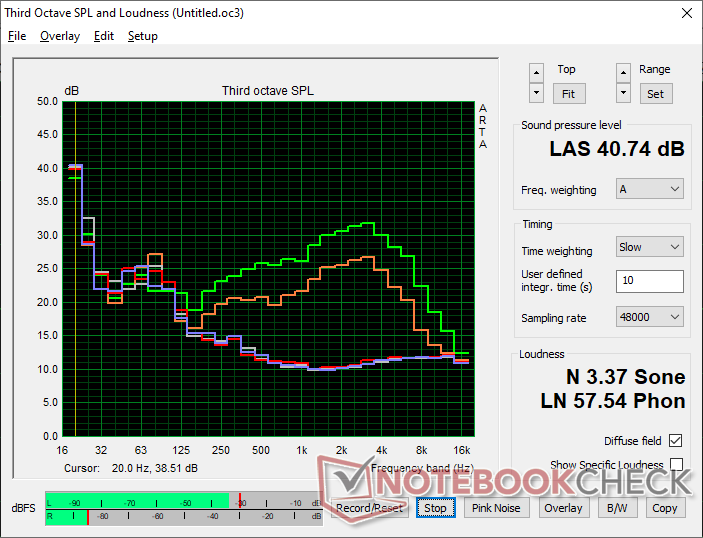
Rumorosità
| Idle |
| 23.4 / 23.4 / 23.4 dB(A) |
| Sotto carico |
| 30.3 / 47.4 dB(A) |
 | ||
30 dB silenzioso 40 dB(A) udibile 50 dB(A) rumoroso |
||
min:  , med: , med:  , max: , max:  Earthworks M23R, Arta (15 cm di distanza) Rumorosità ambientale: 23.3 dB(A) Earthworks M23R, Arta (15 cm di distanza) Rumorosità ambientale: 23.3 dB(A) | ||
| Dell 14S DS14260 Ultra 7 355, Intel Graphics 4 Xe3 PTL | Lenovo ThinkBook 14 G9 IPL 21UX005PGE Ultra 5 325, Intel Graphics 4 Xe3 PTL | Dell XPS 14 Core Ultra X7 358H Ultra X7 358H, Arc B390 Panther Lake iGPU | HP OmniBook Ultra 14 Core Ultra X9 Ultra X9 388H, Arc B390 Panther Lake iGPU | Dell Inspiron 14 7445 2-in-1 R7 8840HS, Radeon 780M | Asus VivoBook S 14 OLED M5406WA Ryzen AI 9 HX 370, Radeon 890M | |
|---|---|---|---|---|---|---|
| Noise | -15% | -2% | -7% | -3% | -6% | |
| off /ambiente * (dB) | 23.3 | 24.8 -6% | 22.9 2% | 23.3 -0% | 23.6 -1% | 24 -3% |
| Idle Minimum * (dB) | 23.4 | 24.8 -6% | 23.3 -0% | 23.3 -0% | 24.3 -4% | 24 -3% |
| Idle Average * (dB) | 23.4 | 24.8 -6% | 23.3 -0% | 23.3 -0% | 24.3 -4% | 25 -7% |
| Idle Maximum * (dB) | 23.4 | 24.8 -6% | 23.3 -0% | 23.3 -0% | 24.8 -6% | 27 -15% |
| Load Average * (dB) | 30.3 | 46.1 -52% | 34 -12% | 42.9 -42% | 33.5 -11% | 40 -32% |
| Cyberpunk 2077 ultra * (dB) | 39.1 | 49.7 -27% | 43.5 -11% | 44.4 -14% | 39 -0% | |
| Load Maximum * (dB) | 47.4 | 48.2 -2% | 45.7 4% | 44.1 7% | 43.8 8% | 40 16% |
| Witcher 3 ultra * (dB) | 43.8 |
* ... Meglio usare valori piccoli
Temperatura
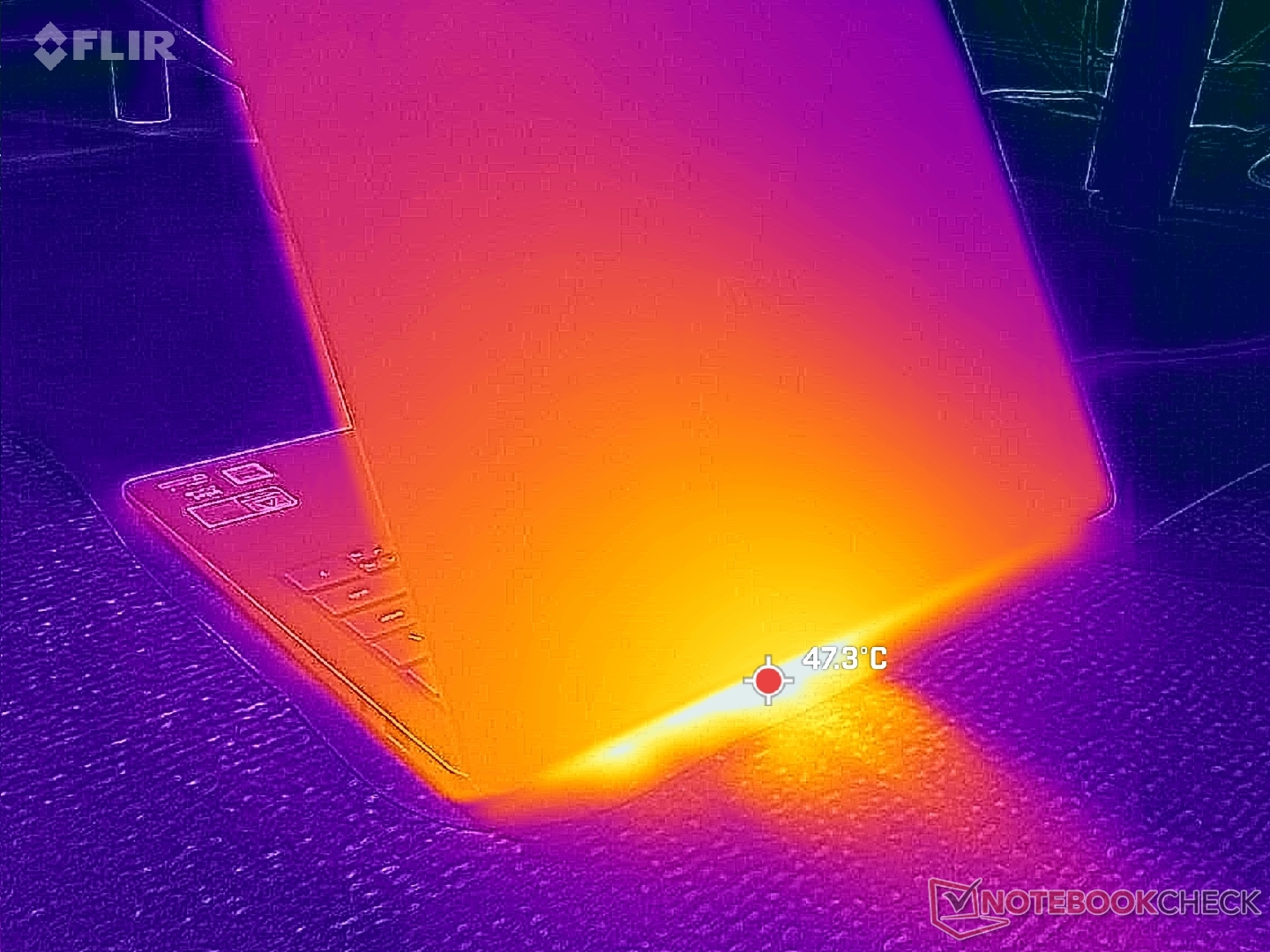
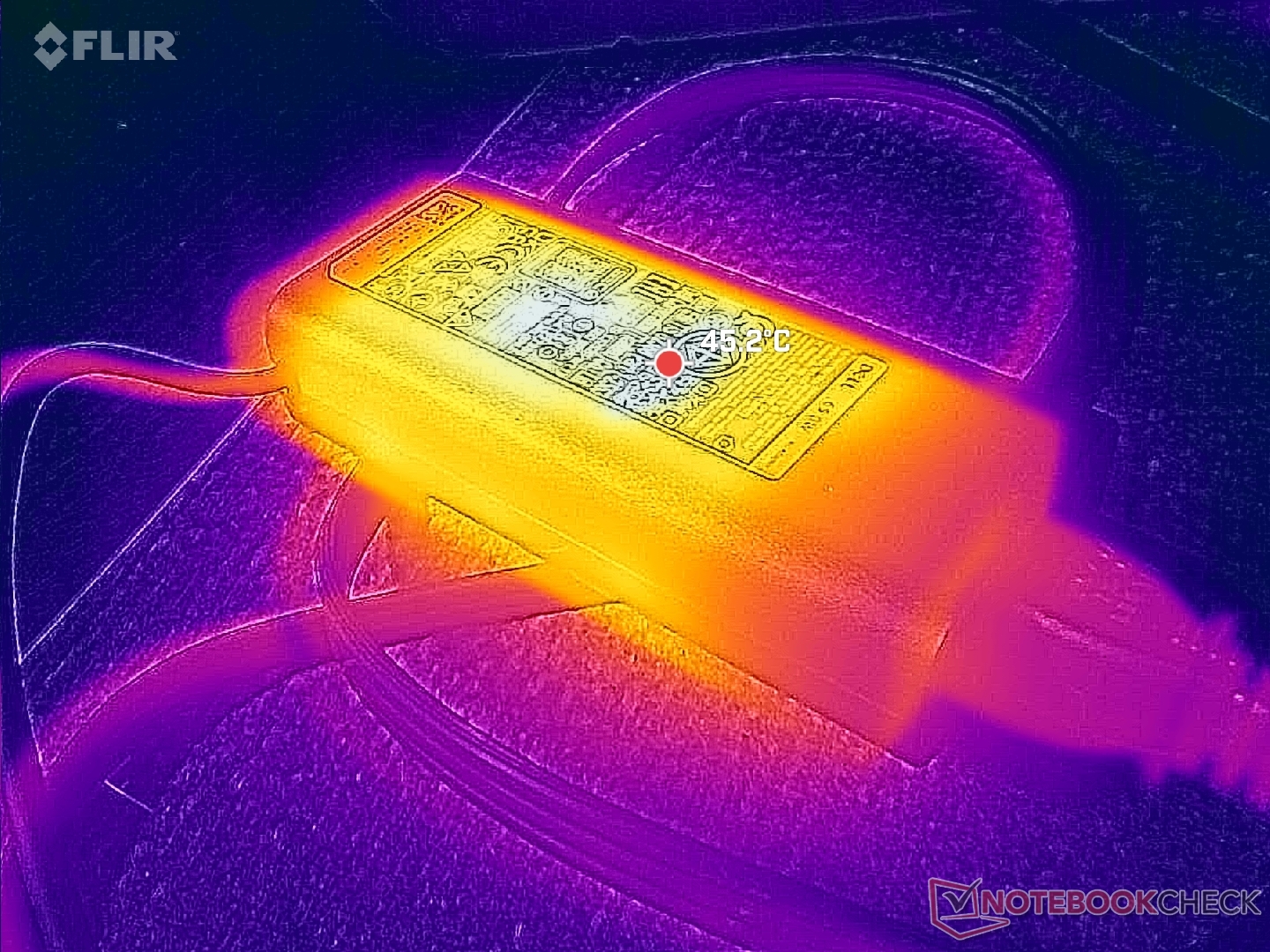
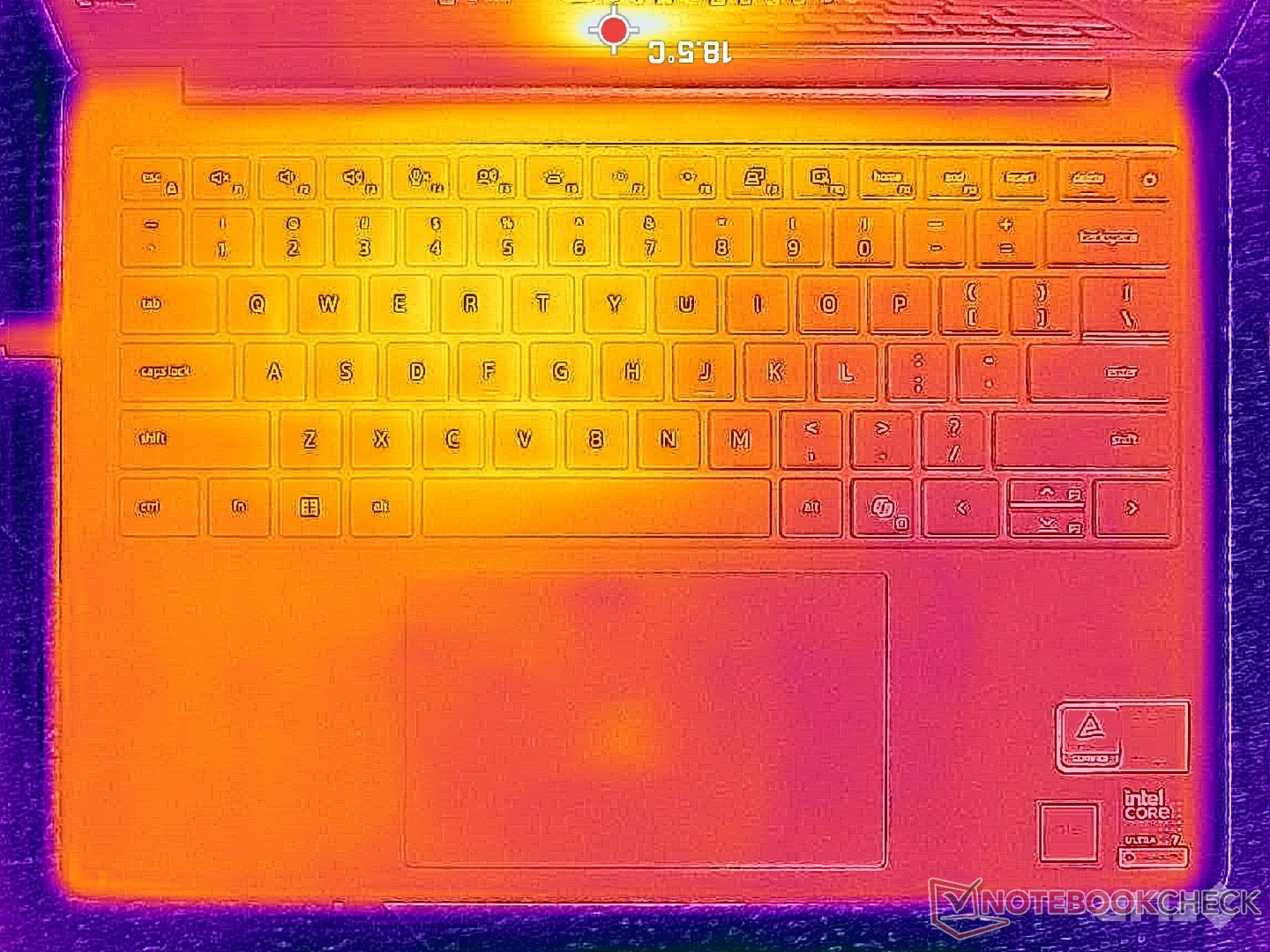
(±) La temperatura massima sul lato superiore è di 44.4 °C / 112 F, rispetto alla media di 35.9 °C / 97 F, che varia da 21.4 a 59 °C per questa classe Subnotebook.
(±) Il lato inferiore si riscalda fino ad un massimo di 41 °C / 106 F, rispetto alla media di 39.2 °C / 103 F
(+) In idle, la temperatura media del lato superiore è di 25.6 °C / 78 F, rispetto alla media deld ispositivo di 30.8 °C / 87 F.
(+) I poggiapolsi e il touchpad raggiungono la temperatura massima della pelle (33 °C / 91.4 F) e quindi non sono caldi.
(-) La temperatura media della zona del palmo della mano di dispositivi simili e'stata di 28.2 °C / 82.8 F (-4.8 °C / -8.6 F).
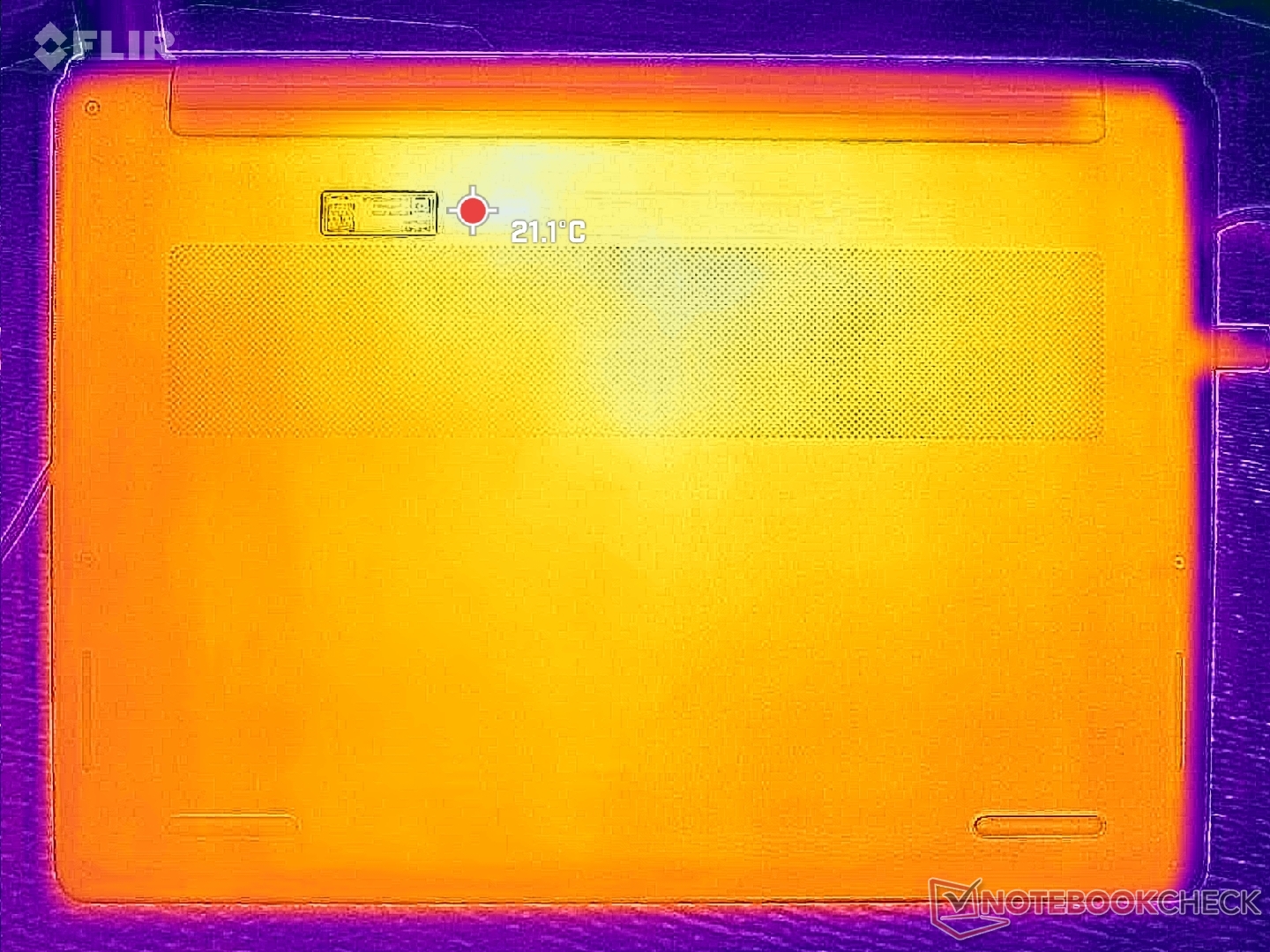
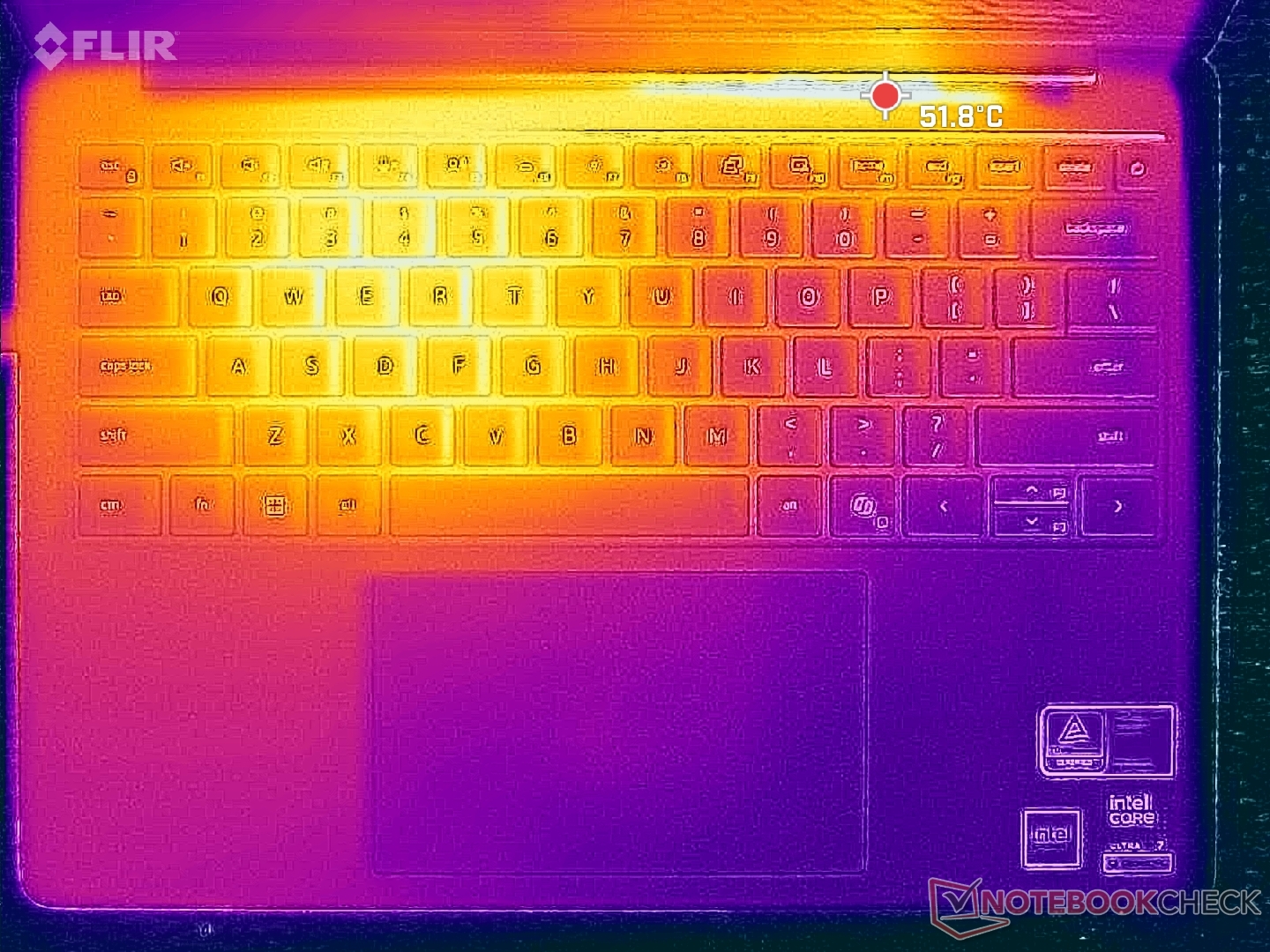
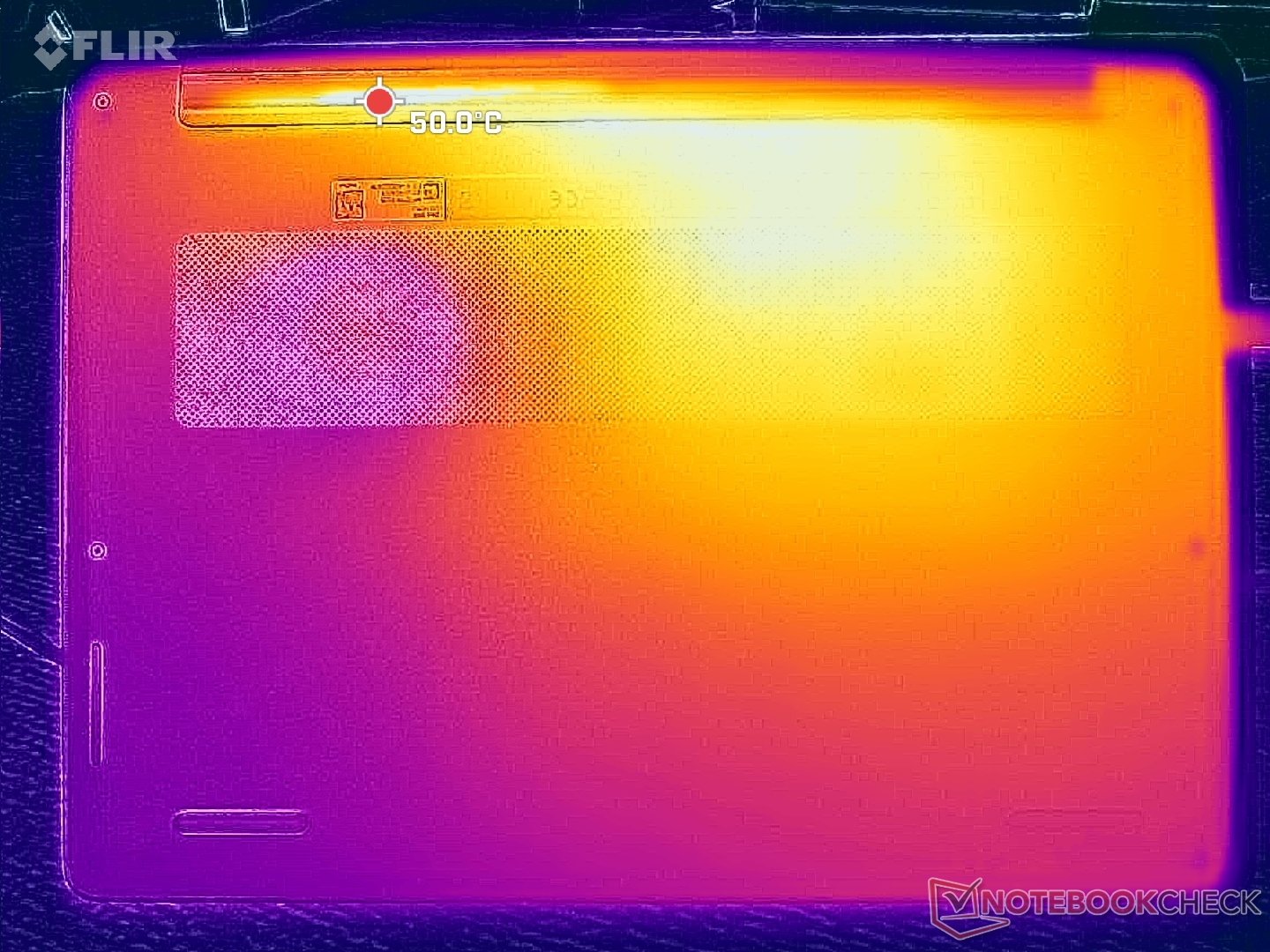
| Dell 14S DS14260 Ultra 7 355, Intel Graphics 4 Xe3 PTL | Lenovo ThinkBook 14 G9 IPL 21UX005PGE Ultra 5 325, Intel Graphics 4 Xe3 PTL | Dell XPS 14 Core Ultra X7 358H Ultra X7 358H, Arc B390 Panther Lake iGPU | HP OmniBook Ultra 14 Core Ultra X9 Ultra X9 388H, Arc B390 Panther Lake iGPU | Dell Inspiron 14 7445 2-in-1 R7 8840HS, Radeon 780M | Asus VivoBook S 14 OLED M5406WA Ryzen AI 9 HX 370, Radeon 890M | |
|---|---|---|---|---|---|---|
| Heat | -12% | 11% | 8% | -13% | -16% | |
| Maximum Upper Side * (°C) | 44.4 | 43.5 2% | 34 23% | 40.2 9% | 41.2 7% | 49 -10% |
| Maximum Bottom * (°C) | 41 | 42.5 -4% | 35.8 13% | 44.2 -8% | 48.4 -18% | 59 -44% |
| Idle Upper Side * (°C) | 26.6 | 33.6 -26% | 25.6 4% | 22.8 14% | 29.4 -11% | 28 -5% |
| Idle Bottom * (°C) | 27.4 | 32.8 -20% | 26.4 4% | 23.4 15% | 35.2 -28% | 29 -6% |
* ... Meglio usare valori piccoli
Stress test
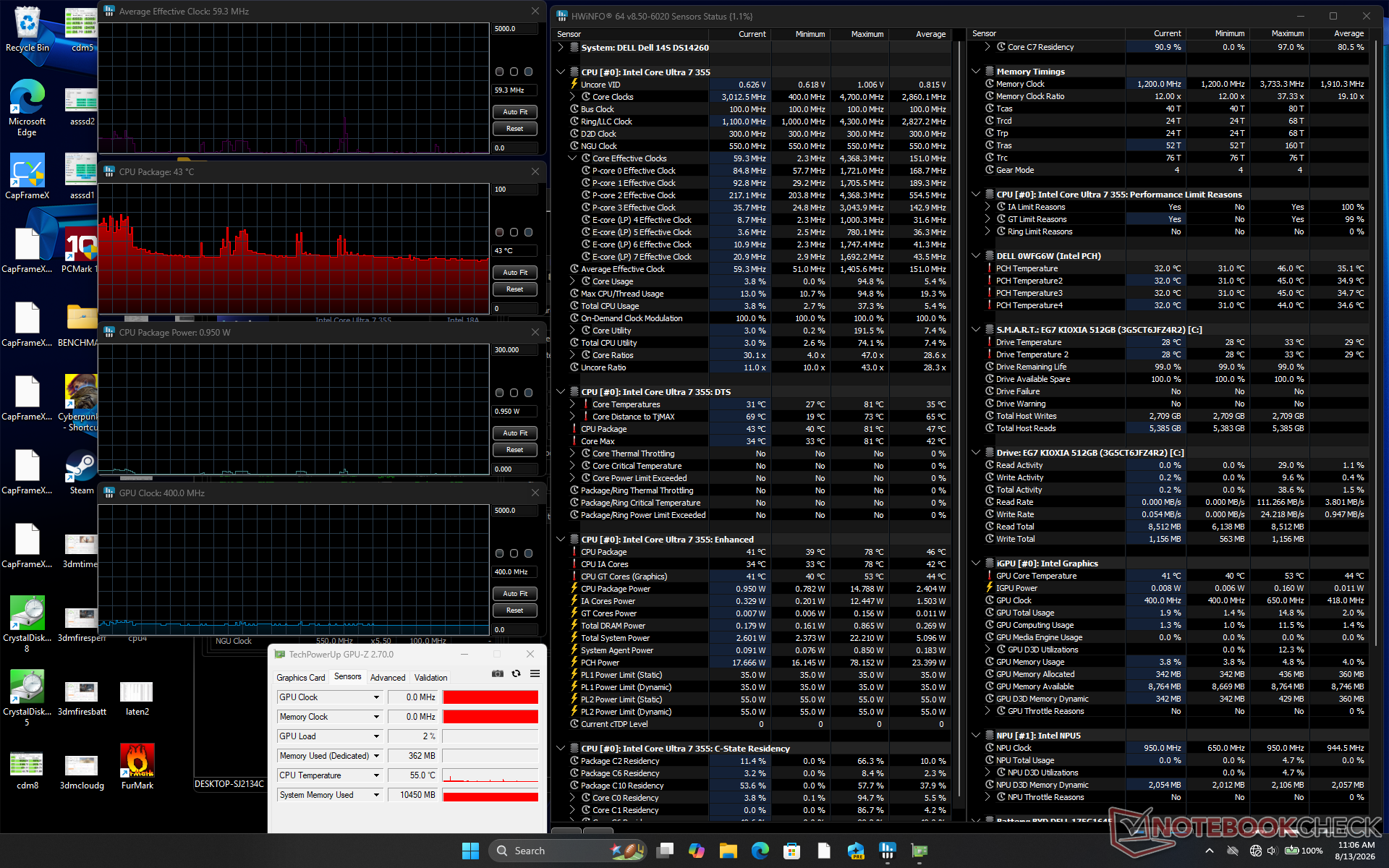
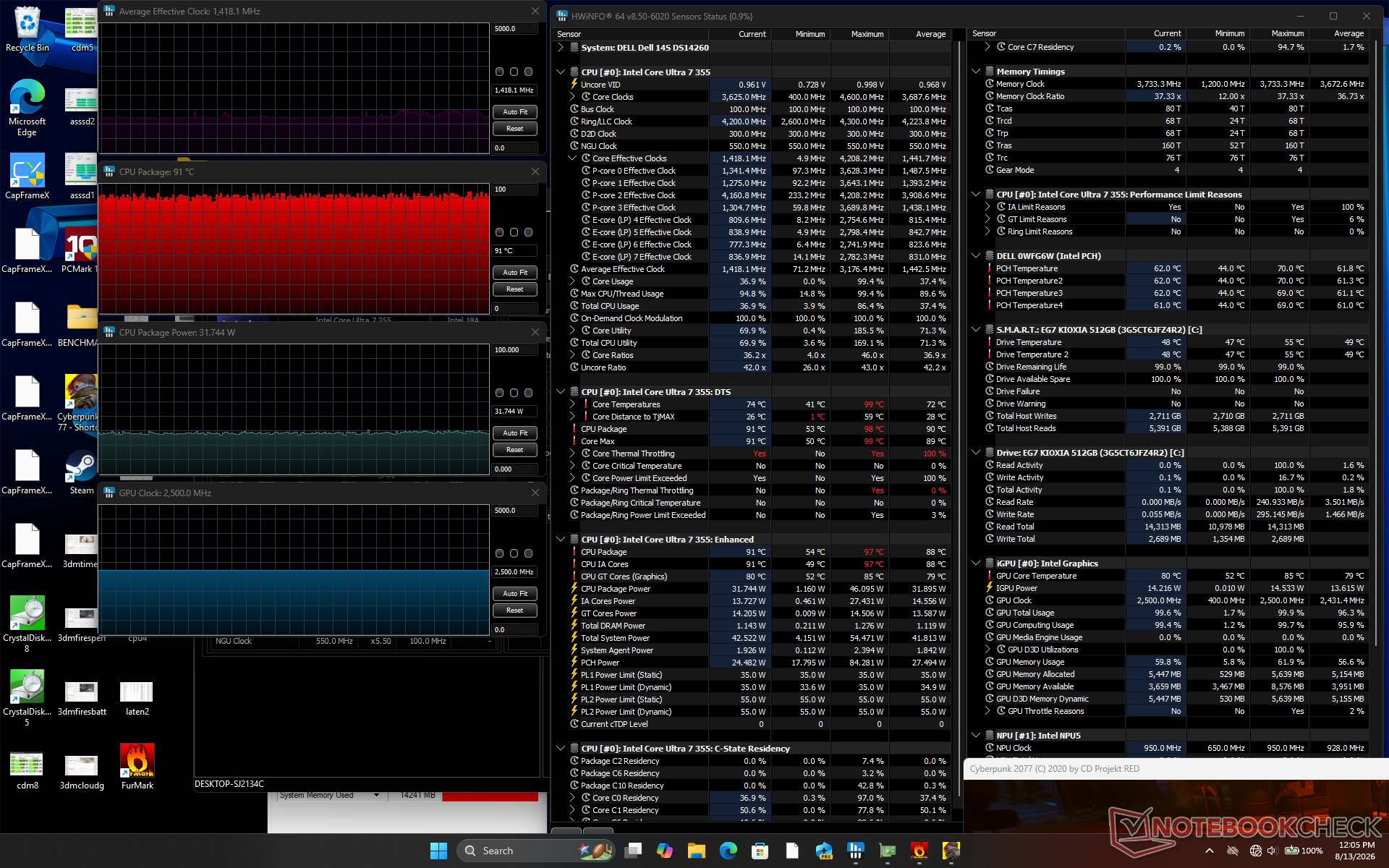
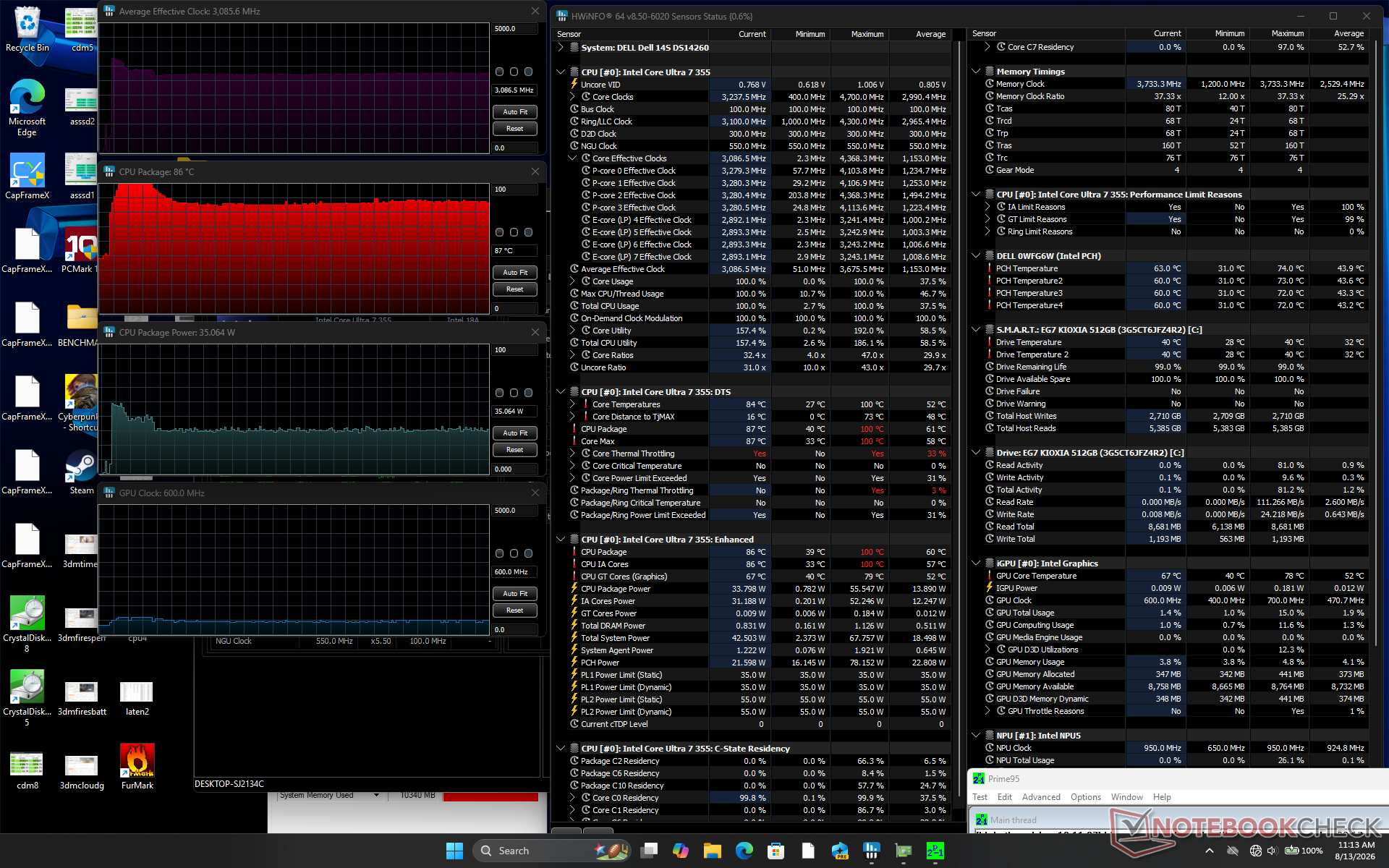
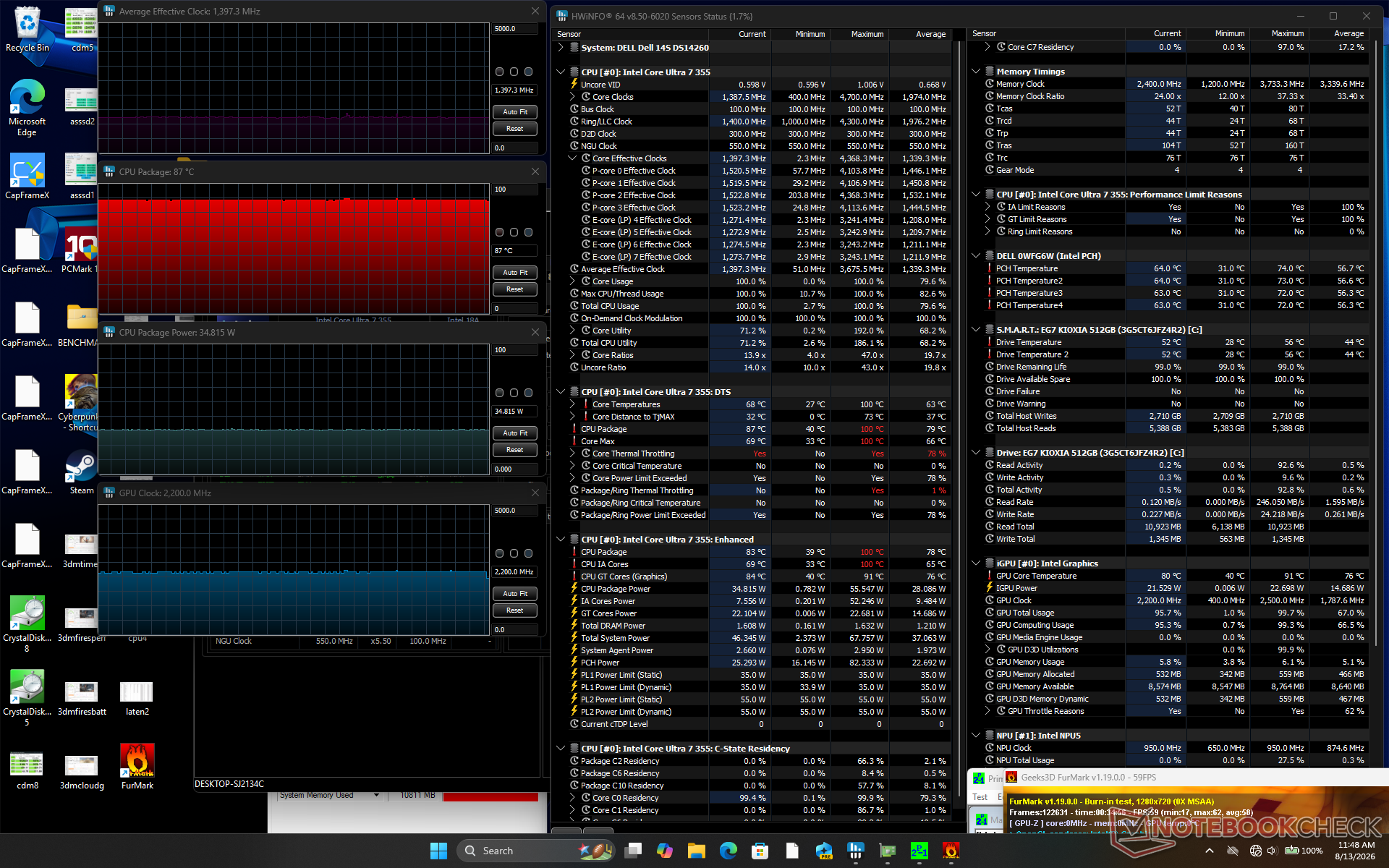
| Frequenza media della CPU (GHz) | Frequenza della GPU (MHz) | Temperatura media della CPU (°C) Sistema inattivo | |
| -- | |||
| 400 | |||
| 43 | |||
| Stress con Prime95 | |||
| 3,1 | |||
| -- | |||
| 87 | |||
| Test di stress con Prime95 + FurMark | |||
| 1,4 | |||
| 2200 | |||
| 87 | |||
| Test di stress con Cyberpunk 2077 | |||
| 1,5 | |||
| 2500 | |||
| 91 |
Relatori
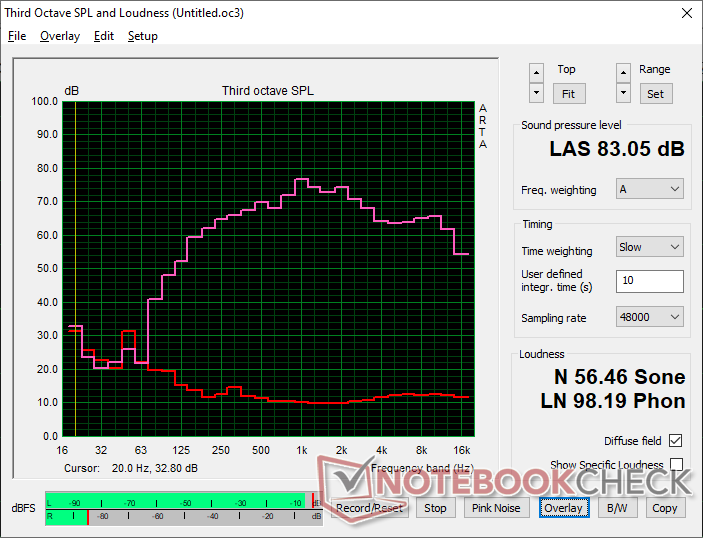
Dell 14S DS14260 analisi audio
(+) | gli altoparlanti sono relativamente potenti (83.1 dB)
Bassi 100 - 315 Hz
(±) | bassi ridotti - in media 7% inferiori alla media
(±) | la linearità dei bassi è media (7.8% delta rispetto alla precedente frequenza)
Medi 400 - 2000 Hz
(±) | medi elevati - circa 6.3% superiore alla media
(+) | medi lineari (4.6% delta rispetto alla precedente frequenza)
Alti 2 - 16 kHz
(+) | Alti bilanciati - appena 1.9% dalla media
(+) | alti lineari (3.3% delta rispetto alla precedente frequenza)
Nel complesso 100 - 16.000 Hz
(+) | suono nel complesso lineare (10.9% differenza dalla media)
Rispetto alla stessa classe
» 10% di tutti i dispositivi testati in questa classe è stato migliore, 3% simile, 87% peggiore
» Il migliore ha avuto un delta di 5%, medio di 18%, peggiore di 53%
Rispetto a tutti i dispositivi testati
» 6% di tutti i dispositivi testati in questa classe è stato migliore, 2% similare, 92% peggiore
» Il migliore ha avuto un delta di 4%, medio di 23%, peggiore di 136%
Apple MacBook Pro 16 2021 M1 Pro analisi audio
(+) | gli altoparlanti sono relativamente potenti (84.7 dB)
Bassi 100 - 315 Hz
(+) | bassi buoni - solo 3.8% dalla media
(+) | bassi in lineaa (5.2% delta rispetto alla precedente frequenza)
Medi 400 - 2000 Hz
(+) | medi bilanciati - solo only 1.3% rispetto alla media
(+) | medi lineari (2.1% delta rispetto alla precedente frequenza)
Alti 2 - 16 kHz
(+) | Alti bilanciati - appena 1.9% dalla media
(+) | alti lineari (2.7% delta rispetto alla precedente frequenza)
Nel complesso 100 - 16.000 Hz
(+) | suono nel complesso lineare (4.6% differenza dalla media)
Rispetto alla stessa classe
» 0% di tutti i dispositivi testati in questa classe è stato migliore, 0% simile, 100% peggiore
» Il migliore ha avuto un delta di 5%, medio di 17%, peggiore di 45%
Rispetto a tutti i dispositivi testati
» 0% di tutti i dispositivi testati in questa classe è stato migliore, 0% similare, 100% peggiore
» Il migliore ha avuto un delta di 4%, medio di 23%, peggiore di 136%
Gestione energetica
Consumo energetico
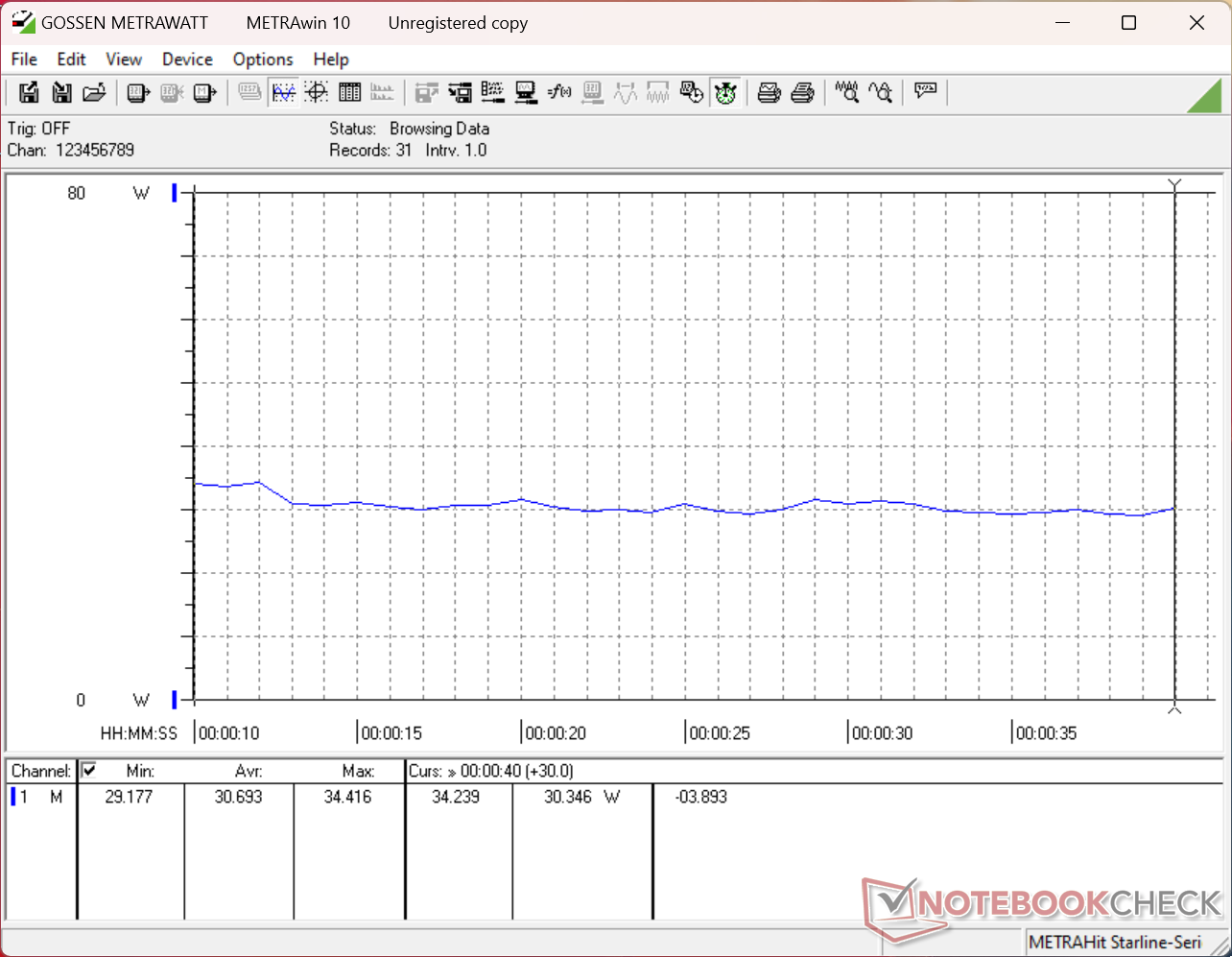
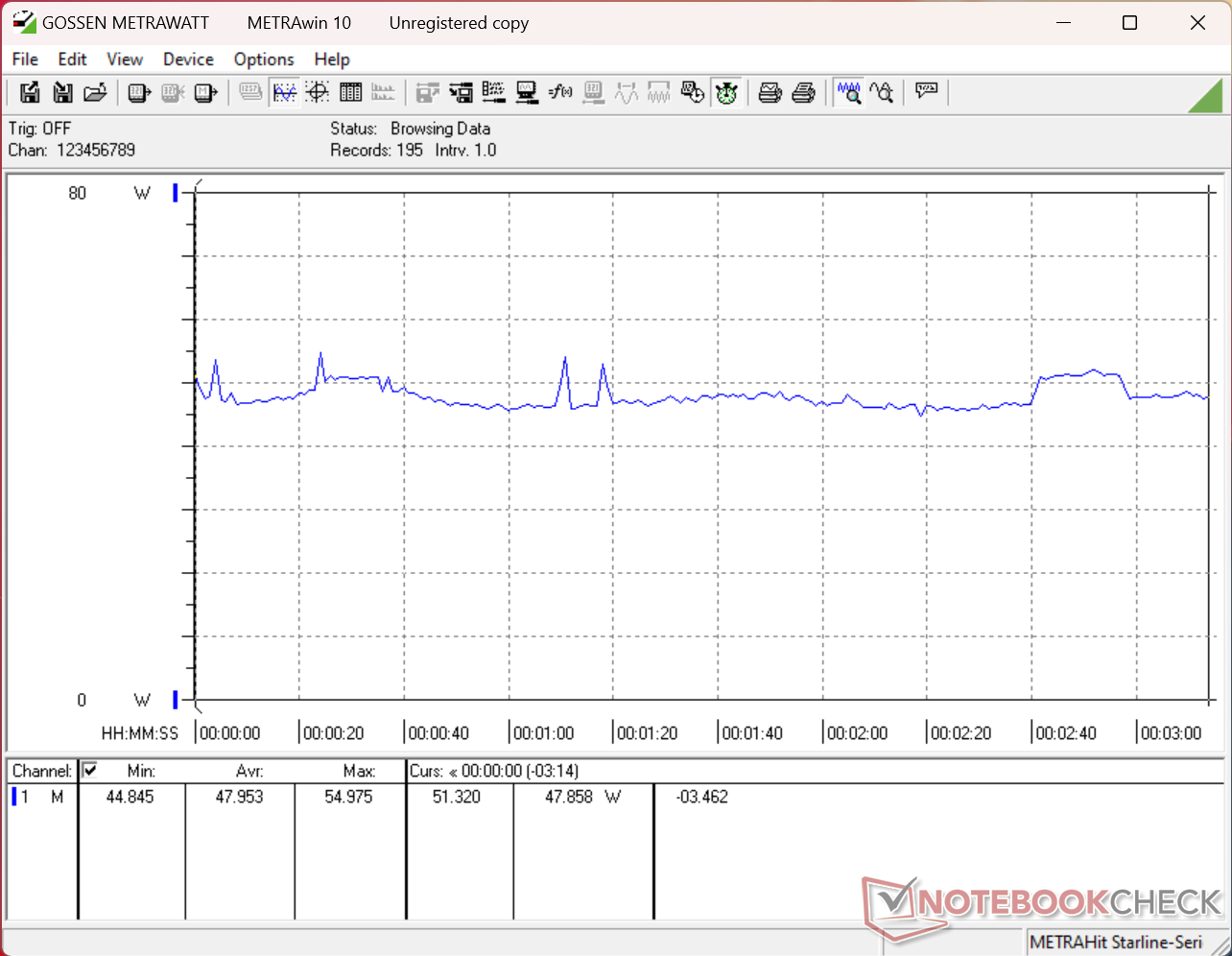
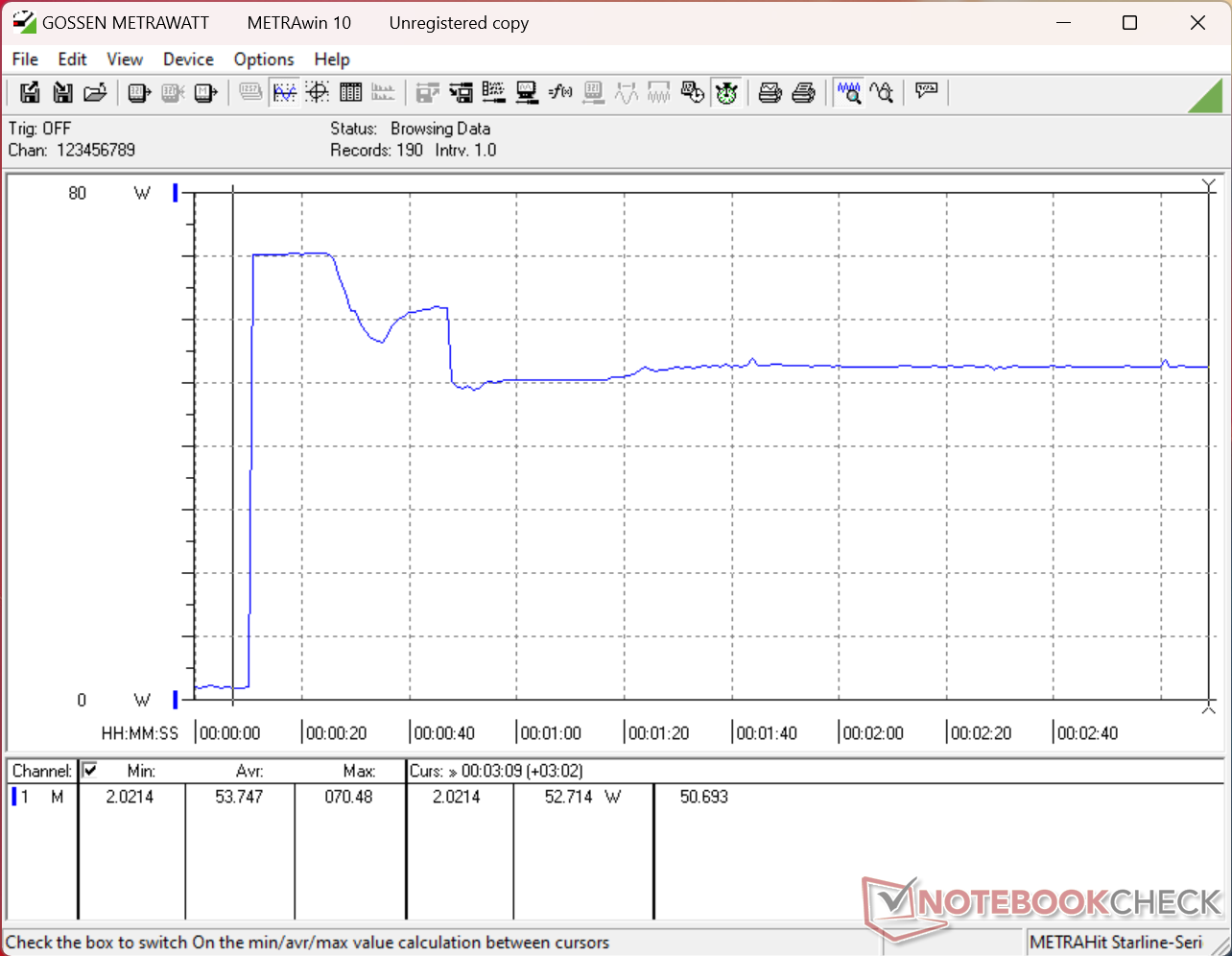
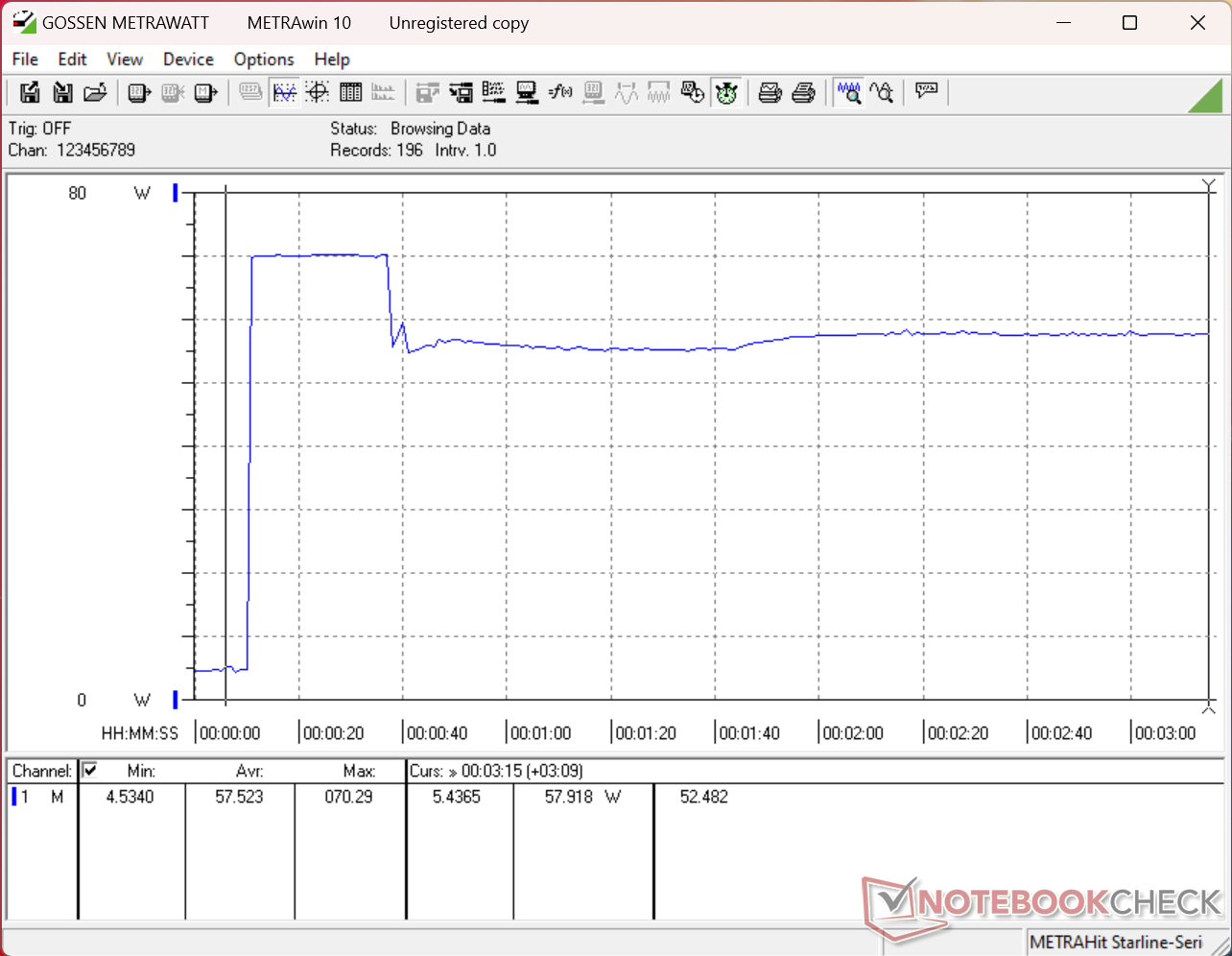
| Off / Standby | 0.15 / 0.56 Watt |
| Idle | 1.8 / 6.6 / 11.4 Watt |
| Sotto carico |
30.7 / 71 Watt |
   
| |
Leggenda:
min: ,
med: ,
max: Metrahit Energy | |
| Dell 14S DS14260 Ultra 7 355, Intel Graphics 4 Xe3 PTL, , OLED, 1920x1200, 14" | Lenovo ThinkBook 14 G9 IPL 21UX005PGE Ultra 5 325, Intel Graphics 4 Xe3 PTL, YMTC PC42Q512GBG4Q, IPS LED, 1920x1200, 14" | Dell XPS 14 Core Ultra X7 358H Ultra X7 358H, Arc B390 Panther Lake iGPU, Samsung PM9C1b MZVL81T0HFLB-00BH1, OLED, 2880x1800, 14" | HP OmniBook Ultra 14 Core Ultra X9 Ultra X9 388H, Arc B390 Panther Lake iGPU, , OLED, 2880x1800, 14" | Dell Inspiron 14 7445 2-in-1 R7 8840HS, Radeon 780M, Micron 2400 MTFDKBK1T0QFM, IPS, 1920x1200, 14" | Asus VivoBook S 14 OLED M5406WA Ryzen AI 9 HX 370, Radeon 890M, Micron 2400 MTFDKBA1T0QFM, OLED, 1920x1200, 14" | |
|---|---|---|---|---|---|---|
| Power Consumption | -5% | -14% | -8% | -42% | -73% | |
| Idle Minimum * (Watt) | 1.8 | 2.4 -33% | 3.1 -72% | 2.5 -39% | 4.5 -150% | 6 -233% |
| Idle Average * (Watt) | 6.6 | 6.9 -5% | 3.6 45% | 5.1 23% | 8.4 -27% | 8 -21% |
| Idle Maximum * (Watt) | 11.4 | 7.9 31% | 10 12% | 5.8 49% | 8.9 22% | 14 -23% |
| Load Average * (Watt) | 30.7 | 41.5 -35% | 39.2 -28% | 49.8 -62% | 50.7 -65% | 76 -148% |
| Cyberpunk 2077 ultra external monitor * (Watt) | 47.6 | 48.3 -1% | 51.2 -8% | 55.1 -16% | 61.9 -30% | |
| Cyberpunk 2077 ultra * (Watt) | 48 | 48 -0% | 51.4 -7% | 55 -15% | 58.6 -22% | |
| Load Maximum * (Watt) | 71 | 66.9 6% | 101.4 -43% | 68 4% | 62.4 12% | 94 -32% |
| Witcher 3 ultra * (Watt) | 50.8 |
* ... Meglio usare valori piccoli
Consumo energetico Cyberpunk / Stress test
Consumo energetico del monitor esterno
Durata della batteria
| Dell 14S DS14260 Ultra 7 355, Intel Graphics 4 Xe3 PTL, 70 Wh | Lenovo ThinkBook 14 G9 IPL 21UX005PGE Ultra 5 325, Intel Graphics 4 Xe3 PTL, 48 Wh | Dell XPS 14 Core Ultra X7 358H Ultra X7 358H, Arc B390 Panther Lake iGPU, 70 Wh | HP OmniBook Ultra 14 Core Ultra X9 Ultra X9 388H, Arc B390 Panther Lake iGPU, 70 Wh | Dell Inspiron 14 7445 2-in-1 R7 8840HS, Radeon 780M, 54 Wh | Asus VivoBook S 14 OLED M5406WA Ryzen AI 9 HX 370, Radeon 890M, 75 Wh | |
|---|---|---|---|---|---|---|
| Autonomia della batteria | -54% | -12% | -34% | -31% | -14% | |
| WiFi v1.3 (h) | 19.1 | 8.7 -54% | 16.8 -12% | 12.6 -34% | 13.1 -31% | 16.5 -14% |
| Load (h) | 1.4 | 2.2 | 2.8 | |||
| Reader / Idle (h) | 22.2 | 31.7 |
Valutazione di Notebookcheck
Il «vero» successore della serie Inspiron 14, caratterizzato da un nuovo design e da opzioni di CPU Panther Lake relativamente più veloci.
Dell 14S DS14260
- 08/17/2026 v8
Allen Ngo
 Total Sustainability Score:
 Confronto con i potenziali concorrenti
Immagine | Modello | Prezzo | Peso | Altezza | Schermo |
|---|---|---|---|---|---|
1. 81.9% 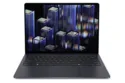 | Dell 14S DS14260 Intel Core Ultra 7 355 ⎘ Intel Graphics 4 Xe3 Panther Lake iGPU ⎘ 16 GB Memoria | Prezzo di listino: 1500 USD | 1.5 kg | 15.3 mm | 14.00" 1920x1200 162 PPI OLED |
2. 84.2% 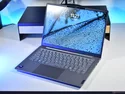 | Lenovo ThinkBook 14 G9 IPL 21UX005PGE Intel Core Ultra 5 325 ⎘ Intel Graphics 4 Xe3 Panther Lake iGPU ⎘ 32 GB Memoria, 512 GB SSD | Prezzo di listino: 1150 Euro | 1.4 kg | 21 mm | 14.00" 1920x1200 162 PPI IPS LED |
3. 87.4% 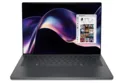 | Dell XPS 14 Core Ultra X7 358H Intel Core Ultra X7 358H ⎘ Intel Arc B390 12 Xe3 Panther Lake iGPU ⎘ 32 GB Memoria, 1000 GB SSD | Amazon: 1. $1,849.99 Dell XPS 14 Premium Laptop 1... 2. $1,999.00 Dell XPS 14 Premium Laptop D... 3. $1,359.00 Dell Pro 14 Plus PB14250 Lap... Prezzo di listino: 2200 USD | 1.4 kg | 14.62 mm | 14.00" 2880x1800 243 PPI OLED |
4. 87.9% 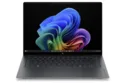 | HP OmniBook Ultra 14 Core Ultra X9 Intel Core Ultra X9 388H ⎘ Intel Arc B390 12 Xe3 Panther Lake iGPU ⎘ 32 GB Memoria | Prezzo di listino: 2800 USD | 1.3 kg | 10.7 mm | 14.00" 2880x1800 243 PPI OLED |
5. 80.1%  | Dell Inspiron 14 7445 2-in-1 AMD Ryzen 7 8840HS ⎘ AMD Radeon 780M ⎘ 16 GB Memoria, 1024 GB SSD | Amazon: 1. $849.99 Dell Inspiron 14 7440, 14" 2... 2. $1,054.00 Dell 14 2-in-1 Laptop, FHD+,... 3. $889.00 Delca Customized Laptop Made... Prezzo di listino: 950€ | 1.7 kg | 18.9 mm | 14.00" 1920x1200 162 PPI IPS |
6. 84.9%  | Asus VivoBook S 14 OLED M5406WA AMD Ryzen AI 9 HX 370 ⎘ AMD Radeon 890M ⎘ 24 GB Memoria, 1024 GB SSD | Prezzo di listino: 1400 EUR | 1.3 kg | 15.9 mm | 14.00" 1920x1200 162 PPI OLED |
Transparency
La selezione dei dispositivi da recensire viene effettuata dalla nostra redazione. Il campione di prova è stato fornito all'autore come prestito dal produttore o dal rivenditore ai fini di questa recensione. L'istituto di credito non ha avuto alcuna influenza su questa recensione, né il produttore ne ha ricevuto una copia prima della pubblicazione. Non vi era alcun obbligo di pubblicare questa recensione. In quanto società mediatica indipendente, Notebookcheck non è soggetta all'autorità di produttori, rivenditori o editori.
Ecco come Notebookcheck esegue i test
Ogni anno, Notebookcheck esamina in modo indipendente centinaia di laptop e smartphone utilizzando procedure standardizzate per garantire che tutti i risultati siano comparabili. Da circa 20 anni sviluppiamo continuamente i nostri metodi di prova e nel frattempo stabiliamo gli standard di settore. Nei nostri laboratori di prova, tecnici ed editori esperti utilizzano apparecchiature di misurazione di alta qualità. Questi test comportano un processo di validazione in più fasi. Il nostro complesso sistema di valutazione si basa su centinaia di misurazioni e parametri di riferimento ben fondati, che mantengono l'obiettività. Add as a preferred source on Google


