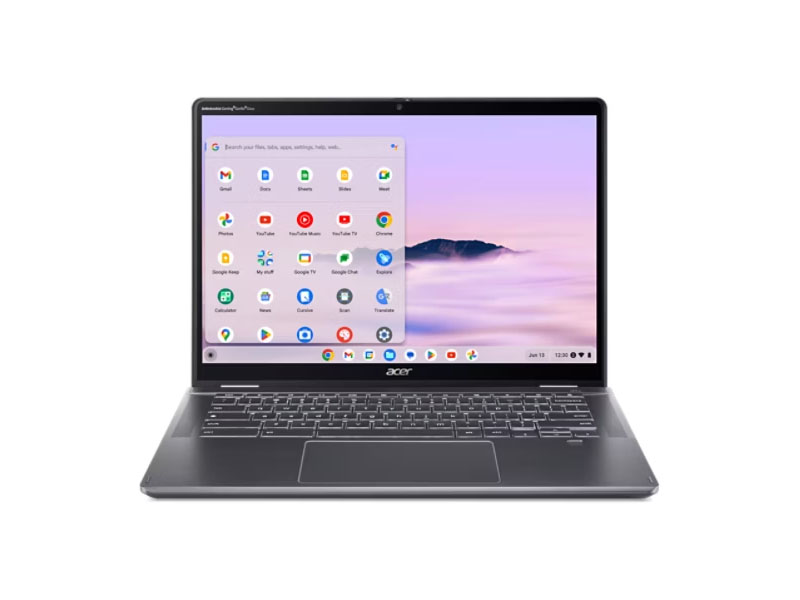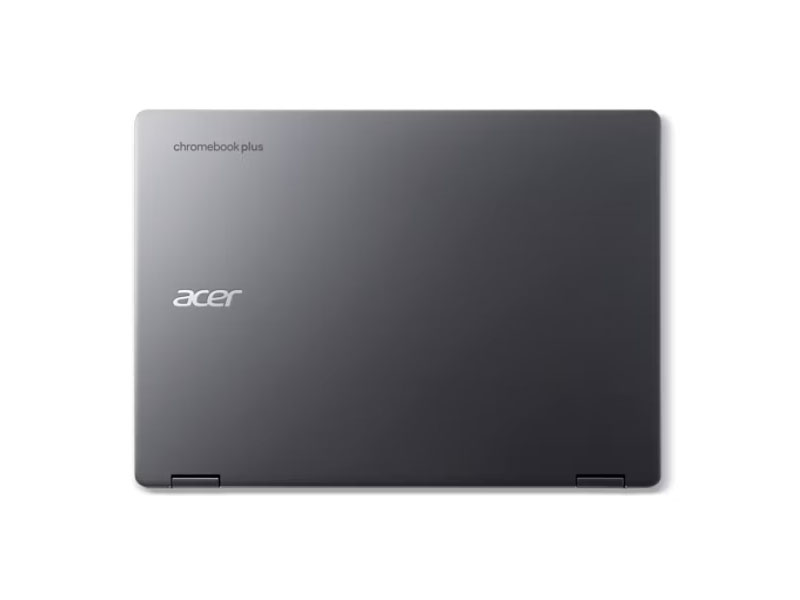




Acer Chromebook Plus Spin 514 Serie
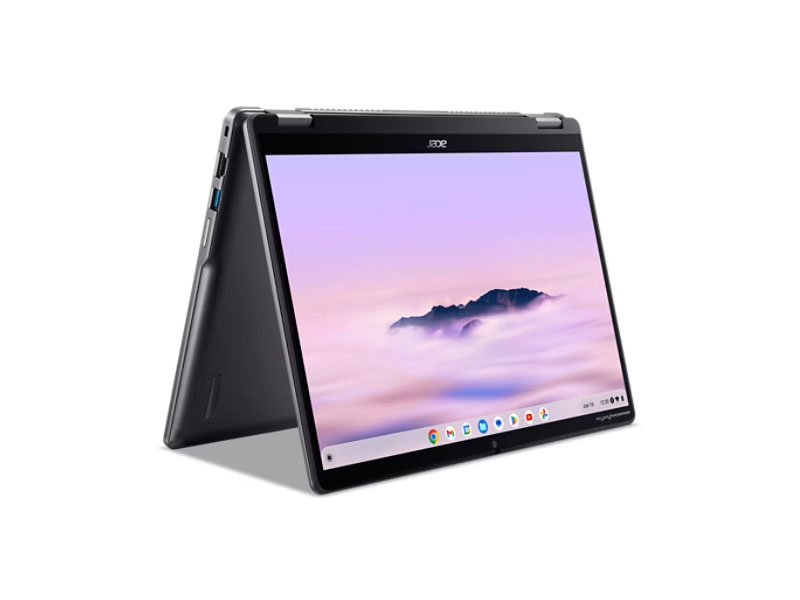 Processore: Intel Raptor Lake-U Core 3 100U, Mediatek MediaTek Kompanio Kompanio Ultra 910
Scheda grafica: ARM Immortalis-G925 MC11, Intel UHD Graphics 64EUs
Schermo: 14.00 pollici
Peso: 1.36kg, 1.5kg
Media dei 17 punteggi (dalle 20 recensioni)
Acer Chromebook Plus Spin 514 CP514-4HN
Specifiche tecniche
Notebook: Acer Chromebook Plus Spin 514 CP514-4HNProcessore: Intel Raptor Lake-U Core 3 100U
Scheda grafica: Intel UHD Graphics 64EUs
Schermo: 14.00 pollici, 16:10, 1920 x 1200 pixels
Peso: 1.5kg
Links: Acer homepage Acer sezione notebook
Price comparison
Punteggio medio:
recensioni esterne
Sorgente: Android Police
 EN→IT
EN→ITThe Acer Chromebook Plus Spin 514 is worth the price of admission, but it’s up to you to decide whether you can recoup $800 worth of value. The tools are there for those who need them, and I love the changes made to ChromeOS. I appreciate the extra power under the hood that the Spin 514 provides. Still, it’s not an inexpensive investment, so make sure you need what the Spin 514 offers before taking the plunge. The Acer Chromebook Plus Spin 514 (2025) features a MediaTek Kompanio Ultra 910 chipset and 16GB of RAM, providing ample performance. It also sports a 14-inch IPS display with a resolution of 2880 x 1800. As the name suggests, the hinge spins, allowing the Chromebook to be used as a tablet or in tent mode for presentations. Its 70 Wh battery can go an entire day without needing to recharge.
Singola recensione, disponibile online, Corto, Data: 11/08/2025
Valutazione: Punteggio totale: 85%
Sorgente: XDA Developers
EN→ITThe Acer Chromebook Plus Spin 514 is one of the nicest Chromebooks I've used in a while, with a sleek, premium feel, sturdy convertible hinges, a bright and colorful display, a powerful MediaTek Kompanio Ultra 910 processor, and some of the most genuinely useful AI features I've used. If you don't need the full Windows suite of applications, there's no major drawback. And unlike the similar Lenovo Chromebook Plus 14, the Spin 514 does have USB Type-C ports. Plus, it's significantly cheaper than the HP Elite Dragonfly Chromebook, though the Lenovo is the most affordable of the three. The Spin 514 is just $50 more and will work with your USB-C hub. With Enterprise and Education options, it's a fantastic device for work, school, or to take the place of your clunky old Windows laptop.
Singola recensione, disponibile online, Medio, Data: 10/05/2025
Valutazione: Punteggio totale: 90%
Sorgente: PC World
EN→ITThe Acer Chromebook Plus Spin 514 does a stellar job of mixing the practical stuff with a bit of polish. It feels sturdier than you’d expect, and both the screen and speakers punch way above what most midrange Chromebooks usually offer. The AI features? Cool but unnecessary. And when you put it up against Lenovo’s Chromebook Plus 14, both of which are running the same Kompanio Ultra 910 chip, the Acer simply feels like the snappier, more versatile option. Lenovo can do the basic stuff just fine, but Acer gives you more wiggle room if you’re more of a multitasker.
Singola recensione, disponibile online, Medio, Data: 09/03/2025
Valutazione: Punteggio totale: 97%
Sorgente: Tom's Guide
EN→ITWear and tear susceptibility aside, though, after crowning a new best Chromebook, I’m now giving the best 2-in-1 throne to the Acer Chromebook Plus Spin 514. It’s seriously that good. The laptop hardware feels phenomenal to use at every angle, the display is drop dead gorgeous, and the turbo-charged Arm engine on the inside will crush any ChromeOS task while slow-sipping that battery. If your work and life revolve around Google products, this is the best convertible option to snag.
Singola recensione, disponibile online, Medio, Data: 09/03/2025
Valutazione: Punteggio totale: 80%
Sorgente: Expert Reviews
EN→ITWith prices expected to start at £599, the Chromebook Plus Spin 514 looks to be a cracking laptop for the money. It’s slim, felt sturdy and comfortable in use during the few minutes I had to try it out and the display is bright enough to use in most environments. The extra AI features look nice, but they come in second place to battery life that looks like it could rival the latest Windows and Qualcomm machines for longevity. I reckon it would make a great laptop for any student or, for that matter, anyone looking for a laptop to just get things done without having to deal with the fuss of Windows updates.
Singola recensione, disponibile online, Corto, Data: 09/03/2025
Sorgente: Engadget
EN→ITMy only real quibble with the Spin 514 is its price. At $700, we’re pushing the top of what anyone should spend on a Chromebook. While the more powerful chip and long battery life will be worth it for some people, Acer itself is providing some strong competition with its standard Chromebook Plus 514 which came out this summer. It has an Intel chip, so battery life and performance aren’t at the same level as the Spin 514, but it’s also literally half the price at $350. If you’re only going to be away from a charger for a few hours at a time, it’s hard not to recommend that device instead. I’ll be publishing more details about that laptop in our guide to the best Chromebooks very soon if you want to know more. So while this might not be the Chromebook I’d recommend to everyone, it is a strong contender for the best premium Chromebook you can buy.
Singola recensione, disponibile online, Corto, Data: 09/03/2025
Valutazione: Punteggio totale: 85%
Sorgente: PC World
EN→ITThe Acer Chromebook Plus Spin 514 is a well-made convertible laptop–that much I cannot deny. The laptop folds easily (as it should!) and it’s fairly comfortable to use in either landscape or portrait orientations. It’s also a long-lasting laptop (as long as the brightness is turned down) and the display bezels are barely there, so you’re getting a lot of screen. That said, at full price ($549.99), it’s expensive, especially for an entry-level configuration with just 8GB of RAM and 128GB of flash storage. Personally? I’d wait for a drop in price.
Singola recensione, disponibile online, Medio, Data: 03/13/2025
Valutazione: Punteggio totale: 80%
Sorgente: Android Police
EN→ITThe Acer Chromebook Plus Spin 514 is in an interesting position, price-wise. At over $500 (you can sometimes find it on sale for the mid-$400 range), it's not cheap. Luckily, the performance is worth the sale price tag. Build-quality-wise, you can spend a little more and get something that feels better with the Asus CX54 Chromebook Plus. You could also consider Samsung's Galaxy Chromebook, which recently earned our AP Editor's Choice award. Then, there are many options for Chromebooks in the $200 range on Amazon, specifically from HP and Lenovo, which might be ideal if it's only used for homework. However, if you're sharing the workstation, the extra power, RAM, and storage space is probably worth it here, despite the clunky plastic build quality — which isn't a deal-breaker.
Singola recensione, disponibile online, Medio, Data: 12/01/2024
Valutazione: Punteggio totale: 70%
Sorgente: Overclockers RU
 RU→IT
RU→ITSingola recensione, disponibile online, Lunghissimo, Data: 03/25/2025
Acer Chromebook Plus Spin 514 CP514-5HN
Specifiche tecniche
Notebook: Acer Chromebook Plus Spin 514 CP514-5HNProcessore: Mediatek MediaTek Kompanio Kompanio Ultra 910
Scheda grafica: ARM Immortalis-G925 MC11
Schermo: 14.00 pollici, 16:10, 2880 x 1800 pixels
Peso: 1.36kg
Links: Acer homepage Acer sezione notebook
Price comparison
Punteggio medio:
recensioni esterne
Sorgente: Creative Bloq
EN→ITThe Acer Chromebook Plus Spin 514 is everything you'd want from a Chromebook. Not only does it have a slick modern design, but it's also fast and portable. If all you ever use are web apps for editing documents, browsing the web, and lightweight photo/video editing, then this snappy 2-in-1 is a dream come true.
Singola recensione, disponibile online, Corto, Data: 08/29/2026
Valutazione: Punteggio totale: 90%
Sorgente: Trusted Reviews
EN→ITThe Acer Chromebook Plus Spin 514 (2026) is a capable convertible Chromebook with solid performance from its MediaTek Kompanio Ultra chip, plus a detailed IPS screen and good battery life. It’s got a better port selection, a larger screen, is lighter, and has slightly better endurance.
Singola recensione, disponibile online, Medio, Data: 07/24/2026
Valutazione: Punteggio totale: 80%
Sorgente: Chrome Unboxed
EN→ITAt its MSRP of $699, it’s a solid value, but it regularly drops all the way down to $499 and I don’t see those sorts of discounts going anywhere anytime soon. At that sort of price, this Chromebook becomes such an easy recommendation and gives you far more than what you pay for it.
Singola recensione, disponibile online, Corto, Data: 07/01/2026
Valutazione: Punteggio totale: 90%
Sorgente: PC Mag
EN→ITYou'll find a lot to like about the Chromebook Plus Spin 514. Judging it simply as a clamshell Chromebook, it delivers excellent performance from its Kompanio Ultra CPU, features lengthy battery life, and sits within a sturdy frame. The keyboard and touchpad are satisfactory, and the device is reasonably thin and light. At $699.99, it’s an excellent option for anyone who wants a potent ChromeOS machine. Of course, it’s also a 360-degree convertible with active pen support, even if the pen functionality isn't field-leading. A student who wants a "sometimes" tablet for taking notes in class will love this laptop. On the flip side, this Spin 514 model costs the same as Acer's Spin 714 model, which has some better features, like a superior solid-state drive and more ports, such as Thunderbolt 4 and HDMI.
Singola recensione, disponibile online, Medio, Data: 02/06/2026
Valutazione: Punteggio totale: 80%
Sorgente: Chrome Unboxed
EN→ITWhen the Lenovo Chromebook Plus 14 arrived, I quickly and confidently called it the best Chromebook I had ever used. It’s a device that gets so many things right; but in my review, I noted that it was a traditional clamshell, and for those who love the flexibility of a 2-in-1, it might not be the perfect fit. Well, for those of you who have been waiting for a device with all the power and battery life of the Lenovo but in a convertible form factor, your wait is over.
Singola recensione, disponibile online, Corto, Data: 12/24/2025
Valutazione: Punteggio totale: 90%
Sorgente: Computerbild
 DE→IT
DE→ITSingola recensione, disponibile online, Corto, Data: 07/23/2026
Valutazione: Punteggio totale: 92%
Sorgente: WinFuture
DE→ITSingola recensione, disponibile online, Cortissimo, Data: 03/03/2026
Sorgente: Tablet Blog
DE→ITSingola recensione, disponibile online, Medio, Data: 02/18/2026
Valutazione: Punteggio totale: 80%
Sorgente: PC Welt
DE→ITSingola recensione, disponibile online, Medio, Data: 01/21/2026
Valutazione: Punteggio totale: 90%
Sorgente: PC Welt
DE→ITSingola recensione, disponibile online, Medio, Data: 01/15/2026
Valutazione: Punteggio totale: 90%
Sorgente: Frandroid
 FR→IT
FR→ITSingola recensione, disponibile online, Medio, Data: 03/18/2026
Valutazione: Punteggio totale: 80% prestazioni: 70% schermo: 60% mobilità: 80% qualità di lavorazione: 90%
Commenti
Acer: Nel 1976, l'azienda è stata fondata a Taiwan con il nome Multitech e nel 1987 è stata ribattezzata Acer o Acer Group. La gamma di prodotti comprende, ad esempio, laptop, tablet, smartphone, desktop, monitor, TV e periferiche per computer. Dal 2007, il gruppo si è fuso con Gateway Inc. e Packard Bell, che commercializzano anche le proprie linee di prodotti per laptop.
I computer Acer sono progettati per una varietà di scopi, inclusi ultrabook per uso mobile, laptop da gioco per giocatori, opzioni convenienti per le attività quotidiane e laptop convertibili 2 in 1 per la versatilità. Il portafoglio di prodotti Acer comprende anche tablet che offrono capacità informatiche portatili e multimediali.
Ridurre la distanza delle Schede Grafiche per gli utenti che vogliono utilizzare il videogiochi. I nuovi giochi dovrebbero funzionare su queste schede, ma con riduzione dei dettagli e risoluzione mediocre.
Intel UHD Graphics 64EUs:
Scheda grafica integrata nei SoC Intel Alder Lake basati sulla nuova architettura Gen. 12 (Xe) con 64 EU (Execution Units / Shader Cluster). La frequenza di clock dipende dal modello di processore.
ARM Immortalis-G925 MC11: Chip grafico di fascia alta per smartphone con 11 dei 24 core possibili. Basato sull'architettura "5th Gen" (successore di Valhall) che include Variable Rate Shading (VRS) e Ray Racing.
>> Ulteriori informazioni le potete trovare nel nostroConfronto delle schede grafiche e nella nostra Lista dei Benchmark.
Intel Raptor Lake-U:
Core 3 100U: Processore mobile di fascia alta basato sull'architettura Alder Lake. Offre 2 core di prestazioni e 4 core di efficienza e può elaborare 8 thread contemporaneamente. Il turbo clock massimo dei core P è di 4,5 GHz.
Mediatek MediaTek Kompanio:
Kompanio Ultra 910: SoC di fascia alta basato su ARM per i Chromebook del 2025 con 8 core. In questo caso, c'è un ARM Cortex-X925 con frequenza fino a 3,62 GHz, tre Cortex-X4 con frequenza fino a 3,25 GHz e quattro Cortex-A720 con frequenza fino a 2 GHz.
>>Ulteriori informazioni le potete trovare nel nostroConfronto dei processori per portatili.
>> Per scoprire come è la risoluzione del vostro schermo, andate a vedere la nostraLista DPI.
1.36 kg:
Questo è il tipico peso dei tablets molto grandi, subnotebooks, ultrabooks e convertibili con diagonale del display da 11-13”.
1.5 kg:
85.24%: Questo è un buon punteggio sopra la media. Tuttavia non dovete dimenticare che il 10-15% di tutti i modelli di portatili hanno un punteggio superiore.
>> Ulteriori informazioni le potete trovare nella nostra Guida all'acquisto di un portatile.
 Add as a preferred source on Google